

PopBot
Verified2,670 servers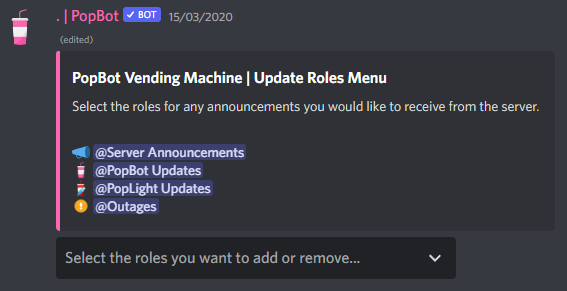
⤙ Do you require a bot with great invite moderation features, per server status management and many other interesting features? ⤚
Look no further than PopBot!
Includes:
‣ Auto-moderation for posting Discord invite links (Whitelist or blacklist invites) and invalid invites.
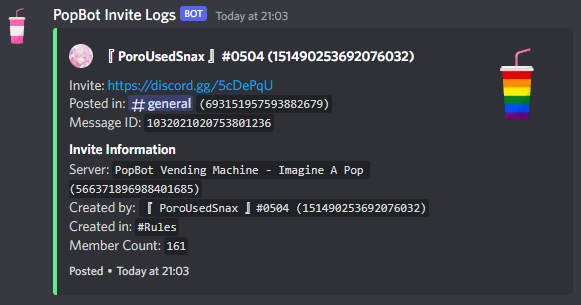
‣ Log information on a Discord invite link posted in your server, ideal for advertising/listing servers.
‣ Reaction roles and auto roles (Roles automatically given to new members when they join).
‣ Suggestion feature with the ability to accept or deny a suggestion and close voting on it.
‣ Auto-reasons. When setup converts short reasons you choose used in moderation commands such as r1 into full length reasons: Did a bad thing and broke #rules 1..
‣ An embed status system for members to show their current activity in your server. (Great for Staff teams or Gaming groups).
‣ Auto-posting messages that will post repeatedly on a timer.
‣ A full suite of moderation commands with moderation logging.
‣ Mass role command with the ability to target everyone, bots, humans or members within a role.
And many more features to come in the future, including more auto-moderation, levelling and fun/game commands!
manage-emojisManage emojis on this server.
create – Create a new emoji.
edit – Edit an emoji.
duplicate – Duplicate an emoji.
delete – Delete an emoji.
banBans a user or member from the server.
user* – The user to ban.
days-delete – How many days worth of the user's messages to delete between 1-7, defaults to 0 if not used.
reason – The reason for banning the user.
muteMutes a user temporarily via timeout, or permanently if the muted-role is enabled.
member* – The member to mute.
duration – How long to mute the member for.
reason – The reason for muting the user.
invites-listManage servers for the invites auto moderator.
add – Add a server to the invites list via an invite code, link or server ID.
remove – Remove a server from the invites list via an invite code, link or server ID.
clear – Clear all servers from the invites list to start fresh.
reason – Change the reason for adding an invite to the invites list.
view – View the current list of items in the invites list, or a specific item with its ID.
purgeDelete messages in bulk, the maximum limit is 1000. Will not delete pinned messages.
limit* – The amount of messages to delete (between 1 - 1000).
user – A user to target.
silent – Don't send a publicly visible message of command run (Still shows in Audit Logs).
bots – Target messages from bots to be purged.
uploads – Target messages with attachments to be purged.
links – Target messages with links to be purged.
invites – Target messages with Discord invites to be purged.
invalid-invites – Target messages with invalid Discord invites to be purged.
Similar Moderation and Tools Bots
Discover other moderation and tools bots that might interest you



Popular Discord Bots
Check out the most popular bots in our directory


Discover More Bots
Explore our complete directory of Discord bots to find the perfect ones for your server