

MC Linker
Verified9,150 servers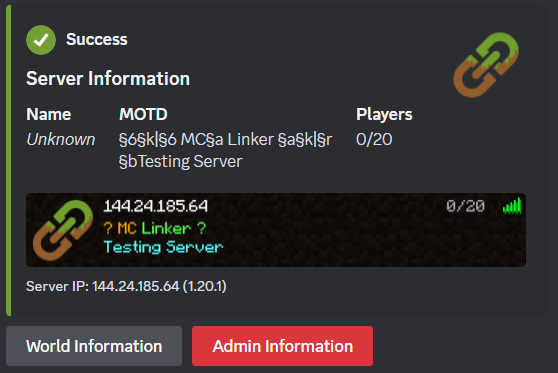
MC Linker is the easiest way to connect your Minecraft server with Discord. NO custom bot creation or configuration files needed! Add chat bridges, view player stats, advancements, and inventories, run commands and moderate your server all within Discord.
Setup
To use most of the commands you’ll have to connect your Minecraft Java Edition server with the bot. This can be done by following these steps:
- Install the "Discord-Linker" plugin to your Minecraft server from SpigotMC or Modrinth
- Execute
/connect pluginin Discord - Follow the instructions in the embed
Important Commands
/help: Detailed description and usage of every command/inventory: Look in the inventory of any member/chatchannel: Set a channel in which the bot will send the minecraft chat/statchannel: Set a channel that will display the current online status or member count/command: Execute any Minecraft command on your server/stats: Look up Minecraft stats of any member/advancements: Look up Minecraft advancements of any member/account connect: Connect your Discord Account with your Minecraft Account/connect: Connect your Minecraft server with the bot/ban: Ban a player directly from the Minecraft server/serverinfoor/userinfo: DIsplay information about your server or a connected user
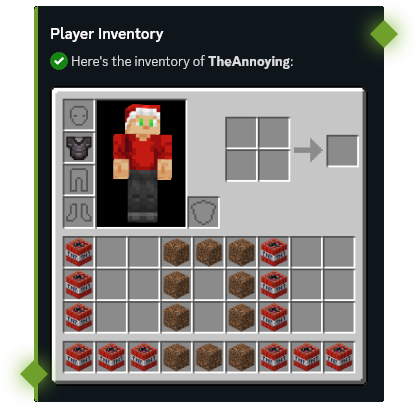
inventoryGet an image of the current player's inventory.
user* – Set the user you want to get the inventory from.
show_details – Set whether to display buttons that show more details about items.
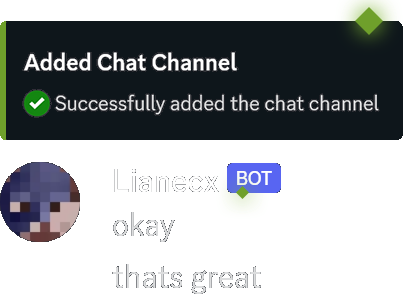
chatchannelManage channels in which the bot will send Minecraft chat messages and logs.
add – Add a chatchannel.
remove – Remove an existing chatchannel.
list – List all chatchannels.
commandExecute any command on the Minecraft-server.
command* – Set the command name.
argument1 – Set the first command argument.
argument2 – Set the second command argument.
argument3 – Set the third command argument.
argument4 – Set the fourth command argument.
argument5 – Set the fifth command argument.
argument6 – Set the sixth command argument.
argument7 – Set the seventh command argument.
argument8 – Set the eighth command argument.
argument9 – Set the ninth command argument.
connectConnect your Minecraft server with the bot.
join-requirement – Set which requirements a user needs to join the server.
- None:
none - Require Role(s):
roles - Require Linked Account:
link
display-ip – Set the public IP address that will be displayed in some of the bot's commands.
online – Manually set the configured online-mode of the server. For BungeeCord servers, set this to "True"
serverinfoView information about the connected Minecraft server.
Similar Games Bots
Discover other games bots that might interest you



Popular Discord Bots
Check out the most popular bots in our directory



Discover More Bots
Explore our complete directory of Discord bots to find the perfect ones for your server