
M'naago
Verified49 servers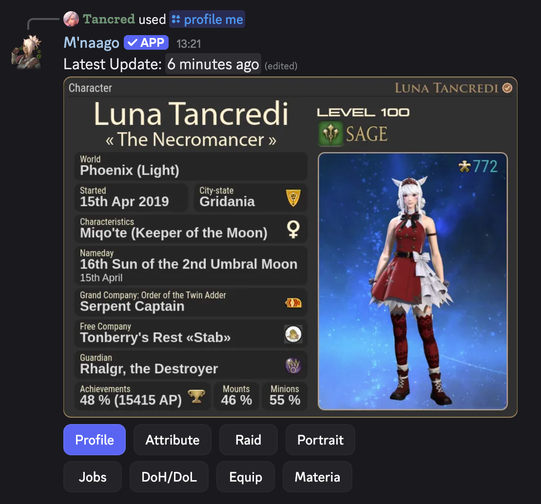
M'naago
This Discord bot can provide character profiles for the MMORPG Final Fantasy XIV (FFXIV, FF14), send automated Lodestone news notifications, display current maintenances, live letters and server statuses.
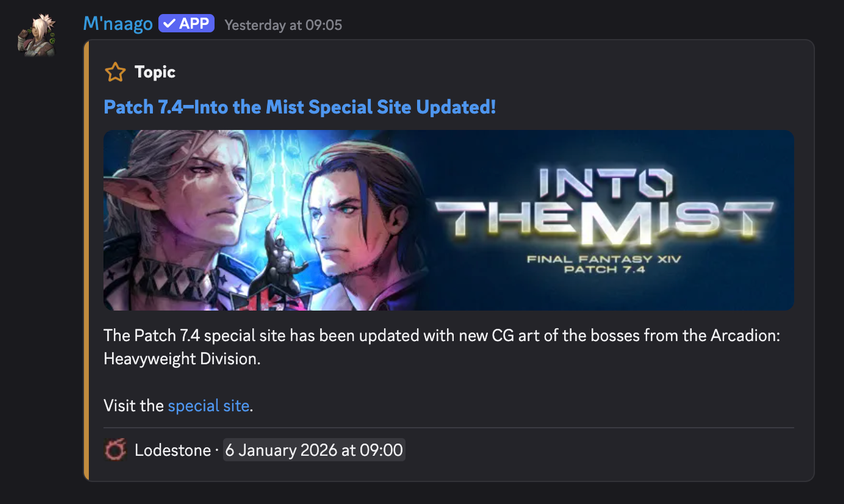
The bot allows you to verify your character, view detailed character profiles with customizable themes, manage favorites, and stay up-to-date with the latest news, maintenances, and updates from the Lodestone.
Commands
Character Profile Commands
/profile me→ Get the profile of your verified character. Characters can be verified with /verify add./profile find [name] [world]→ Get any character's profile by providing the full character name and the server the character is on. Alternatively, you can right-click a user →Apps→Find. This is faster but requires this user to have a verified character./profile favorite→ Quick access to character profiles. Favorites can be added or removed with /favorite add and /favorite remove, respectively. Alternatively, you can right-click a user →Apps→Add Favorite/Remove Favorite. This is faster but requires this user to have a verified character.
Verification Commands
/verify add [name] [world]→ Links your FFXIV character to your Discord account. You will have to verify it by changing the bio of your Lodestone profile. Verification is needed to show your profile via /profile me, manage and access favorites and to set a theme./verify remove→ Unlinks your FFXIV character from your Discord account. Also removes any other information stored of you, including your favorites and your chosen theme.
Favorite Commands
/favorite add [name] [world]→ Save any character as favorite. You can then access them quickly with /profile favorite. You can have up to 25 favorites. Favorites can also be added by opening the context menu of a Discord user →Apps./favorite remove→ Remove one of your favorites. Favorites can also be removed by opening the context menu of a Discord user →Apps.
Informational Commands
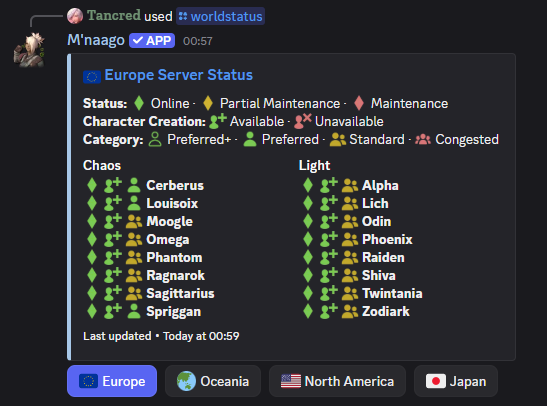
/help→ View information about the bot and how to use it./events→ View ongoing and upcoming FFXIV events such as Starlight Celebration or Live Letters./liveletter→ Shows information about the next or current Live Letter./maintenance→ View current maintenances, if any. Shows active maintenance schedules and their durations./when-is-reset→ Shows FFXIV daily and weekly resets./worldstatus→ Shows server status, character creation status and server congestion.
Setup Commands
/theme→ Set a theme for your verified character's profile./setup lodestone→ Set up which channels receive automated Lodestone news updates. You can set or remove channels for each category of news. The Lodestone news categories are: Topic (Latest news, PLL's and patch notes), Notice (Secondary news), Maintenance (All kind of maintenances and their durations), Update (Outcome from maintenances), Status (Technical difficulties and server statuses). By default, this command requires Manage Channels permission to execute./setup filters→ Set up keyword filter blacklists to exclude certain Lodestone news. E.g. you can hide all "Ceremony of Eternal Bonding Reservation Restrictions" posts. By default, this command requires Manage Channels permission to execute.
Discord Permissions
The following permission are needed in order to provide all functionality:
- View Channels → To see configured channels for notifications.
- Send Messages → To send notifications and command responses.
- Embed Links → To display formatted information.
- Use External Emojis → To display game-related icons and visual elements.
- Attach Files → To send generated character profile images.
This bot doesn't seem to use slash commands.
Similar Entertainment Bots
Discover other entertainment bots that might interest you



Popular Discord Bots
Check out the most popular bots in our directory



Discover More Bots
Explore our complete directory of Discord bots to find the perfect ones for your server