

- Servers
- 77
- Rank
- #7,898
- Last 7 days
- —
- Last 30 days
- —
About Neo-GigaBot
A free, general-purpose Discord bot: music you can control from your browser, moderation with automatic escalation, image tools and memes, reaction roles, a starboard, logging, and a pile of fun commands. Everything is a slash command, and everything can be set up from a web dashboard.
Website: https://neogigabot.com
All commands: https://neogigabot.com/commands
Music
• Play from YouTube, SoundCloud, Bandcamp and Vimeo, by link or by search
• Queue, skip, shuffle, loop a track or the whole queue, adjust volume
• Web player: see the queue from your browser. If you're in the voice channel you can pause, skip, reorder and add songs without touching Discord
• Playlists: save up to 5 playlists of 50 songs, share a public one by link, like other people's, and queue a whole playlist in one click
• Optional DJ mode, so only people with a DJ role control playback
Moderation
• Kick, ban, timed bans, unban, mute and unmute
• Warnings with history, and automatic mute, kick or ban after a set number
• Purge, lock and unlock channels, mass role tools, autoroles
• Sticky roles that return when a member rejoins
• A mod log channel, with optional DMs to the member
Community
• Reaction roles: map emoji to roles, or have the bot build the message for you
• Starboard: messages with enough stars get reposted
• Welcome and leave messages
• An activity log for edits, deletes, joins, leaves, and role, channel and voice changes
Images and memes
• Deepfry, swirl, pixelate, blur, rotate, crop, stretch and more
• Captions, top and bottom text, motivational posters, quote images
• Face effects: blur faces, face swap, googly eyes
• Works on GIFs too
Fun
Memes, trivia, jokes, facts, polls, tic-tac-toe, Simon, hot potato, dice, coin flips, weather, Wikipedia and more.
The web dashboard
Sign in with Discord at https://neogigabot.com and your servers appear automatically.
For server admins:
• Every setting on one page, grouped by topic, with channel and role pickers
• Create and manage reaction roles without typing commands
• See which commands your server uses most
• Review and remove warnings, tempbans and other stored records
• A history of every change made on the site, with one-click undo for settings
For everyone:
• The web music player
• Your playlists
• A searchable list of every command
Admin pages need the Administrator permission in your server. The site only asks Discord for your name and avatar, and only shows servers you share with the bot.
Getting started
Add the bot to your server.
Run /settings, or open your server on the website, to set it up.
Type / to see the commands, or use /help.
Links
Website: https://neogigabot.com
Support server: https://discord.gg/cbnwXu4pg7
Source code: https://github.com/BeekrBonkr/neo-gigabot
Support development: https://ko-fi.com/bkrbnkr
Popular Commands
| Command | Description |
|---|---|
/image | Image manipulation, memes, and effects. transformResize, rotate, flip, crop, and other geometric transforms. textMeme text, captions, quote images, and motivational posters. templateOverlay a template image. effectsFilters, format conversion, face detection, and compositing. miscOther image utilities. |
/animate | Turn images into GIFs, and edit GIFs. spinSpin an image in a loop. rainbowCycle an image's colors through the whole spectrum. waveRipple an image like a flag. zoomPulse an image in and out. petA hand pats an image or someone's avatar. triggeredAn image or someone's avatar shakes over a TRIGGERED label. bonkThe bonk meme: a bat comes down on an image or someone's avatar. boomAn image, GIF or avatar swells up, then goes off in a nuclear explosion. speedMake a GIF faster or slower. reversePlay a GIF backward. framesPull one frame out of a GIF as a still image. datamoshBreak a GIF or video the way a damaged file breaks: smears, melts and glitches. bitcrushBit crush the sound of a video or an audio file. The picture is left as it is. togifJoin two to six images, GIFs or videos into one looping GIF. |
/music | Music playback, queue, and playlist commands. joinJoin your current voice channel. playPlay a track from a URL or search term. searchSearch for a track and pick one to queue. queueShow the current queue. removeRemove a track from the queue by its position. moveMove a queued track to a different position. loopLoop the current track, the whole queue, or turn looping off. remoteOpen an interactive remote to control the current music session. nowplayingShow the current track and open the playback remote. skipSkip the current track. seekJump to a time in the current track. pausePause playback. resumeResume playback. stopStop playback and clear the queue. resetqForce-clear the queue and disconnect. For when things get stuck. leaveDisconnect from voice and clear the queue. shuffleShuffle the queue. volumeSet playback volume from 0 to 100. savenowSave the currently playing track to one of your playlists. musicdjEnable or disable DJ mode. autoplayKeep playing similar tracks when the queue runs out. musicdjroleSet the role name used for DJ mode. musicdefaultvolumeSet the default volume used each time the bot joins voice. playlistCreate and manage your personal song playlists. |
/reddit | Get a random hot post from a subreddit. subredditThe subreddit name, with or without r/. |
/memegen | Make memes from images and text. speechbubbleCut a speech bubble into the top of an image. jailPut an image behind bars. wastedDrain the color and stamp WASTED across an image. wantedPut an image on an old-west wanted poster. drakeThe two-panel format: one thing turned down, another preferred. changemymindYour statement on the sign of the change-my-mind table. respectsPut an image in the funeral portrait. Press F to pay respects. whodidthisFrame an image with WHO DID THIS and crying-laughing faces. beautifulGrunkle Stan admires an image: "Oh, this- this is beautiful". wheezePut an image in the speech bubble of the wheeze comic. keepitemList an image for sale: customers usually keep this item. achievementAn Xbox achievement popup with your text. ripA headstone for some text, or for a member. rtxTwo images side by side: RTX OFF and RTX ON. newsTurn an image into a breaking news broadcast. presidentialA phone's Presidential Alert with your text. notificationDrop a phone message banner over the top of an image. einsteinEinstein writes your text on his blackboard. sonicSonic says your text. watchmojoTurn an image into a WatchMojo video with your title. watermarkStamp an image like a screen recorder or a meme site would. kirbyKirby calls the police about an image. excuseReact to an image with the "excuse me what" panel. perfectionMake an image the dictionary's example of perfection. scenePut an image in a museum, on a billboard, an old TV, a $100 bill or Bob Ross's easel. |
Frequently Asked Questions
Widget for Neo-GigaBot
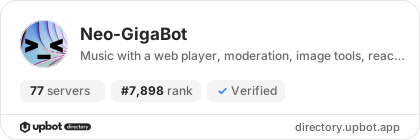
Do you develop Neo-GigaBot? Show its server count, rank and growth on your website or README. Use the PNG where SVG images are not supported.
[](https://directory.upbot.app/bots/1048763611687948421)Categories
Tags
Monetization
Languages
Similar Bots
Other similar bots you might like


