

- Servers
- 7,280
- Rank
- #1,20619 in 30 days
- Last 7 days
- −10(-0.1%)
- Last 30 days
- 0
About MPEG-V
MPEG-V is a useful Discord bot that converts audio files into a reactive video. This allows mobile users to listen to audio directly on Discord without needing to download any files.
Growth History
Server count trends over the last 6 months
Popular Commands
| Command | Description |
|---|---|
/generate | Generate ... videoGenerate a video from an audio file |
/file | File tools with private results by default imageConvert, resize, rotate or flip an image audioConvert or extract audio, or create a waveform video videoConvert, trim, resize, mute or capture a video frame pdfMerge, split, rotate, select pages or combine images into a PDF archiveCreate/list ZIP, extract an entry, or compress/decompress GZIP textConvert JSON, CSV, TSV, Base64 or text line formats checksumCalculate SHA checksums or compare a file with an expected hash infoGet a file's byte size and SHA-256 checksum cancelCancel your running file job |
/ping | Show latency with Discord |
/settings | Personal and server file-tool preferences showView saved and effective audio-to-video settings audio-videoSave personal or server audio-to-video defaults resetRemove saved overrides and inherit defaults |
/activity | Open the file workspace inside Discord |
Frequently Asked Questions
MPEG-V is a Discord bot in the Utilities category. MPEG-V converts your audio files into compact, visually engaging videos for easy audio listening on discord mobile.
MPEG-V is installed on approximately 7,280 Discord servers, ranking #1206 on the Upbot Directory leaderboard.
Click the "Add to Server" button on this page, choose the server you manage, review the requested permissions and confirm. You need the "Manage Server" permission on that server.
The most used MPEG-V commands include /generate, /file, /ping, /settings, /activity.
Yes, MPEG-V is verified by Discord.
Widget for MPEG-V
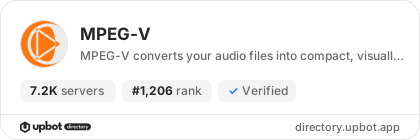
Do you develop MPEG-V? Show its server count, rank and growth on your website or README. Use the PNG where SVG images are not supported.
[](https://directory.upbot.app/bots/1078035315568164874)Categories
Tags
accessibilityaudio-to-video
Monetization
Languages
American English
Similar Bots
Other utilities bots you might like


