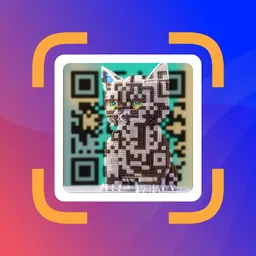
Quick QR Art Bot
8,330 serversAbout Quick QR Art Bot
👉 👈: click me to make a QR Code Art from text : click me to make a QR Code Art from classic QR code : click me to merge your existing art, photos, or logos with QR code : click me to generate images Official Support Server: https://discord.gg/quickqrart
Popular Commands
| Command | Description |
|---|---|
/qrart | Create QR Art with Pixel ML qr_codeQR Code to add to the generate. Only support PNG, JPG, JPEG file promptThe prompt to generate image resolutionResolution of the output image, defaults to 768x768 versionChoose a version for stunning QR Art. modelChoose a model for stunning QR Art. aspect_ratioOutput QR Aspect Ratio qr_patternChoose a QR pattern or select "Keep My QR Code" for keeping your original QR Code. qr_positionQR Position presetChoose a Preset for stunning QR Art. qr_countNumber of qr to generate, defaults to 2 qrwChoose a QRW value for better scanning. If not choose default value set by version. qr_ratioQR Ratio, defaults to 1 |
/settings | View and adjust your personal settings. |
/blend | Blend image together seamlessly! base_imageBase Image to add to the blend. Only support PNG, JPG, JPEG file blend_imageBlend Image to add to the blend. Only support PNG, JPG, JPEG file promptUse keywords to generate a specific image aspect_ratioChoose a size for stunning results versionChoose a version for stunning results |
/imagine | Create images with Pixel ML promptThe prompt to generate image presetChoose a preset curated by our artists for stunning art aspect_ratioOutput image Aspect Ratio reference_imageInsert an input image negative_promptDescribe details you don't want in your image image_countNumber of images to generate, defaults to 4 |
/quickqrart | QR Code Art creation without pre-made QR code. qr_typeChoose the QR code type to generate. qr_contentEnter the scan QR for destination (URL, Text, Email, Phone). Extract content via https://qra.ai/scan aspect_ratioOutput QR Aspect Ratio resolutionResolution of the output image, defaults to 768x768 promptDescribe design with keywords and parameters. (Learn more: https://docs.quickqr.art) versionChoose a version for stunning QR Art. modelChoose a model for stunning QR Art. qr_patternChoose a QR pattern or select "custom" for personalized QR Code Art using command options. presetChoose a Preset for stunning QR Art. qrwChoose a QRW value for better scanning. If not choose default value set by version. qr_countNumber of qr to generate, defaults to 2 qr_positionQR Position qr_ratioQR Ratio, defaults to 1 custom_padding_levelSelect the padding level for QR art. custom_pixel_styleSelect the pixel style for unique QR code art. custom_marker_shapeSelect the marker shape for unique QR code art. custom_sub_markerSelect the sub-marker style for unique QR code art. custom_rotateSelect the rotation degree for unique QR code art. custom_eclSelect the QR code error correction level (% tolerance). custom_padding_noiseSelect the padding noise level for QR art. |
Categories
Tags
#artqrcode#qrart#qrcode#qrcodeart#quickqrart
Monetization
Languages
American English
Similar Bots
Other social bots you might like




Popular on UpBot
Trending bots in our directory