
Media Gallery
About HornBot
Text-to-Speech, Reimagined
Reads your text channel out loud — seamlessly, in your language, with voices that sound human.
50,000+ servers · 20+ UI languages · 120+ TTS languages · 7,000+ voices · / slash commands
➕ Add to Server | 💬 Support Server | 💎 Premium
🤔 Why Choose HornBot?
Tired of robotic, monotone voices? Whether you want a fun roleplay character voice, a natural-sounding AI voice for accessibility, or just want to listen to chat while gaming — HornBot has a voice for that. 7 voice engines, thousands of voices, from free & clear to studio-grade neural.
✨ Core Features
🎙️ Reads in order
Messages are smoothly queued and read one at a time. HornBot auto-joins when you type and auto-leaves when inactive. Need to interrupt? Just /skip or /clear.
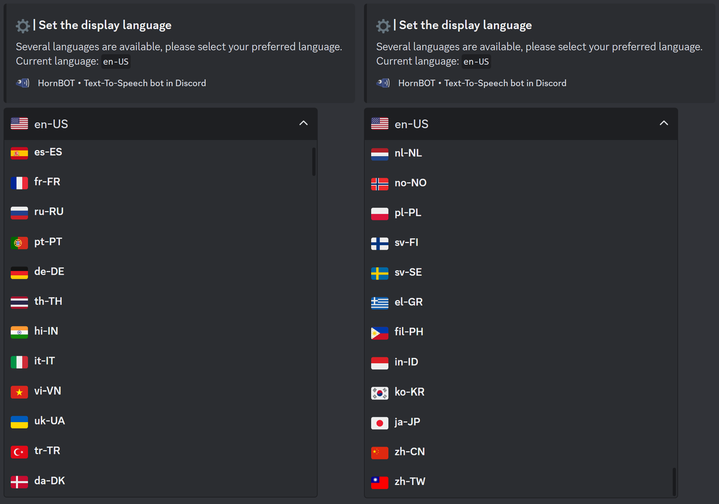
🌏 Truly multilingual Chances are, your language is already here — including 20+ UI display languages and 120+ TTS languages.
⚙️ Fully customizable
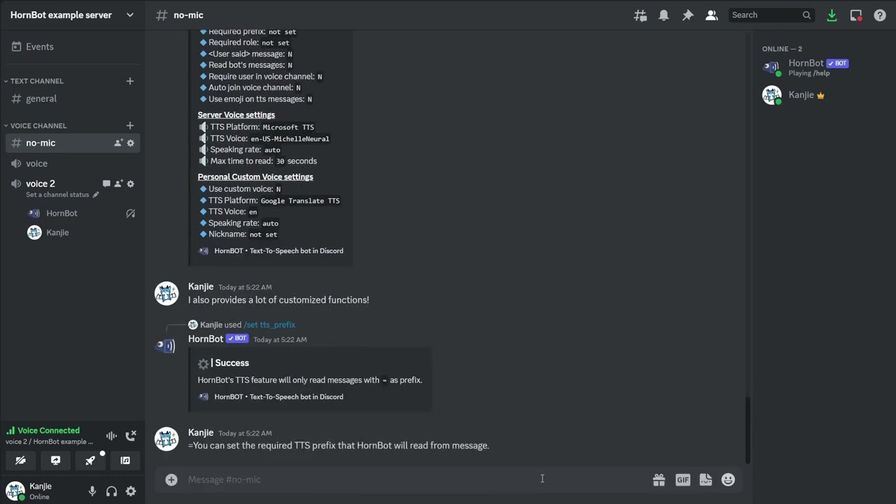
Server admins have full control. Restrict TTS to specific channels, roles, or message prefixes. Everything's a simple / command.
👤 Personal Voices (Premium)
Don't sound like everyone else. Set your own voice, pitch, and speed with /personal_voice. Know who's talking without looking at the screen.
🎨 Custom Branding (Premium Server) Give HornBot a custom avatar for your server, and let every member set their own nickname.
📤 Save as audio (Premium)
Turn any message into a downloadable MP3 with /tts — perfect for clips, soundboards, or safekeeping.
🔊 Pick Your Voice
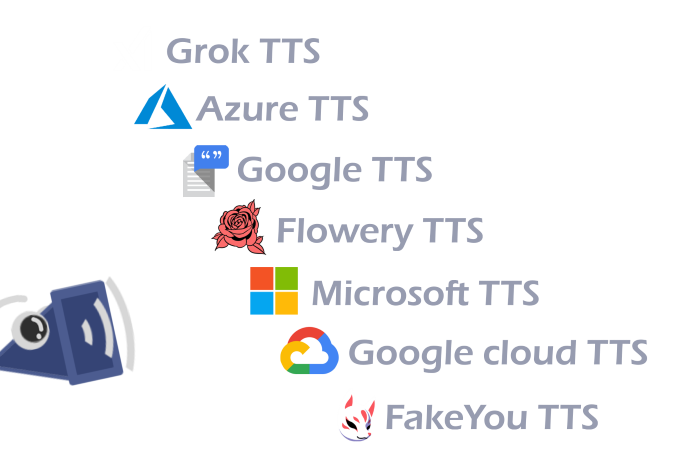
🆓 Free — Google Translate TTS · Flowery TTS
Clear, natural speech in dozens of languages — completely free. No sign-up, no watermarks, no message caps. /setup, /join, and HornBot is reading your chat out loud in seconds.
💎 Premium — Microsoft TTS · Google Cloud TTS · Azure TTS · Grok TTS · FakeYou TTS Studio-grade neural voices that sound genuinely human, plus fun character voices for roleplay.
7 engines. 7,000+ voices to choose from. Browse them anytime with /voices.
💡 Premium comes two ways: subscribe yourself for /tts and /personal_voice across every engine, or upgrade your whole server so every member gets custom nicknames and /tts access — plus personal voices on Google Translate & Flowery. Free members can also try personal voices for 2 days just by voting for HornBot.
🚀 Get Started in 60 Seconds
- Add HornBot to your server
- Type
/setupto link a text channel - Join a voice channel
- Type
/join - Type anything in the linked text channel — HornBot reads it aloud
No sign-up. No credit card. Free tier works immediately.
⚙️ A Few Commands to Get You Going
| Command | What it does |
|---|---|
/join · /leave |
Join or leave your voice channel |
/skip · /clear |
Skip or clear the message queue |
/voices |
See every available voice |
/settings |
View your server & personal settings |
/setup |
Choose which text channel HornBot reads from |
/set read_vc |
Whether HornBot reads messages from voice chatroom |
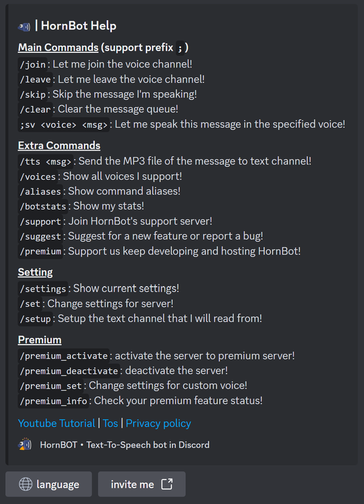
/help |
Full command list |
40+ commands in total — see /help for everything.
💬 What People Are Saying
"World changing for shy people who don't use their mic — makes you able to be heard."
"Great bot ever made!"
HornBot — Text-to-Speech bot on Discord
Popular Commands
| Command | Description |
|---|---|
/join | Let me join the voice channel |
/set | Change the settings command_prefixSet the prefix for text commands (e.g. join, leave, skip) tts_prefixOnly read messages that start with a specific prefix (leave blank to reset) admin_roleSet the admin role required to change HornBot's settings (leave blank to reset) tts_roleSet the role required to use TTS (leave blank to reset) tts_ban_roleSet the role banned from using TTS (leave blank to reset) x_saidSay the username before reading their messages auto_joinSet whether HornBot automatically joins the voice channel auto_leaveSet how long of inactivity before auto-leaving self_deafSet whether HornBot will deafen itself notify_voice_activityToggle user join/leave notifications for voice channels. msg_lengthSet the max length HornBot will read, in seconds speaking_rateSet the speed of speech speaking_pitchSet the pitch of speech languageSet HornBot's display language platformSet which TTS platform to use use_emojiAdd emoji to TTS messages auto_translate_messagesSet whether HornBot automatically translates spoken messages required_voiceRequire users to be in voice channel to use TTS read_botRead messages sent by other bots read_emojis_and_stickersRead emojis and stickers aloud read_vcRead messages from the voice channel's text chatroom voiceSet which TTS voice to use avatarUpload a custom avatar for HornBot (will be reviewed) nicknameSet a nickname for yourself (Premium servers only) (leave blank to reset) |
/setup | Setup the text channel that I'll read from channel… more_channel1… more_channel2… |
/leave | Let me leave the voice channel |
/personal_voice | Change the personal voice settings speaking_ratePersonal voice: Set the speed of speech speaking_pitchPersonal voice: Set the pitch of speech platformPersonal voice: Set which TTS platform to use toggleTurn your personal voice on or off voicePersonal voice: Set which TTS voice to use |
Categories
Tags
Monetization
Languages
Similar Bots
Other moderation and tools bots you might like






Popular on UpBot
Trending bots in our directory