
Media Gallery
About AdmiBot
AdmiBotis theall-in-onesolution yourDiscord server needs! Packed with an array of powerful and deeply customizable features, AdmiBot brings everything you’d expect from multiple bots. all in one powerful system:
🛡️ •
Security Features: Which is designed to protect your server with such as AntiSwear, AntiSpam, Captcha, AntiNuke, and more. These tools help keep your community safe with automated protection and a high level of customization like setting up ignored roles, users, channels, or enabling a few parts of a feature, and many more.⛏️ •
Minecraft Integration: Which allows you to integrate your Minecraft server directly with AdmiBot to execute commands, run custom actions, access console logs through the Dashboard, and more. You can learn more about it through the documentation: Minecraft Integration📒 •
Multi-Language Support: AdmiBot supports multiple languages that you can use in the Dashboard, Commands and Features Handlers (Events). It automatically detects your discord client language and chooses the language for you and with an optional command to change it using /language me.🖥️ •
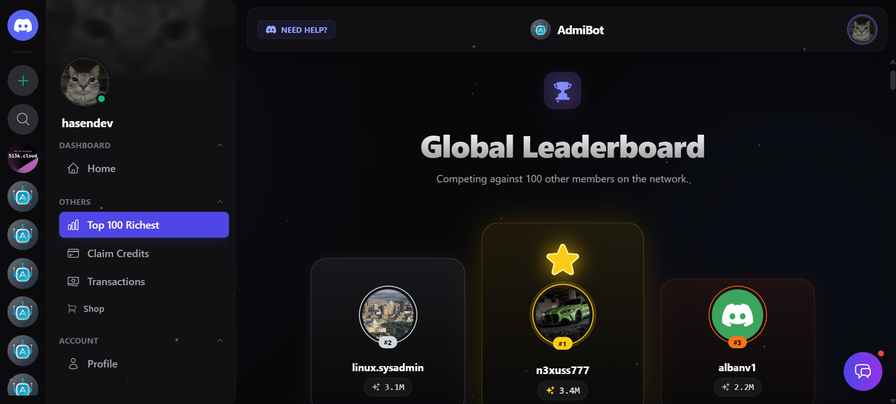
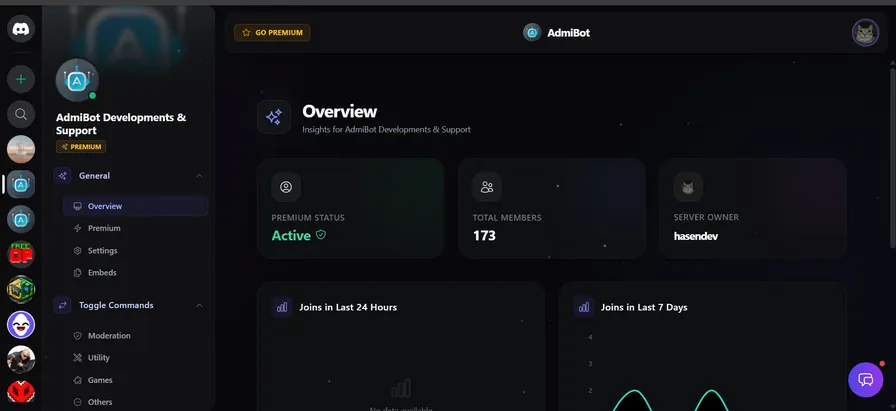
Dashboard: Which let you to manage your server with ease using the nicely-designed AdmiBot Dashboard, which is designed to look like Discord’s design in several places & look modern and every single feature can be managed with ease through it.👋 •
Welcoming & Farewell System: To automatically send an embed or normal message to a desired channel when someone joins or leaves your discord server.🎟️ •
Tickets System: To create a fully customizable ticket system for free, either from the bot or through the dashboard and it supports custom questions per category, staff roles and the option to use threads or channels.🎉 •
Fun Commands & Games: And which includes a lot of entertainment commands and multiplayer games such as Rock Paper Scissors, TicTacToe, Connect4, Flood, Memes, Facts, and Cat/Dogs image generators.🛠️ •
Utility Tools: Offers a full set of tools including server details, role management, polls, channel Locking/Unlocking, timers, and many other basic and essential utilities.💬 •
AI ChatBot: Which is free to use, and customizable AI assistant that you can setup inside a channel, It supports renaming the AI and even changing some settings like custom instructions or custom knowledge.🎶 •
Music Feature: Which provides high-quality and stable music streaming, supporting platforms like Spotify along with various filters such as Vaporwave (Slowed + reverb) and Nightcore (Sped up) and so much more.🎮 •
Logging: Which is a comprehensive logging system that supports message logs, member logs, role logs, and multiple logging channels, it's also very easy to setup either through the bot or the dashboard.👑 •
Premium: Includes exclusive features such as AI-generated templates and announcements, Voice Channel TTS (Plays your text in VC), Auto-Actioner (perform actions by pinging the bot), Mass Unban, 24/7 music looping, and more. all for only $2.99/month.And there’s even more!
Discover how AdmiBot can elevate your community with powerful security, modern customization, and unmatched performance.
📙 — Documentation: Click here
🌐 — Dashboard: Click here
👍 — Support Server: Click here
Try AdmiBot now and experience the difference!
Popular Commands
| Command | Description |
|---|---|
/play | Play a song by URL or search term queryThe URL or search term for the song |
/clear | Clear and Delete Messages amountThe number of messages to clear (2-1000) userClear messages from a specific user beforeClear messages before a specific message ID |
/autorole | Manage the Auto Role system addAdd a role to the Auto Role system removeRemove a role from the Auto Role system listList all Auto Roles for the server toggleEnable or disable the Auto Role system |
/ticket | Ticket system commands setupSetup a ticket system in the specified channel unsetupRemove the ticket system setup closeClose a ticket claimClaim a ticket timerSet a timer for the ticket (requires unit: s,m,h,d) userManage users in this ticket |
/purge | Clear and Delete Messages amountThe number of messages to clear (2-1000) userClear messages from a specific user beforeClear messages before a specific message ID |
Support Server

Categories
Tags
Monetization
Languages
Similar Bots
Other social bots you might like






Popular on UpBot
Trending bots in our directory