

Hall Of Fame
656 servers+24 this week- Servers
- 656
- Rank
- #4,02387 in 30 days
- Last 7 days
- +24(+3.8%)
- Last 30 days
- +82(+14.3%)
Media Gallery
About Hall Of Fame
Your server's best moments, and the members behind them.
When a message gets enough reactions, Hall of Fame reposts it to your hall of fame channel. The members who land there get leaderboards, profiles and a yearly Wrapped, so your server has something to compete over.
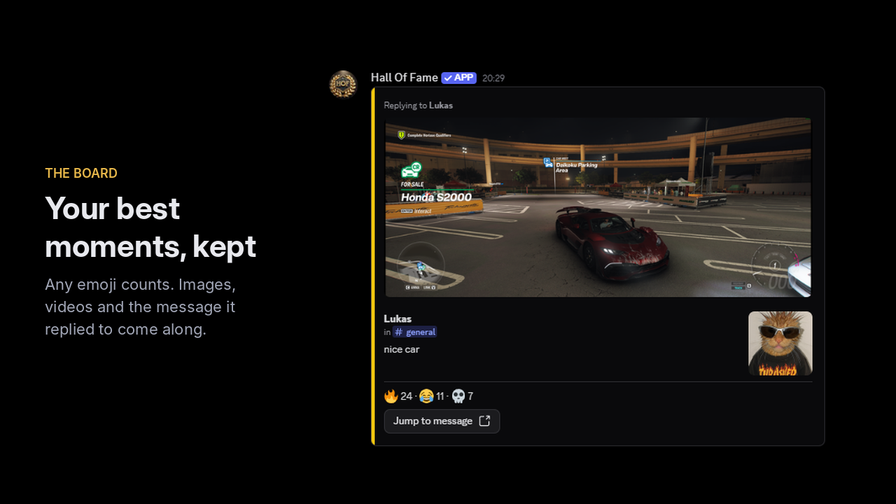
The board
- Any emoji counts, custom server emojis included. Or choose a whitelist of up to 100.
- Images, videos and stickers are carried over, and videos stay playable.
- If the message was a reply, the message it replied to is shown with it, so the joke still makes sense.
- Reaction counts update live. A post that drops below the threshold is hidden until it climbs back.
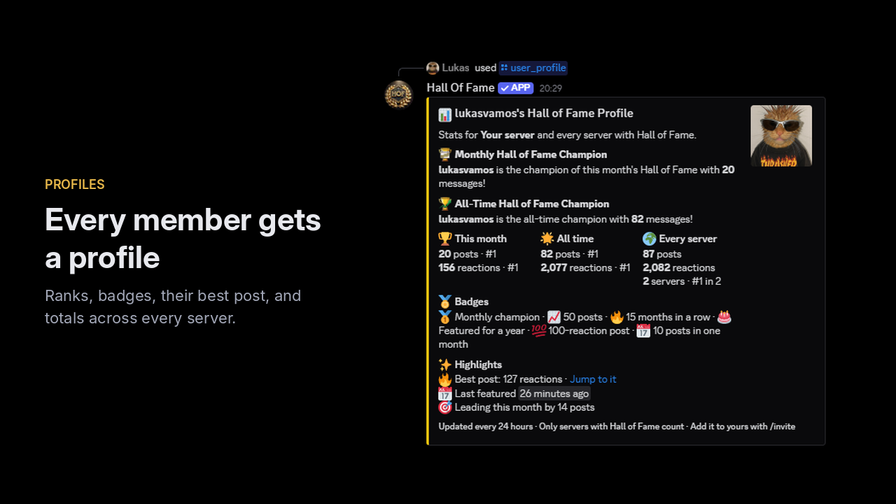
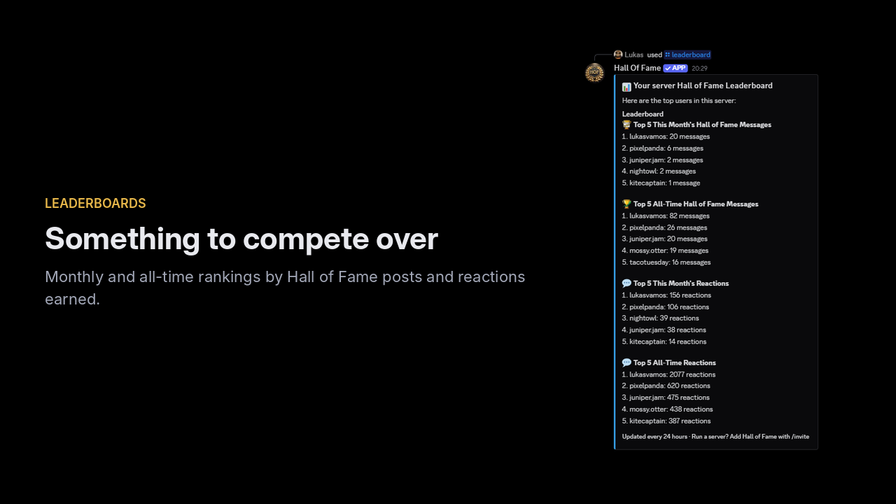
The recognition
- /leaderboard ranks the server by posts and reactions earned.
- /user_profile shows a member's month, all time and every-server totals, their best post and the gap to the next rank.
- Badges for milestones: monthly champion, 10 to 500 posts, months in a row, a 100-reaction post and more.
- /hof_wrapped and /server_hof_wrapped give each member, and the server, a year in review.
Count it your way
- Most reactions on one emoji, total reactions, or unique people who reacted.
- Choose whether authors' own reactions count, how old a message can be, and whether only images and videos qualify.
Your data, your call
- No message text is stored. The bot keeps IDs, reaction counts and statistics, and the repost lives in your own channel on Discord.
- /my_data shows a member what is stored about them, privately, with buttons to download it, hide their totals across servers, stop the bot featuring their messages, or delete it, which removes them from every leaderboard, profile and Wrapped.
- Totals across servers never name a server.
- Removing the bot deletes your server's settings, posts and statistics. The privacy policy and the source code are public.
Getting started
- Add the app and accept the permissions it asks for.
- It creates a #hall-of-fame channel and picks a starting threshold from your member count.
- Press Troubleshoot on the welcome message, or run /troubleshoot, to see whether the bot can read your channels and post to the board.
- React as normal. Change the threshold with /set_reaction_threshold, or use an existing channel with /set_hall_of_fame_channel.
Looking for a starboard?
A starboard archives messages that collected enough stars. Hall of Fame is about recognition: any emoji can feature a message, and the members behind them get ranked for it. If a plain star archive is all you need, a starboard bot will do the job.
Free to use, with nothing held back behind voting. Questions or ideas? Join the support server or use /feedback.
Growth History
Server count trends over the last 6 months
Popular Commands
| Command | Description |
|---|---|
/whitelist_emoji | Whitelist an emoji for the server if custom emoji check logic is enabled emojiA single emoji, either a standard one or a custom emoji from this server |
/set_hall_of_fame_channel | Manually set the Hall of Fame channel for the server channelThe text channel Hall of Fame posts go to |
/get_server_config | Get the server config |
/set_reaction_threshold | Configure the amount of reactions needed to post a message in the Hall of Fame reaction_thresholdReactions a message needs to reach the Hall of Fame (1-1000) |
/custom_emoji_check_logic | Here you can decide if it only should be whitelisted emojis or all emojis config_option… |
Frequently Asked Questions
Widget for Hall Of Fame
Do you develop Hall Of Fame? Show its server count, rank and growth on your website or README. Use the PNG where SVG images are not supported.
[](https://directory.upbot.app/bots/1177041673352663070)Categories
Tags
Monetization
Languages
Similar Bots
Other social bots you might like


