
Media Gallery
About CW-Bot
🌟 Config Commands 🌟
/config ClanName
Explanation: Configure your clan settings using this command. ReplaceClanNamewith your clan's actual name./set clanrank channel
Explanation: Set a channel to post automatic updates regarding your clan rank./disable Clan Rank
Explanation: Disable the automatic clan rank notifications./set joinleave channel
Explanation: Designate a channel for join/leave notifications, specifically for your PS99 clan./disable Join/Leave
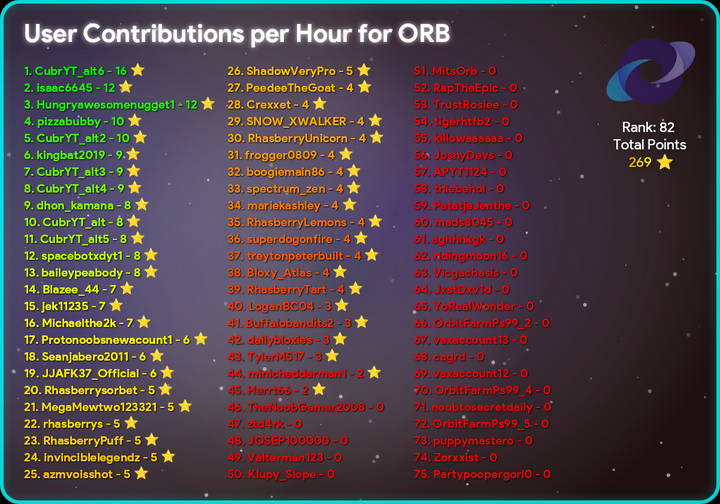
Explanation: Disable the automatic join/leave notifications./set hourlystats channel
Explanation: Assign a channel to post hourly contribution statistics of your members./disable Hourly Contribution
Explanation: Turn off the hourly contribution notifications./set diamonds channel
Explanation: Specify a channel for posting diamond contribution statistics of your members./disable Diamond Contribution
Explanation: Disable the automatic diamond contribution notifications.
Note: Use these commands to effectively manage and customize your clan's Discord settings.
🌟 Clan Commands 🌟
These commands allow you to retrieve important clan statistics and information:
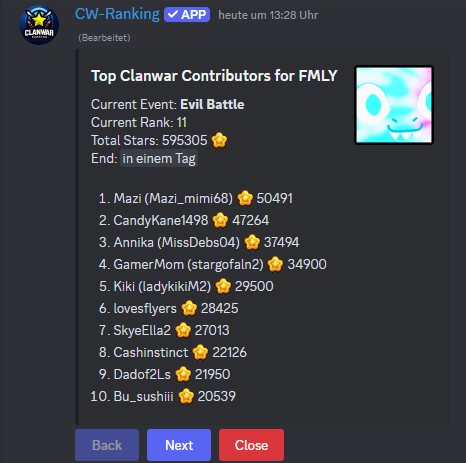
!cw
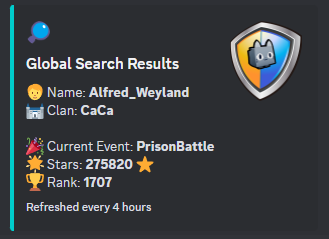
Explanation: Retrieve the current Clan War statistics.!search Robloxname
Explanation: Search for a user's contributions by their Roblox username within the Top150 Clans. ReplaceRobloxnamewith the actual username.!diamonds
Explanation: Execute this command to view diamond statistics. Examples include:!diamonds 30min,!diamonds 1h, or!diamonds total.!bestplayer
Explanation: Identify the best player in your clan based on contributions.!top10
Explanation: Display the top 10 clans based on the current statistics.!updateavatar clanName
Explanation: Update your clan's avatar. ReplaceclanNamewith your clan's name./dailystars
Explanation: Show a list of daily contributions from your members, perfect for tracking activity./oldcw
Explanation: Elegantly display historic clan war statistics.
Note: With these commands, you can always keep track of your clan’s essential data and quickly access various statistics.
🌟 Additional Commands 🌟
!rap
Explanation: Generates a RAP scatter chart./rap
Explanation: Select an item to view its RAP scatter chart./cheap
Explanation: Finds the most cost-effective huges available./exist
Explanation: Displays historical pet data using a custom scatter chart.
Popular Commands
| Command | Description |
|---|---|
/player | Show a public player profile and inventory playernameRoblox username |
/topclans | Show the cached Top 50 clans leaderboard |
/league | League rankings and information topShow the cached Top 2,000 league leaderboard infoShow a league playerShow a player's league contribution historyShow a player's archived league results playersShow the top league contributors |
/search | Lookup a player’s current rank playernameStart typing a Roblox username… |
/history | Show a player’s historical battle data playernameStart typing a Roblox username… |
Categories
Tags
Monetization
Languages
Links
Similar Bots
Other games bots you might like






Popular on UpBot
Trending bots in our directory