

Spammer Slammer
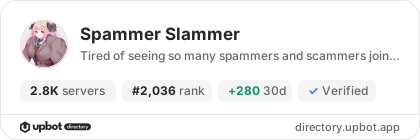
2,850 servers+40 this week- Servers
- 2,850
- Rank
- #2,03662 in 30 days
- Last 7 days
- +40(+1.4%)
- Last 30 days
- +280(+10.9%)
About Spammer Slammer
Spammer Slammer is a special little Discord Bot, that only has one purpose: Ban all Spammers.
Simply begin the setup with /setup and go through the steps.
With /setup, you'll be able to select a channel that the bot will stare at until she cries. After selecting a channel you will have 2 optional rules to set in place:
ban_message: This will allow you to customize the log message for the bans that you can find in your audit log or channel logs, if you happen to have on. There is already a default message, if you don't wish to set anything personalized.
delete_messages: By default, all messages from the user will be deleted from the past 7 days. You can choose to turn this off with False, or use True if you decided to use False before.
Note: If you use /setup again, it will remove the previous channel from the watchlist, and instead watch the new channel. It is also important to place the bot role higher than the user roles you wish to ban. It will not ban anyone higher than it.
By default, the bot has administrator privileges, in order to log the ban message in your server, and see any channel without having you to need to set things up per channel. This is not a required permission.
Once you're ready to monitor the channel, simply use /start.
However, because Administrator is a powerful role, it is recommended to simply use: "View Channels", "Ban Members", "Kick Members", "Manage Messages", "Read Message History", and "Manage Expressions".
Required Roles to use the Bot:
You must have either Manage Server or Administrator permissions in the role of your server in order to set up, start or stop the bot. This is to stop any abuse from other users. It is recommended to still go through your Integrations on your server and limit the slash commands to the roles (such as Moderator / Server Admin / etc.)
Tip: For the best outcome, make sure to place the designated channel at the very top of the server, and prior to starting the bot, inform users to not type in that specific channel. If you are providing a Community server, it is recommended to make that "trap" channel as a default channel.
Growth History
Server count trends over the last 6 months
Popular Commands
| Command | Description |
|---|---|
/logs | Show users this bot has recently banned and why |
/setup | Configure the bot to watch over your server |
/stop | Temporarily stop the bot from watching the trap channel |
/start | Begin intensely watching the trap channel |
/info | Show the current bot setup for this server |
Frequently Asked Questions
Widget for Spammer Slammer
Do you develop Spammer Slammer? Show its server count, rank and growth on your website or README. Use the PNG where SVG images are not supported.
[](https://directory.upbot.app/bots/1256759319706206210)Support Server

Categories
Tags
Monetization
Languages
Similar Bots
Other moderation and tools bots you might like


