

Speechor Bot
65 servers- Servers
- 65
- Rank
- #8,109136 in 30 days
- Last 7 days
- 0
- Last 30 days
- 0
Media Gallery

About Speechor Bot
Speechor Bot Generates AI Images and AI Presentations with a simple execution of /imagine or /present commands followed by a text prompt.
- Monetize your server with Speechor Bot
Speechor bot will link your server to the https://speechor.com affiliate program, when your members boost their credits on the website you get commissions for each boost for ever.
- How the affiliate program will be linked?
After installing Speechor Bot app into your server, To link your server to the Speechor Affiliate Program just run the /admin (only the server owner can execute this command), Speechor Bot will reply with a secret code which you will submit to your Speechor account settings later. You can link and monetize all your Discord servers the same way.
Login or Signup for a Speechor account from here https://speechor.com,
After login to your Speechor dashboard go under Account Settings tab, go to Discord servers, click -add new server- button, enter the secret code provided by /admin command, then submit.
Congratulations! your server is now linked, each time a server member make a payment you get a commission, you can track and withdraw your commissions from your Speechor Affiliate Dashboard.
- How to withdraw my money?
Login to your Speechor Affiliate Dashboard. You can track, manage and withdraw your commissions to your Paypal account which you can add from your account Account Settings tab, the Affiliate Guide tab will give you more details about the Speechor Affiliate Program.
- Installation requirements:
Click Add App, install Speechor bot with all the default selected permissions to avoid issues.
Create a text channel(s) for AI image generation, text channel name(s) must start with "image_"
Create a text channel(s) for AI presentation generation, text channel name(s) must start with "presentation_"
the installation 2 and 3 points are required for the Bot to organize operations and make it easy for members to know where they can execute /imagine command and /present command. The bot does not allow random messages in those channels, he will clean them automatically to keep only content generated from commands. So this will keep your server clean and organized.
Growth History
Server count trends over the last 6 months
Popular Commands
| Command | Description |
|---|---|
/present | Generates pptx presentation file languagepresentation language titleTitle of the presentation subjectAbout what subject slidesnumber of slides min is 3 max is 20 formatpresentation file format backgroundslides background |
Frequently Asked Questions
Widget for Speechor Bot
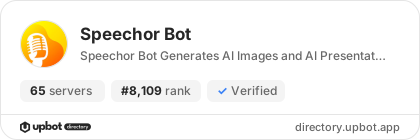
Do you develop Speechor Bot? Show its server count, rank and growth on your website or README. Use the PNG where SVG images are not supported.
[](https://directory.upbot.app/bots/1264852046008418356)Categories
Tags
Monetization
Languages
Similar Bots
Other utilities bots you might like


