
Media Gallery
About MsgPlanner
Discord has no native way to schedule messages. MsgPlanner adds it — all of it. One-time, recurring and calendar schedules, a real visual editor, a complete embed builder, and delivery to text channels, announcement channels, threads and forum posts.
⏰ Every way to say "when"
- One-time — an exact moment, down to the second.
- Recurring — every 45 minutes, every 6 hours, every 3 days: the classic set-and-forget reminder.
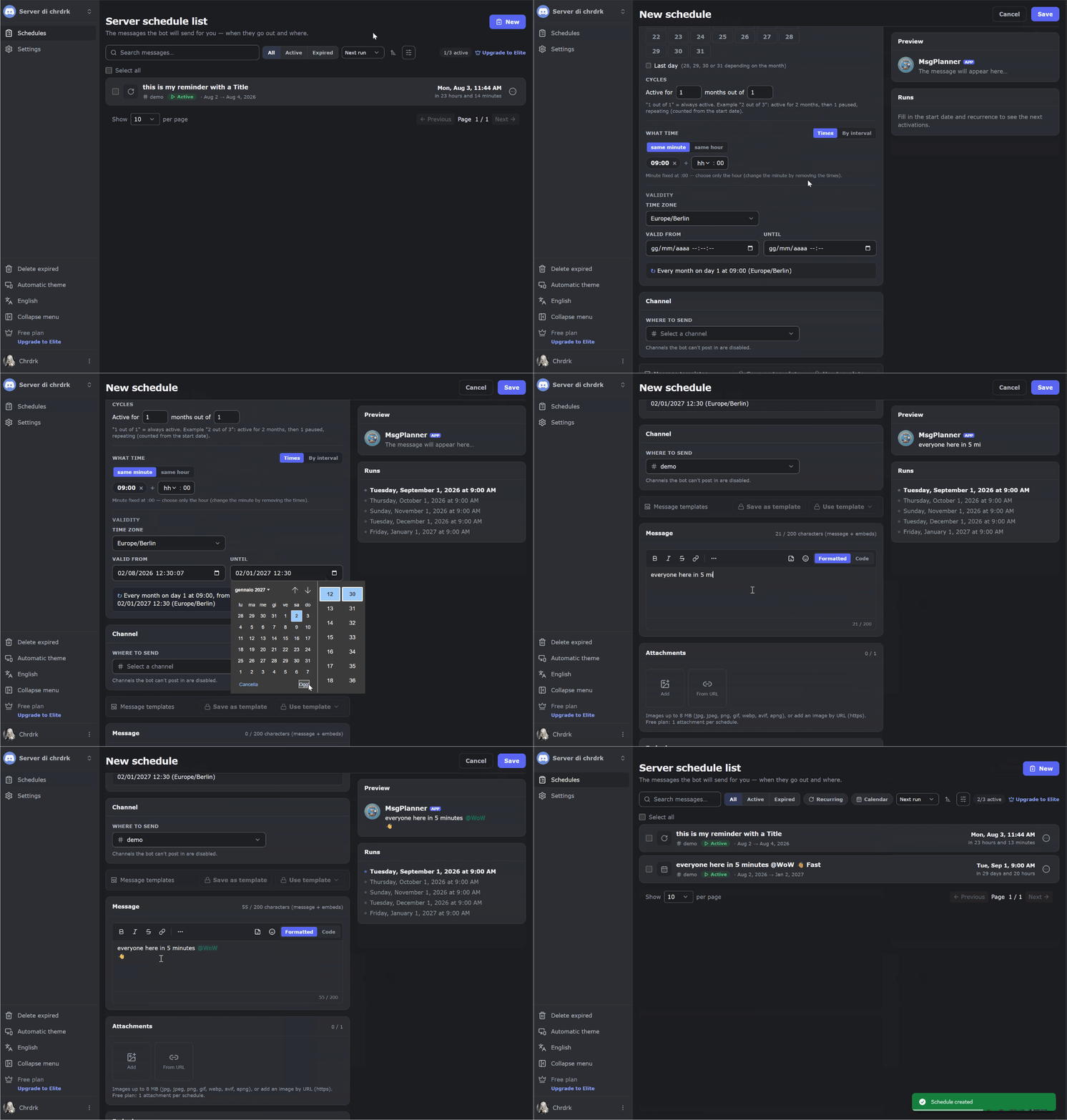
- Calendar — every Monday at 9:00, the 1st and the 15th, a true last day of the month, multiple times per day, time windows like "every hour from 17:00 to 20:00". A guided wizard builds the recurrence for you.
Every schedule runs in the IANA timezone you choose, with daylight saving handled automatically. Event pings, weekly reminders, daily tasks, birthday wishes — if it has a time, MsgPlanner delivers it.
✍️ An editor that writes real Discord messages
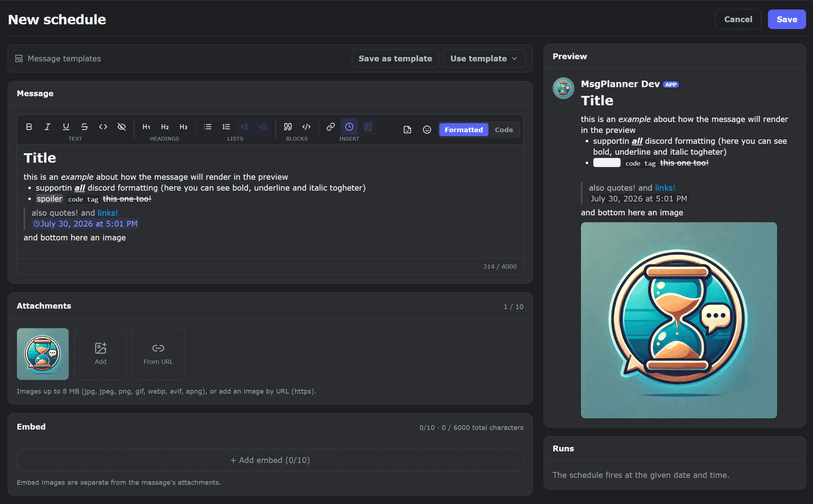
Visual editor + raw markdown view: headings, lists, quotes, spoilers, code, mentions with autocomplete, your server's emojis, dynamic timestamps — with a live preview that renders exactly like Discord, character limits included.
🧱 A complete embed builder — that actually delivers
Up to 10 embeds per message, 25 fields each (Discord's own maximums), with author, footer, thumbnail, image and colors. Embed tools build the message; MsgPlanner builds it, schedules it and delivers it — as many times as you want.
🧵 Yes — it posts in forum channels and threads
Pick the forum post or thread as the destination and schedule normally. Almost no other bot covers this.
📦 Templates, backup and migration
Save up to 100 reusable message templates per server, and move entire setups between servers with full export/import — images included.
🌍 8 languages, worldwide timezones
English, Italian, French, Spanish, Portuguese, German, Russian, Turkish — bot and dashboard both.
📱 In the Discord app, 🌐 in the web dashboard
You don't have to choose — everything can be managed from both:
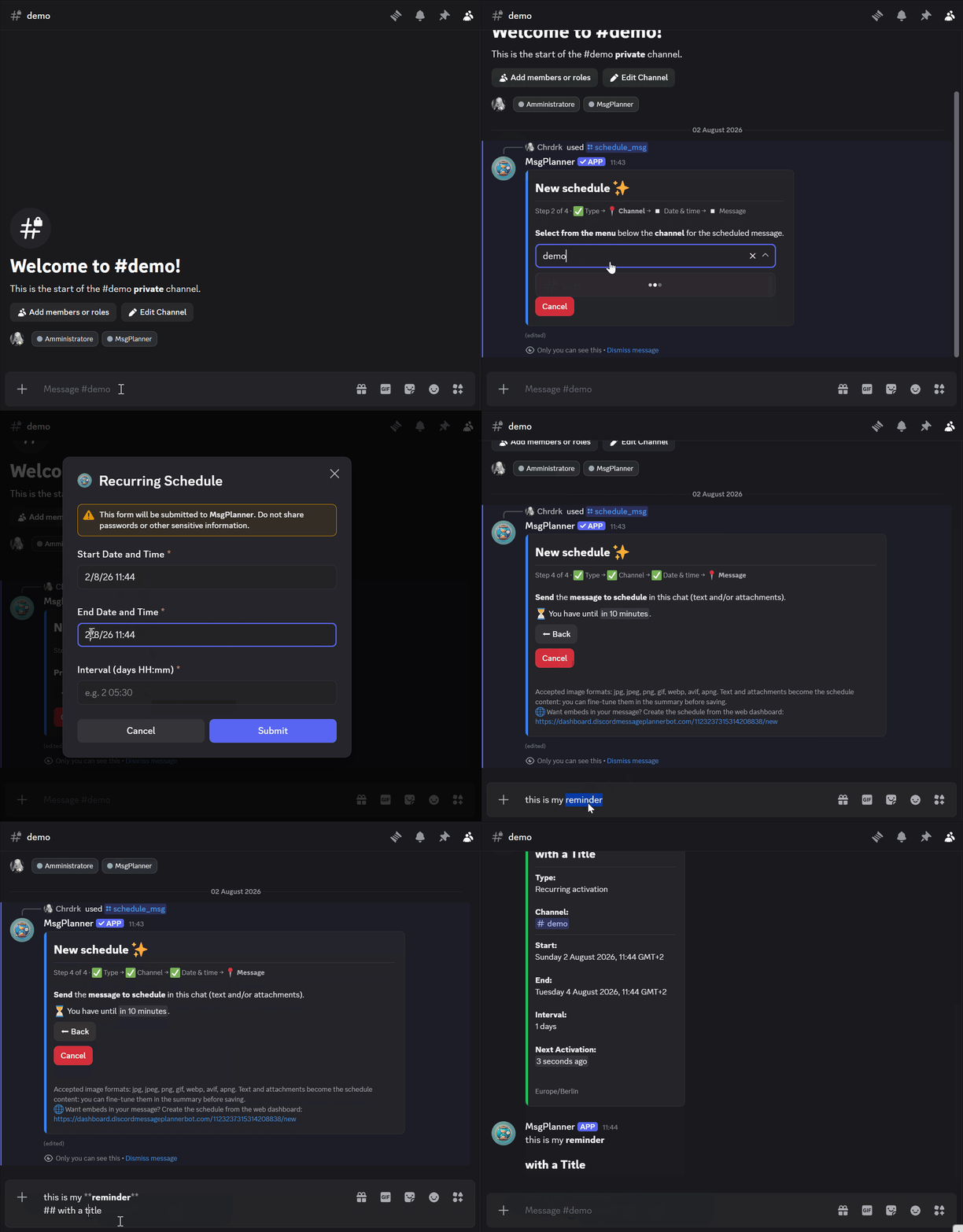
- From Discord: /schedule_msg guides you through one-time and recurring schedules; list, suspend, resume or delete anything; /check_permissions diagnoses delivery issues channel by channel.
- From the dashboard (log in with Discord, pick your server — no setup): everything above, plus calendar schedules, the visual editor with live preview, the embed builder, templates, export/import and the runs timeline.
Create where it's comfortable, manage where you are.
🎁 Free plan, free trial, fair upgrade
The free plan has no time limit. Elite raises the limits — 120 schedules, 4,000 characters, full embeds, templates, backup import — at $2.99/month per server, right here through the Discord Store. New servers get a two-week free trial of Elite: activate it with /subscription_status.
🚀 Get started
- Add MsgPlanner to your server.
- Open the web dashboard (https://dashboard.discordmessageplannerbot.com/) or run /schedule_msg in Discord.
- Destination, message, timing — with a preview of the next activations before you save.
📚 Guides & examples: https://www.discordmessageplannerbot.com/ · Support server: https://discord.gg/cWmx34vyxx
Popular Commands
| Command | Description |
|---|---|
/schedule_msg | Guides the user through scheduling a message |
/list_schedules | Displays all active schedules for this server |
/check_permissions | Check whether I have the permissions I need in a channel channelChannel to check (default: current) |
/user_settings | Allows the user to configure personal settings like timezone |
/list_all_schedules | Displays all schedules, including expired ones, for this server |
Support Server

Categories
Tags
Monetization
Languages
Links
Similar Bots
Other moderation and tools bots you might like






Popular on UpBot
Trending bots in our directory