

Media Download
689 servers+13 this week- Servers
- 689
- Rank
- #3,9568 in 30 days
- Last 7 days
- +13(+1.9%)
- Last 30 days
- +45(+7%)
About Media Download
Media Download: The Ultimate Tool for Archiving Your Discord Media
Looking for a seamless way to save and archive all your Discord media? Media Download is here to simplify the process, ensuring your favorite media files are always at your fingertips.
With Media Download, you can easily extract and download images, videos, and other shared files from any Discord channel. Whether you want to preserve memories, back up important content, or safeguard your files in case of channel or server loss, Media Download is the perfect tool for archiving.
🚀 Features
1. /download - The Core Command
This is the heart of the bot and your go-to for media archiving!
With /download, you can effortlessly extract and download all media files from a Discord channel. Whether it’s images, videos, or other shared files, this command is ideal for:
- Preserving memories
- Backing up content
- Safeguarding files in case of channel or server loss
Example Use Case:
Your server is about to shut down, and you don’t want to lose years of shared memes, photos, or videos.
With just /download, you can archive everything in a few clicks!
2. /help - Your Personal Guide
New to the bot? No worries!
Use /help to get a detailed guide on how to use Media Download. It’s designed to provide simple, step-by-step instructions for mastering the bot’s functionality.
Example Use Case:
A friend on your server wants to back up a channel’s media but doesn’t know how to begin. By typing /help, they can quickly get up to speed!
3. /stats - See the Bot in Action
Want to check how the bot has been performing?
With /stats, you can view detailed insights into Media Download’s activity. Perfect for:
- Tracking the total files downloaded
- Seeing recent activity
- Monitoring media retrieval metrics
Example Use Case:
Admins curious about the bot’s contributions can type /stats to see metrics like total files downloaded or recent activity.
💡 Why Choose Media Download?
Media Download is perfect for anyone who values their shared media and wants to ensure it’s always accessible. Whether you’re:
- Preserving precious memories
- Saving important project files
- Organizing server media
This bot gets the job done quickly and efficiently. With Media Download, you’ll never lose important media again.
📜 Legal Information
🌟 Get Started with Media Download
Make your Discord media archiving smarter, faster, and easier!
👉 Invite Media Download to Your Server
Start preserving what matters most with Media Download — your ultimate tool for saving and archiving Discord media! 🚀
Growth History
Server count trends over the last 6 months
Popular Commands
| Command | Description |
|---|---|
/download | Open interactive download menu with smart file organization |
/help | Show bot help and available commands |
/bug | Report a bug or issue with the bot description… |
/stats | Show bot statistics and performance metrics |
/download_by_link | Download media from a specific message URL message_urlDiscord message URL (right-click > Copy Link) |
Frequently Asked Questions
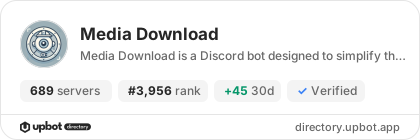
Widget for Media Download
Do you develop Media Download? Show its server count, rank and growth on your website or README. Use the PNG where SVG images are not supported.
[](https://directory.upbot.app/bots/1332684877551763529)Categories
Tags
Monetization
Languages
Similar Bots
Other entertainment bots you might like


