
VoiceCreate
0 serversMedia Gallery

About VoiceCreate
VoiceCreate creates temporary Discord voice rooms when members join your configured channel, with room controls and the Grizz, Panda, and Ice Bear music bots.
Features • Automatic voice room creation and button-based room controls • Choose a bear to play music in your voice room • Auto DJ selects related tracks after the user queue ends • DJ AutoMix overlaps tracks with BPM detection and pitch-preserving tempo adjustment; unsuitable beats use crossfade • Restore the track, queue, position, pause state, and volume after a restart or lost music backend connection • Leave after a room has had no human users for 5 continuous minutes • /health checks Discord, Redis, and PostgreSQL status
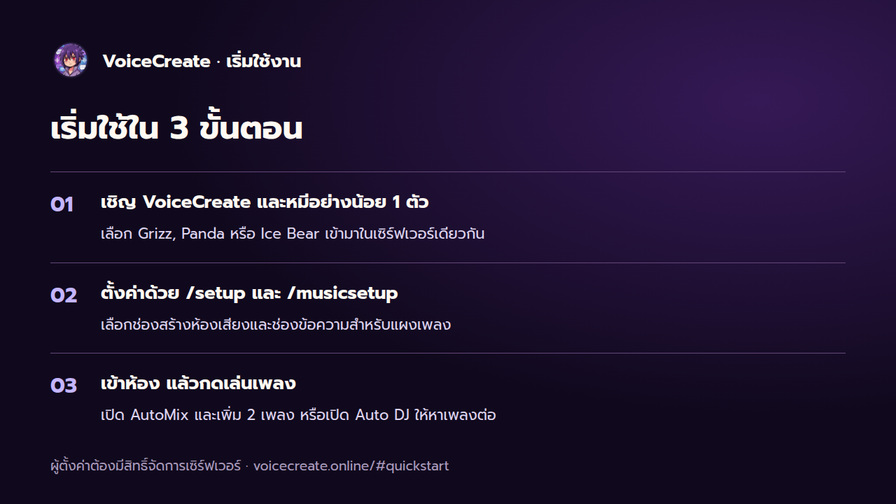
Get started
- Invite VoiceCreate and at least one bear to the same server.
- Use /setup and /musicsetup for rooms and music controls. Setup requires Manage Server permission.
- Join a voice room, press Play, and enter a song name or URL. Enable AutoMix and queue at least two tracks, or enable Auto DJ to find the next track.
The bears require VoiceCreate. Inviting all three is optional. Thai and English supported. Website and demo: https://www.voicecreate.online/ Support: https://discord.gg/NZ3UAg3cuM
Popular Commands
| Command | Description |
|---|---|
/setchannel | Set the Join-to-Create voice channel channel… |
/musicsetup | Set up the music control panel |
/status | Check the system status |
/language | Change the bot language |
/setup | Quick setup wizard for VoiceCreate |
Categories
Tags
Monetization
Languages
Links
Similar Bots
Other social bots you might like






Popular on UpBot
Trending bots in our directory