

CLNR
1,760 servers+30 this week- Servers
- 1,760
- Rank
- #2,62164 in 30 days
- Last 7 days
- +30(+1.7%)
- Last 30 days
- +140(+8.6%)
Media Gallery
About CLNR
🧹 Fair inactivity cleanup via Decay Score
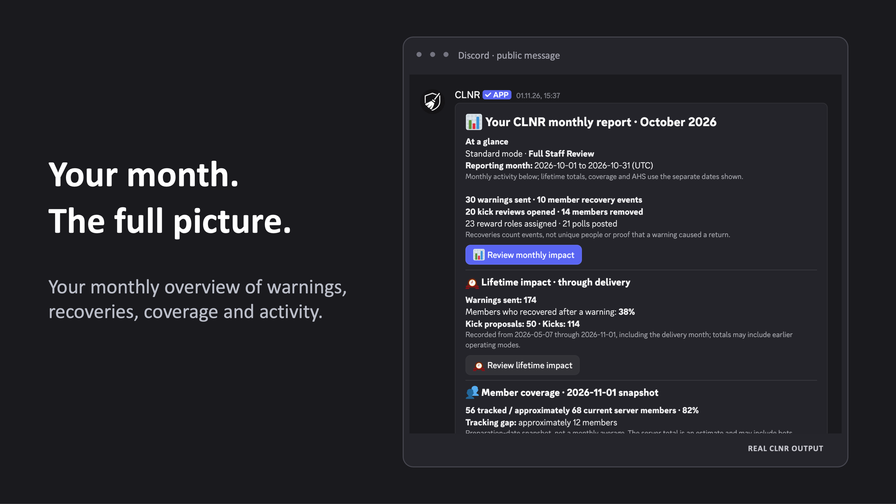
CLNR helps Discord admins keep their communities active, readable, and fair. Instead of guessing who is inactive or checking spreadsheets by hand, your team gets transparent Decay Scores, configurable warnings, inactive roles, manual kick reviews, and optional automated removals.
CLNR is built for community hygiene, not surveillance, XP farming, or surprise purges.
🛡 Built for trust
CLNR does not read or store message content.
CLNR does not use privileged intents. Activity tracking is based on the limited signals needed for fair inactivity management, such as timestamps, Decay Scores, streaks, reports, review history, and server-specific settings.
Premium does not change that privacy promise.
✅ What CLNR automates
- Inactivity warnings in configurable channels
- Automatic assignment and removal of an Inactivity Role
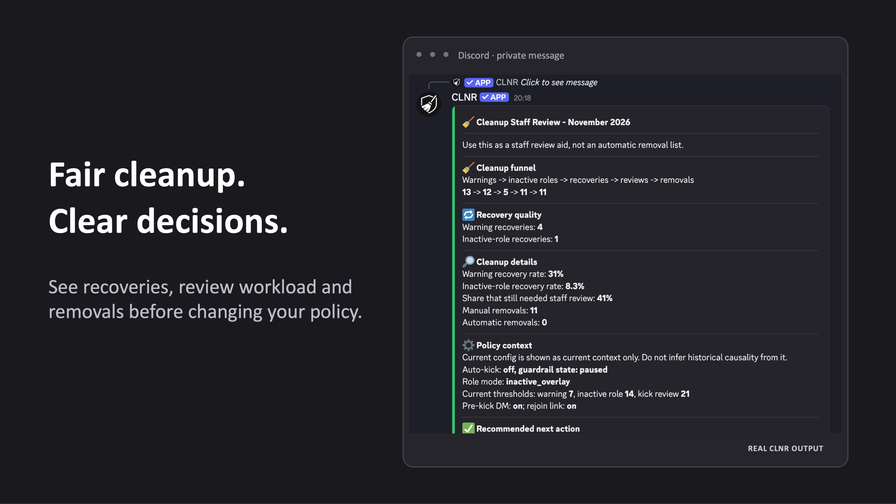
- Manual review before removals
- Optional auto-kick only when explicitly configured
- Exempt roles for staff or trusted contributors
- Activity Reward Roles, streaks, and leaderboards
- Fun Polls and quizzes for lightweight re-engagement
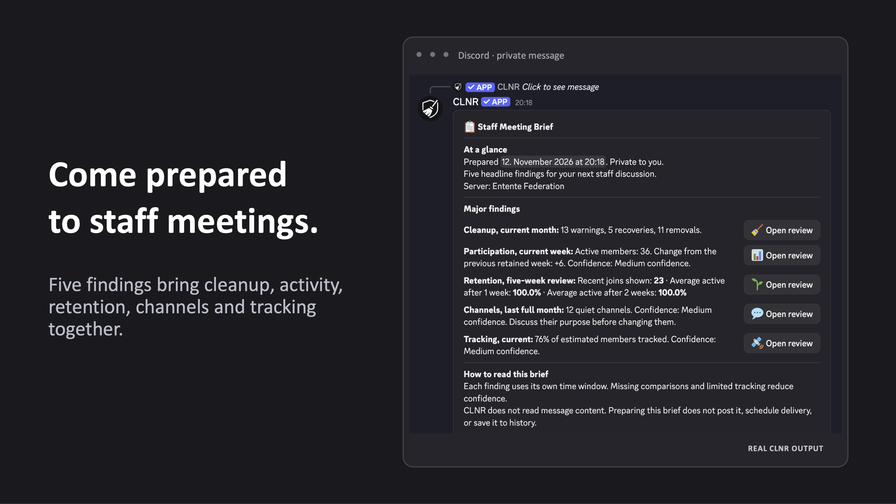
- Premium Staff Reviews and exports for growing servers
👥 Good fit for real communities
CLNR works especially well for:
- Gaming servers with ghost members and stale roles
- Roleplay communities with inactive characters or factions
- Creator, streamer, and supporter communities
- Study groups, school servers, and bootcamps
- Product, SaaS, open-source, and support communities
- Any server that wants cleanup without hidden tracking
🧭 Not a purge bot
CLNR is designed for gradual, explainable cleanup over time.
You can start with no auto-kick, use inactive roles first, review cleanup candidates manually, and only enable automatic removals when your team is ready.
🔧 Useful commands
/startguides you through a safe setup/configcontrols thresholds, roles, channels, and review behavior/report_inactivityshows inactivity across your server/my_scorehelps members understand their own activity status/decay_top10shows who is closest to cleanup thresholds/leaderboardcelebrates engaged members/reviewunlocks Premium Staff Reviews for cleanup, coverage, channels, retention, and engagement
🚀 Start in minutes
Invite CLNR, run /start, and choose a safe setup.
You can begin with manual review and no auto-kick, then add stronger automation later when your moderators and members understand the rules.
Growth History
Server count trends over the last 6 months
Popular Commands
| Command | Description |
|---|---|
/leaderboard | Shows the activity streak leaderboard. page_sizeHow many members to show per page (10-50). Default: 25. |
/config | Configure CLNR. setSet configuration values. addAdd. removeRemove. clearClear. listList. statusStatus. reportsReports. showShow current server settings. historyShow recent config and auto-kick history. validateValidate setup and privately repair the staff channel. check_permissionsCheck the bot's permissions in all text channels. inactivity_notificationsToggle inactivity channel notices; turning off requires Standard Mode and both threshold DMs. shareGenerate a shareable summary of this server's CLNR configuration. |
/report_inactivity | Generates and sends the inactivity report. cleanShow only critical decay users (nearing/overdue actions) page_sizeHow many members to show per page (10-50). Default: 25. |
/start | Begin the guided setup process for CLNR. |
/my_score | Shows your current scores, activity calendar, and recent history. |
Frequently Asked Questions
Widget for CLNR
Do you develop CLNR? Show its server count, rank and growth on your website or README. Use the PNG where SVG images are not supported.
[](https://directory.upbot.app/bots/1368223375364980746)Support Server

Categories
Tags
Monetization
Languages
Similar Bots
Other moderation and tools bots you might like


