
Media Gallery
About CloudKeeper
☁️ CloudKeeper — Your Ultimate Discord Server Guardian
Protect your community. Restore everything in seconds. The most advanced, secure, and user-friendly Discord backup system ever built.
🛡️ Why Choose CloudKeeper?
Building a Discord community takes time, effort, and trust. One malicious admin, accidental deletion, or server raid can wipe out months of work instantly.
That’s where CloudKeeper comes in.
CloudKeeper automatically protects your server’s structure, roles, permissions, and settings — giving you the power to restore your entire server with just a few clicks.
Fast. Secure. Reliable. Global. ☁️
✨ Powerful Features 📦 Full Server Backups
Create complete snapshots of your server instantly.
✔️ Text Channels ✔️ Voice Channels ✔️ Categories ✔️ Forum Channels ✔️ Announcement Channels ✔️ Roles & Permissions ✔️ Permission Overwrites ✔️ Server Name & Icon ✔️ Channel Layout & Structure
🔄 Automatic Backups
Never worry about losing your setup again.
CloudKeeper can automatically create backups every:
12 Hours 24 Hours Custom intervals
Auto backups require voting or premium access.
🎨 Template System
Share and clone server setups effortlessly.
Features:
✨ Convert backups into public template codes ✨ Load community-made templates instantly ✨ Perfect for communities, gaming servers, shops, and projects
Example:
T-X9A2 ⚡ Instant Restore System
Disaster happened? Restore everything in minutes.
Smart Restore Technology
✔️ Real-time DM progress tracking ✔️ Live progress bar updates ✔️ Automatic role mapping ✔️ Safe restore confirmation system ✔️ Permission recovery support
No confusion. No stress. Just recovery.
🌍 Multi-Language Support
CloudKeeper is built for global communities.
Supported Languages
🇺🇸 English 🇹🇷 Türkçe 🇩🇪 Deutsch
Switch anytime using:
/language 🔒 Advanced Security
Your server safety comes first.
Security Systems
🛡️ Owner-only critical commands 🛡️ Trusted admin whitelist system 🛡️ Confirmation buttons for dangerous actions 🛡️ Safe restore protection 🛡️ Secure backup handling
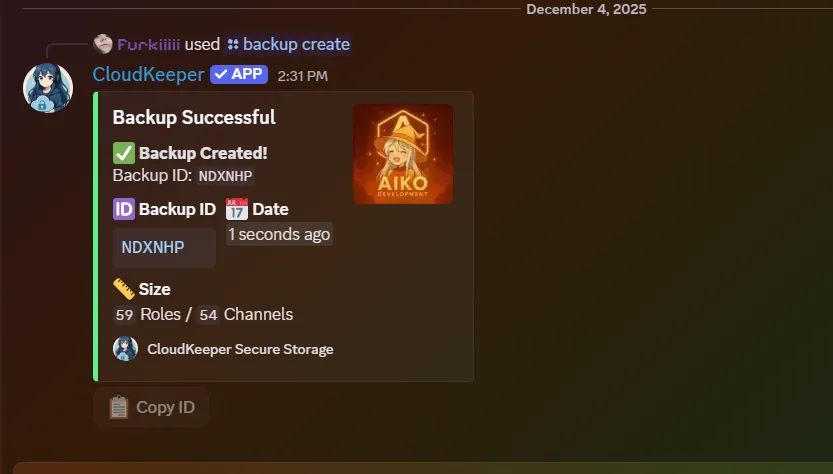
🛠️ Commands 📂 Backup Commands /backup create
Create a new server backup.
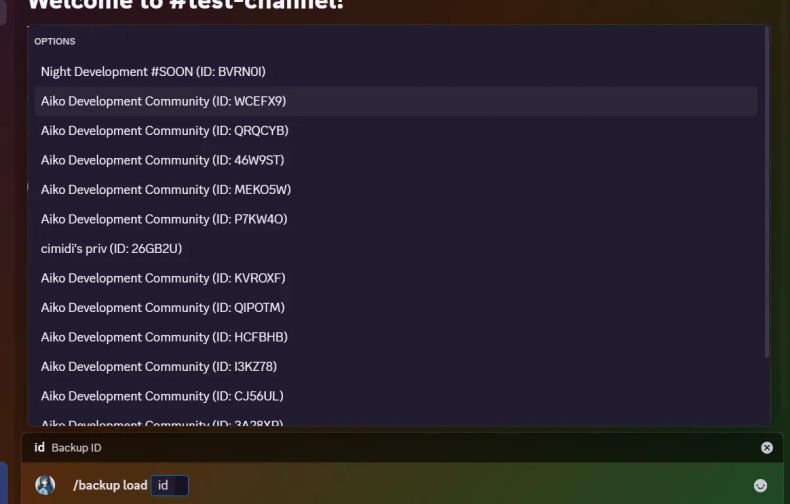
/backup load [id]
Restore a backup with live DM tracking.
/backup info [id]
View detailed backup information.
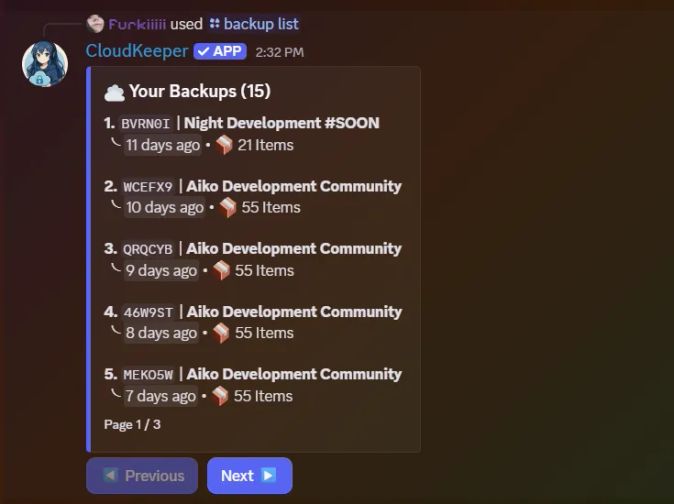
/backup list
Display all saved backups with pagination.
/backup delete [id]
Delete old backups safely.
/backup auto [time]
Configure automatic backups.
Examples:
24h 12h off 🎨 Template Commands /template publish [id]
Publish a backup as a public template.
/template load [code]
Load a template instantly.
⚙️ General Commands /ping
Check API latency and bot status.
/language
Change bot language.
/help
Open the interactive help panel.
🚀 Getting Started 1️⃣ Invite CloudKeeper
Add the bot to your Discord server.
2️⃣ Give Administrator Permission
CloudKeeper requires administrator permissions to fully restore channels and permissions correctly.
3️⃣ Create Your First Backup
Run:
/backup create 4️⃣ Relax ☁️
Your server is now protected against raids, mistakes, and disasters.
☁️ CloudKeeper Your Little Blue Guardian. 💙
Popular Commands
| Command | Description |
|---|---|
/backup | Backup system commands. createCreate a backup of this server. loadLoad a backup to this server. infoGet information about a backup. deleteDelete a backup. listList all your backups. autoConfigure auto-backup settings. templateManage backup templates. |
Categories
Tags
Monetization
Languages
Links
Similar Bots
Other moderation and tools bots you might like






Popular on UpBot
Trending bots in our directory