
Media Gallery
About Reminders
Create one-time/recurring reminders for yourself or others, directly on Discord!
Website: https://reminders.click
Privacy Policy: https://reminders.click/privacy
Terms of Service: https://reminders.click/terms
Command information
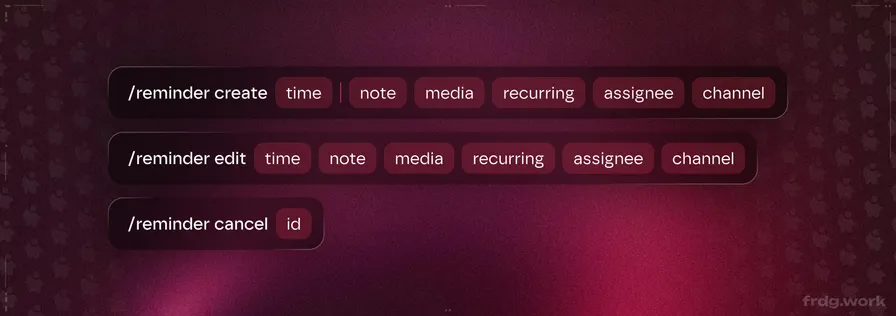
/reminder create: Create a new reminder for you or someone else, optionally recurring/reminder edit: Edit existing reminders and change the time, note, assignee, etc./reminder list: List all active reminders within a server/reminder cancel: Cancel an active reminder (Managers can cancel others' reminders)/timezone set: Set your default timezone for exact-time reminders
Time format
Shorthand:
10m(10 minutes),10h(10 hours),10d(10 days),3w(3 weeks)Compound:
1h30m(1 hour 30 minutes)Exact time:
20:00,9:00 Brussels,2 PM CETNatural language:
tomorrow,in 2 weeks at 14:00
Notes
Reminders fully works in both servers and DMs!
If you create a reminder in a server the bot doesn't have permission to post in, it will be sent to your DMs instead
Popular Commands
| Command | Description |
|---|---|
/settings | Configure server-specific reminder settings |
/ping | Check the bot's latency |
/timezone | Manage your default timezone for reminders setSet your default timezone for reminders viewView your currently configured timezone |
/help | Get help with reminder commands and features featureGet detailed help about a specific feature (optional) |
/reminder | Reminder commands createCreate a new reminder cancelCancel an existing reminder editEdit an existing reminder listList all active reminders |
Support Server

Categories
Tags
Monetization
Languages
Similar Bots
Other moderation and tools bots you might like






Popular on UpBot
Trending bots in our directory