

ChevLink Cyber
60 servers+1 this week- Servers
- 60
- Rank
- #8,22659 in 30 days
- Last 7 days
- +1(+1.7%)
- Last 30 days
- +7(+13.2%)
About ChevLink Cyber
What is ChevLink Cyber?
ChevLink Cyber is a threat intelligence and background check bot for Discord server owners who need visibility into who is joining their community. It automatically scans new members on arrival, surfaces risk signals, and logs everything to your security channel — so your staff always has the context they need to make informed decisions.
ChevLink Cyber is Discord Verified and owned by ChevLink Technologies and operates alongside CRN (Cybersecurity Response Network) with ChevLink Aegrix integration.
Features
- Anti-Raid — detects coordinated mass-join surges in real time and automatically triggers lockdown, pauses verification, or enforces slowmode to stop an attack before it takes hold.
- Anti-Nuke — monitors for destructive admin-level actions — mass channel deletions, role wipes, and permission overwrites — and halts them instantly to preserve your server structure.
- Anti-NSFW — scans images and media posted across your server and removes explicit content before it reaches members, with configurable sensitivity thresholds per channel.
- Anti-CSAM — immediately detects and removes child sexual abuse material the moment it's posted, logs the incident to your security channel, and flags it for moderator escalation and reporting. Profanity Filter — automatically detects and removes messages containing blocked language, with a fully customizable word list so you control exactly what's flagged in your community.
- Background Checks — every new member is scanned on join. Risk signals are scored and logged to your security channel automatically.
- Roblox Integration — resolves linked Roblox accounts via Bloxlink, RoWifi, and RoVer. Surfaces profile data, group memberships, and account flags for Roblox-adjacent communities.
- CRN Logging — security events are routed to both your server's log channel and CRN HQ, keeping the network informed.
- Anti-Spam Protection — detects and acts on message spam patterns before they escalate.
- Status Monitoring — live status channel reflects the bot's operational health in real time.
- Community & Action Services — structured action pipeline for bans, kicks, and escalations with full audit context.
The CRN Network
ChevLink Cyber works alongside Aegrix — the network flag and infrastructure protection bot — as part of the ChevLink security stack. Together they cover both individual server security and cross-network threat intelligence.
For support, join the ChevLink server.
Growth History
Server count trends over the last 6 months
Popular Commands
| Command | Description |
|---|---|
/setup | Configure ChevLink Cyber protection for this server |
/whitelist | Manage the per-server enforcement whitelist. Requires Manage Server. addAdd a user to the whitelist removeRemove a user from the whitelist listShow all whitelisted users and bot whitelist status botWhitelist a specific bot from enforcement scanning bot-removeRemove a bot from the whitelist |
/config | View this server's current ChevLink Cyber protection settings. |
/user | Background check on any user — profile, CRN presence, ban status. infoPull full intel on a user by ID or username linkLink two Discord accounts as main / alt. Director+ only. unlinkRemove all Discord account links for a user. Director+ only. |
/networkban | Ban one or more users across every CRN-protected server. Owner / C-Suite only. usersUser IDs — separated by spaces, commas, or new lines message_idsDiscord message IDs or links used as evidence (spaces/commas) reasonReason — shared with every community in the network, and shown to staff there evidenceEvidence URL (link to image, document, or message archive) server_idDiscord server ID where the offence occurred (optional) channel_idDiscord channel ID where the offence occurred (optional) categoryBan category — used to classify the threat type evidence_publicShow evidence link in the ban DM (default: false) notifyDM the user(s) to inform them of the ban (default: false) |
Frequently Asked Questions
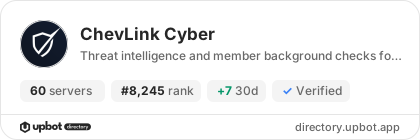
Widget for ChevLink Cyber
Do you develop ChevLink Cyber? Show its server count, rank and growth on your website or README. Use the PNG where SVG images are not supported.
[](https://directory.upbot.app/bots/1416302570946953357)Categories
Tags
Monetization
Languages
Similar Bots
Other utilities bots you might like


