

- Servers
- 25
- Rank
- #9,374210 in 30 days
- Last 7 days
- 0
- Last 30 days
- −1(-3.9%)
About W3 Engage
W3 Engage – Twitter/X Engagement Rewards Bot
Transform Your Community's Twitter Engagement
W3 Engage is a premium Discord bot that gamifies Twitter/X engagement for community growth. Reward your members with points for engaging with your tweets, and let them trade those points for exclusive Discord roles and perks.
📊 What Does W3 Engage Do
• Verify Real Engagement – Automatically verify when users like, retweet, or comment on your Twitter/X posts
• Smart Verification – Check your users' interactions to ensure authenticity
• Multiple Engagement Types – Require likes, retweets, comments, or any combination
• Time-Limited Tasks – Set engagement windows (1–72 hours) to create urgency
🎁 Points & Rewards System
• Earn Points – Users gain points for completing engagement tasks
• Leaderboards & Rankings – Competitive system showcasing top performers
• Role Marketplace – Let users spend points on Discord roles (permanent or temporary)
• Custom Rewards – Create your own marketplace items with custom prices and quantities
🌐 Powerful Web Dashboard
• Server Management – Configure channels, view analytics, manage subscriptions
• Engagement History – Track all past tasks and participant counts
• One-Click Setup – Easy configuration with visual interface
• Subscription Control – Manage premium features and billing
Perfect For
✅ Community Managers – Boost your Twitter presence organically
✅ Discord Servers – Reward loyal members with exclusive roles
✅ Content Creators – Amplify your tweets with engaged followers
✅ Web3 Projects – Gamify engagement for marketing campaigns
✅ Growing Communities – Increase visibility and social proof
How It Works
1️⃣ Admin Creates Engagement Task – Share a Twitter/X URL with the bot
2️⃣ Members See the Task – Bot posts an embed with tweet preview and reward details
3️⃣ Users Engage & Verify – Click “Engage” button, link Twitter account, complete actions
4️⃣ Users Claim Points – Bot verifies engagement and awards points instantly
5️⃣ Spend Points on Rewards – Browse the marketplace and purchase roles with earned points
Commands Overview
👥 User Commands
• /set twitter <username> – Link your Discord account to your Twitter handle
• /profile – View your stats: points, rank, verified engagements, and total spent
• /rank – Quick view of your current rank and points
• /leaderboard [limit] – See the top performers in your server (default: top 10)
🛠️ Admin Commands
• /tweet <url> <type> <duration> <points> [options] – Create a new engagement task (Premium feature)
• url – Twitter/X tweet URL
• type – Like, Retweet, Comment, or combinations
• duration – 1, 4, 6, 12, 24, 48, or 72 hours
• points – Reward amount
• roles (optional) – Ping specific roles
• assign_role (optional) – Grant a role to completers
• role_gate (optional) – Require users to have a role to participate
• /config tweets <channel> – Set the channel where engagement tasks are posted
• /config logs <channel> – Set the channel for activity logging
• /config marketplace <channel> – Set the channel where the marketplace is displayed
• /marketplace add_item – Create a new marketplace item with price, role, duration, and quantity
• /marketplace edit_item – Modify an existing marketplace item
• /marketplace delete_item – Remove an item from the marketplace
• /adjustpoints user <user> <amount> – Manually add or remove points from a specific user
• /adjustpoints role <role> <amount> – Add or remove points from all users with a specific role
• /tweet_permission add <user> – Grant a user permission to create engagement tasks
• /tweet_permission remove <user> – Revoke tweet creation permission from a user
• /tweet_permission list – View all users with tweet creation permissions
• /userinfo <user> – View detailed information about a user (profile, interactions, purchases)
Marketplace Features
Create Custom Rewards
• Discord Roles – Permanent or temporary roles as rewards
• Configurable Duration – Set roles to expire after X days
• Stock Limits – Create scarcity with limited quantities
• Custom Pricing – Set point costs for each item
• Rich Descriptions – Add appealing details to items
Automatic Management:
• Auto Role Assignment – Roles are granted instantly on purchase
• Expiration Handling – Temporary roles are removed automatically
• Purchase History – Track who bought what and when
• Real-Time Updates – Marketplace embed updates automatically
Why Choose W3 Engage
🚀 Proven Growth – Communities using W3 Engage see 3–5x more Twitter engagement
🎮 Gamification – Leaderboards and rewards keep members coming back
⚡ Instant Verification – Real-time Twitter API integration for immediate results
📊 Analytics – Track engagement metrics and participant counts
Growth History
Server count trends over the last 6 months
Popular Commands
| Command | Description |
|---|---|
/rank | View your rank and points |
/config | Configure bot channels tweetsSet the channel for engagement tweets logsSet the channel for activity logs marketplaceSet the channel for marketplace |
/profile | View your profile and Twitter info |
/set | Link your Twitter account twitterSet your Twitter username |
/tweet | Create a new engagement task tweet_urlThe Twitter/X URL of the tweet typeType of engagement required durationHow long the engagement will be active total_pointsPoints to award for completing the task rolesRoles to ping (separate with commas, e.g., @Role1, @Role2) assign_roleRole to assign to users who complete this engagement role_gateOnly users with this role can participate |
Frequently Asked Questions
Widget for W3 Engage
Do you develop W3 Engage? Show its server count, rank and growth on your website or README. Use the PNG where SVG images are not supported.
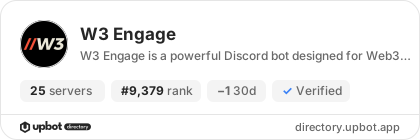
[](https://directory.upbot.app/bots/1423563220068859977)Categories
Tags
Monetization
Languages
Similar Bots
Other social bots you might like


