
Media Gallery
About MultiMuse
MultiMuse🎙️🎭 Features
A feature rich, discord-first bot, that has a bevvy of features comparable to other proxy bots, with a focus on modern discord paradigms and roleplayer needs more in mind.
🗨️Smart Messaging
MultiMuse takes into account our usage: Roleplay.
It is aware of your post's character count even when you have Nitro and intelligently splits messages at the closest paragraph break to that character limit. No more messages getting split down the middle of a word!
In addition to this it supports other smart features like maintaining your spoilers and code blocks across messages.
✏️Slash Commands Updating with modern Discord UX, instead of archaic and confusing commands, Archivist supports several slash commands for adding and managing your characters.
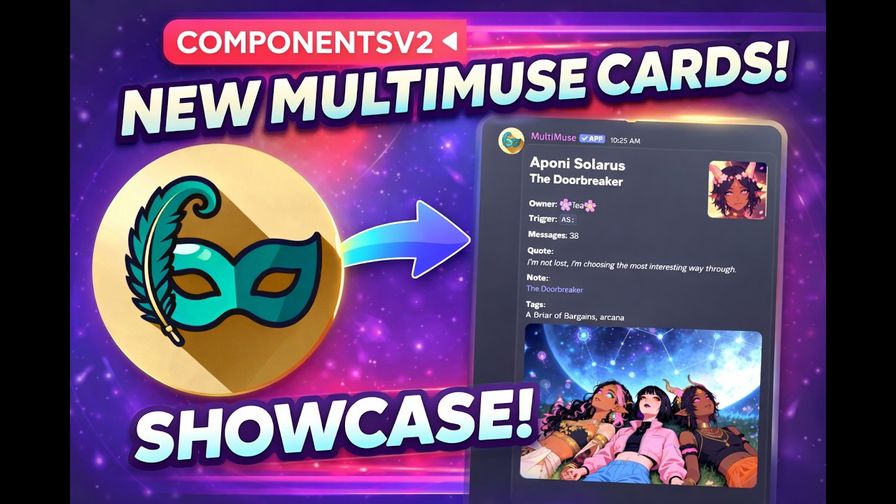
🎴Profile Cards Every character has a profile card that shows off your character's unique stats and style! Customize the color of the embed, display a quote, notes, and Banner with gif support (up to 8mb)!
📝Better Editing With a simple right click you can edit your message without having to copy and paste the whole thing and potentially mess something up.
🫂Sharing is Caring With MultiMuse you can share proxies with your friends and let them post as that proxy (useful for npcs) and even transfer characters to someone else's ownership!
📜 Tracking Never miss a reply again! MultiMuse has a built in scene tracker that helps you stay up to date with your scenes and even dm you when its your turn!
🎤 Auto and Alias
Need to always be a muse somewhere? Or maybe you need a new look for your Muse real quickly. /muse auto and /muse alias are your friend!
‼️What Multimuse is not This is not meant to replace another Proxy bot for the following use cases:
- Unconventional triggers like {} ()
- A replacement for a therapist
⚠️Current Pitfalls This is a beta product! Sometimes things break and dont work as expected! If you experiance behavior that seems unintended from the bot, please let us know in our support server!
Popular Commands
| Command | Description |
|---|---|
/track | Track which muse last replied in threads addSet up tracking for a muse in a thread or channel statusShow Discord-tracked channels and threads that need replies for your muses swapSwap which muse you track in a thread or channel moveMove tracked muse(s) from this channel/thread to another editEdit tracking settings for a channel or thread clearStop tracking a thread or channel, or clear all tracking entries |
/feed | Open the muse feed overlay openOpen the muse feed overlay |
/bump | Refresh this server's Communities listing. |
/connections | Muse connection clouds and links openOpen a muse's connection cloud as a Discord Activity. addAdd a connection between your muse and another muse. removeRemove a connection from your muse's cloud. autoTurn scene auto-add on or off and set the custom kind label for those links. |
/muse | Create, edit, list, and post as your muses addCreate a new muse via a guided button+modal wizard. editEdit an existing muse using buttons, dropdowns and modals. cardShow a muse card. Private muses stay hidden from others. helpWalk through first-time setup and browse muse commands. removeDelete a muse. listList your muses (filter with a dropdown of your tags). transferTransfer ownership of your muse, or cancel a pending transfer. unshareStop sharing muses, or leave muses shared with you. autoSet auto-proxy for this channel or thread. Leave blank to disable. aliasSet your muse's display name here (or server-wide). aliasesList and manage your muse display aliases. wrappersList and assign header and footer presets. |
Tags
Monetization
Languages
Links
Similar Bots
Other social bots you might like






Popular on UpBot
Trending bots in our directory