
Media Gallery
About Indigo
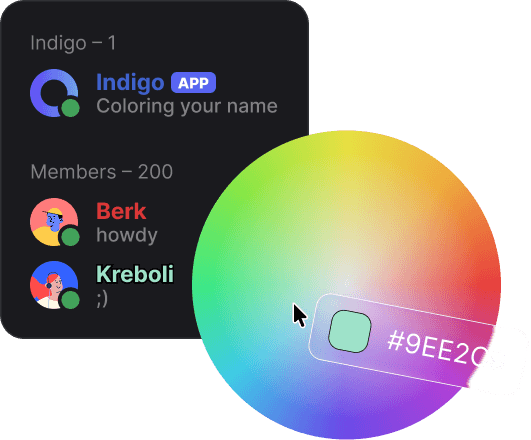
Indigo is an elegant Discord bot that allows users to customize their name colors with solid, gradient and holographic effects!
∙ ∙ ∙
🎨 Flexible Customization
- Colors: Use any hex code or choose from 90+ predefined colors
- Gradient & Holographic: Create unique gradients or use holographic mode
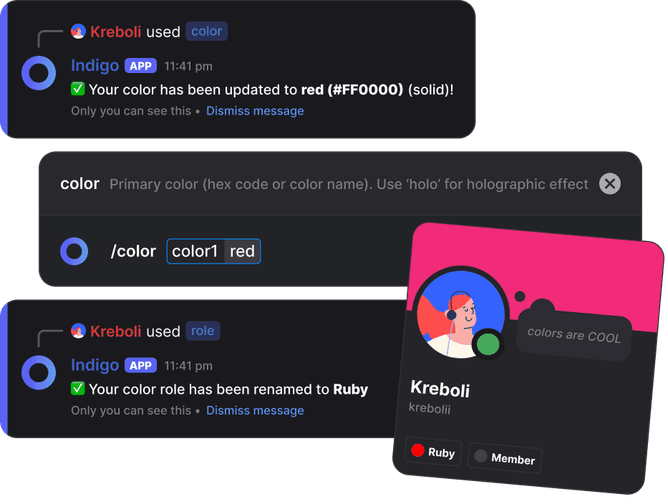
- Role Names: Personalize your color role with a custom name
- Intuitive Experience: Simple commands anyone can use
🛡️ Smart Management
- Automatic Management: Bot handles role creation, assignment and cleanup
- Grace Period: Users keep their colors for a while even after losing their roles
- Ephemeral Messages: All bot responses are private, preventing clutter
🔒 Security & Safety
- Configurable Access: Allow everyone or restrict to specific roles
- Permission Validation: Ensures users maintain required permissions
- Role Filter: Filters inappropriate role names
∙ ∙ ∙
⚡ Setup
1. Invite Indigo
2. Place Indigo's role above the roles that will be colored.
3. Set the role you want the new color roles to be placed below with /config setting:Top Role value:<role>. If the top role is not set, the bot will place the color roles below its own role.
4. Set allowed roles with /config setting:Add Allowed Role value:<role>. Everyone can use the bot if no allowed role is set. Adding @everyone or removing all allowed roles makes the bot available to everyone again.
∙ ∙ ∙
📋 Commands
Admin commands require Manage Server or Administrator permission.
All user commands are slash commands and responses are private (ephemeral):
| Command | Description | Examples |
|---|---|---|
/color <color1> [color2] |
Set your name color | /color pink /color 00FF00 FF0000 /color holographic |
/role <name> |
Rename your color role | /role Crimson King |
/reset |
Remove your color role | /reset |
/preview <color1> |
Preview a color before setting | /preview #00FF00 |
/info [user] |
View your or another user's color info | /info @User |
∙ ∙ ∙
All bot configuration is done through a single /config command.
Available Settings
| Setting | Description | Value Format |
|---|---|---|
View |
View all current settings | - |
Add Allowed Role |
Allow a role to use bot commands | Role mention, ID or name |
Remove Allowed Role |
Remove a role's access | Role mention, ID or name |
Top Role |
Role that color roles will be placed below | Role mention, ID or name |
Check Frequency |
How often to check permissions | Time (e.g. 1d, 6h) |
Grace Period |
How long users keep colors after losing permission | Time (e.g. 3d, 120s) |
Max Role Name Length |
Maximum characters for role names | Number (1-100) |
Language |
Bot language | en, tr, es |
∙ ∙ ∙
🆘 Support
Need help? Join our Support Server on Discord to ask questions, suggest features or just hang out!
Popular Commands
| Command | Description |
|---|---|
/preview | Preview how a color will look color1Primary color to preview color2Secondary color for gradient preview (optional) |
/help | What Indigo does, and where to find its policies |
/role | Change your color role's name and/or icon nameNew name for your color role (optional) iconUpload an image to be resized as your role icon (optional, max 5 MB) icon_urlDirect URL to an image to be resized (optional, alternative to upload) |
/color | Set your name color - solid, gradient or holographic color1Primary color (hex code or color name). Use 'holo' for holographic effect color2Secondary color for gradient effect (optional) |
/config | Configure bot settings settingThe setting or action to perform valueThe value for the setting (optional for some actions) |
Categories
Tags
Monetization
Languages
Links
Similar Bots
Other social bots you might like






Popular on UpBot
Trending bots in our directory