
Media Gallery
About Teapot
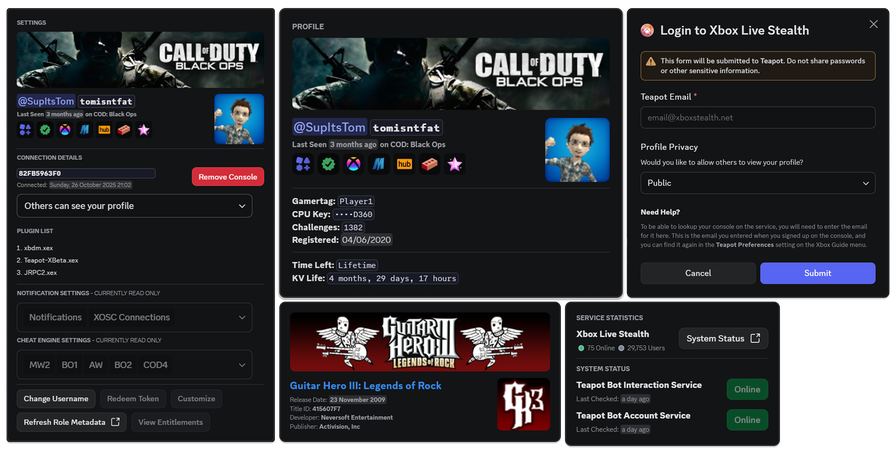
The Teapot Live Discord Integration™ is here!
If you're looking to manage your Xbox 360 console or Teapot account on the go, keep reading to learn how you can do it on Discord.
First, Connect your Teapot Account to Discord
In order to start using most features in this app, you'll first need to connect your Teapot account to your Discord account.
After adding the app, or in a server the app is in, run /link and follow the on-screen instructions.
Linked Roles
After connecting your Teapot account to Discord, you will be able to claim linked roles in supported servers.
You will also be able to view your Connection Details on your profile, and on other users' profiles if they've also set them up.
And Finally...
Once you've connected your Teapot and Discord accounts together, it'll feel like the two were always meant to be together. If you still need some help, check out some of the links below:
Popular Commands
No commands data available.
Tags
Monetization
Languages
Similar Bots
Other social bots you might like





Popular on UpBot
Trending bots in our directory