
Media Gallery
About CharGen
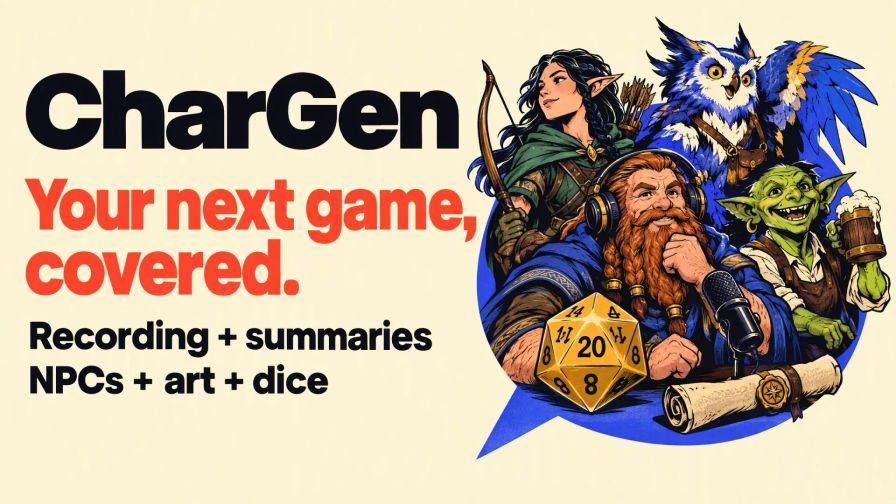
CharGen helps you run Dungeons & Dragons and other tabletop RPG games in Discord. Record voice sessions, create campaign content and manage combat turns.
Record sessions and find past details
Keep the audio from your game. Show live captions as people speak. After the game, create a CharGen session with a transcript and an AI summary.
Recording commands
- Start recording:
/start-recording - Start recording with live captions:
/start-recording transcribe:true - Stop recording:
/stop-recording - Set the transcription language to English:
/set-language language:en
Other transcription languages are available. Live captions appear in the text channel where you start the command.
Save or process your recording
- Select Download to save the MP3 audio file.
- Select Create CharGen Session to process the recording in CharGen.
When processing is complete, read the transcript and AI summary in CharGen. Search the transcript or ask the CharGen Assistant about your campaign. For example: "Who was that NPC?"
Only the person who starts the recording can create its CharGen session. They must have an active campaign that they own in CharGen.
Before you record: Tell everyone and get their agreement. This includes people who join later.
Create NPCs, monsters and locations
Create content during game preparation or while you play. Choose from 10 generators: NPCs, monsters, taverns, shops, settlements, regions, worlds, factions, loot and poetry.
Command examples
- NPC:
/generate npc prompt:grumpy dwarf blacksmith - Monster:
/generate monster prompt:swamp ambush predator - Tavern:
/generate tavern theme:haunted - Loot:
/generate loot level:5 - Region:
/generate region details:a misty coastal kingdom - World:
/generate world prompt:a sea of floating islands
Use /help to see all commands and their options.
Roll dice and track combat turns
Roll dice for attacks, damage and character creation. Use the initiative tracker to manage combatants and turns.
Dice commands
- Roll an attack or ability check:
/roll dice:1d20+5 - Roll four dice and keep the highest three:
/roll dice:4d6kh3
Initiative commands
- Start a tracker:
/initiative start - Add a combatant:
/initiative add name:Goblin roll:14 - Advance to the next turn:
/initiative next - Show the turn order:
/initiative show
Create campaign artwork
Create character portraits, monster art and other campaign images. Use the /image options to select an image type, model, size and count.
Command example
/image prompt:portrait of a silver-haired elven ranger
Get started
- Add CharGen to your server.
- Use
/helpto see the commands. - Use
/linkto connect your CharGen account. You need a linked account for recording, generators, images and language settings. - Join a voice channel to record. Use a text channel for generators and dice rolls.
Account access and costs
- Recording: Free with a linked account.
- Live captions: Require an ELITE or ULTIMATE account and use Gold.
- Images and session processing: Can use Gold.
- Account details: Use
/statusto check your access and Gold balance.
Read the bot guide for setup and feature details. Join the support server linked on this page if you need help.
Popular Commands
| Command | Description |
|---|---|
/help | Show available commands and how to use them |
/stop-recording | Stop recording and get your audio file |
/start-recording | Start recording the voice channel transcribeEnable live transcription (ELITE+ only) modeTranscription quality tier |
/link | Link your Discord account to CharGen |
/generate | Generate D&D content npcGenerate an NPC tavernGenerate a tavern shopGenerate a shop settlementGenerate a settlement regionGenerate a region factionGenerate a faction or organization lootGenerate loot for an encounter monsterGenerate a monster or creature poetryGenerate a poem, song, or riddle worldGenerate a world |
Categories
Tags
Monetization
Languages
Similar Bots
Other entertainment bots you might like





Popular on UpBot
Trending bots in our directory