
Media Gallery
About Reactify
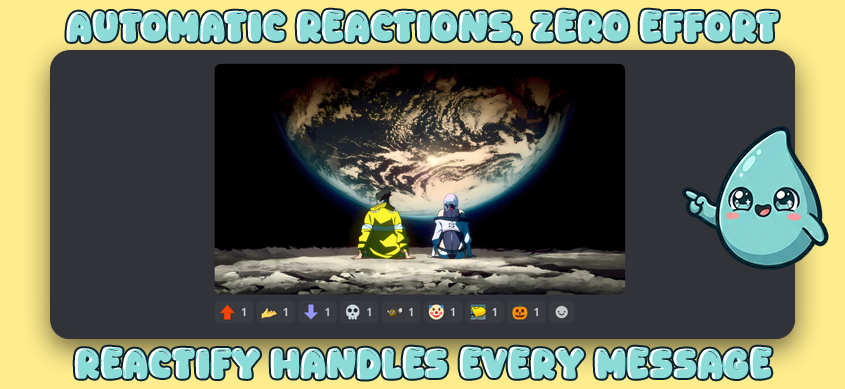
Reactify adds automatic emoji reactions to messages in your Discord server. React to everything, only media, only links, or only when a specific word, phrase, @user, @role, or #channel is mentioned. Set up rules in seconds with slash commands.
How It Works
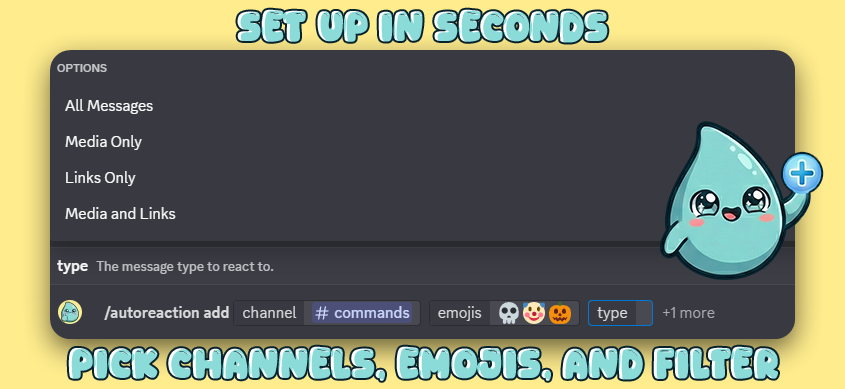
Run /autoreaction add, pick your channels, choose emojis, and select a message filter:
- All Messages: react to everything
- Media Only: images, videos, GIFs
- Links Only: any message containing a URL
- Media + Links: either media or links
One rule can cover multiple channels at once. No need to duplicate rules per channel.
Keyword Triggers
Add keyword triggers so reactions only fire when a message matches:
- Words & Phrases:
hello,good morning,c++(smart word-boundary matching, case-insensitive) - @User Mentions: react when a specific user is @mentioned
- @Role Mentions: react when a specific role is @mentioned
- #Channel Mentions: react when a specific channel is #mentioned
Mix text keywords and mention triggers on the same rule. Only messages matching at least one trigger get reactions. 3 keywords free, 10 with Premium.
Forum & Thread Support
- Forum channels: "First Post Only" mode is enabled by default. Reactions appear on new forum posts, not on every reply. Toggle it off anytime per rule.
- Threads: inherit rules from their parent channel
- Announcement channels: fully supported
- Text channels: standard behavior
Rule Management
- Edit rules inline: change emojis, channels, filters, or forum mode on existing rules without recreating them
- Pause/Resume: temporarily disable any rule without deleting it
- Clear All: remove all rules at once with a confirmation step
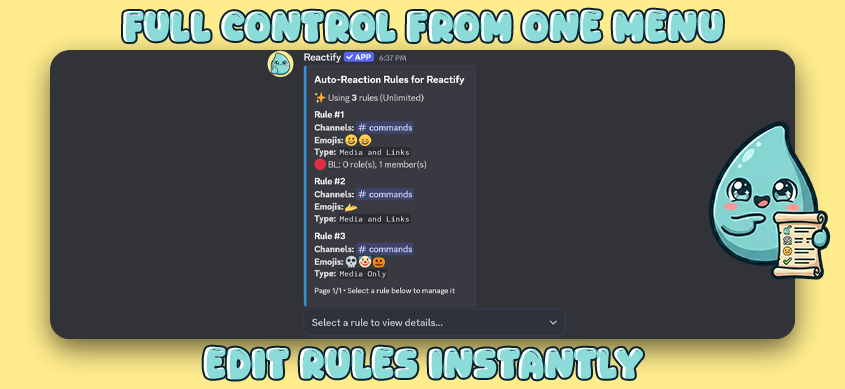
- Interactive dashboard:
/autoreaction listshows a paginated view with detail panels, filter selectors, and channel pickers - Permission warnings: rules flag channels where the bot lacks access
Smart Behavior
- Multiple rules on the same channel? Emojis are combined and deduplicated automatically
- Bot messages are always ignored (no reaction loops)
- Standard and custom server emojis both work
- Invalid emojis are auto-cleaned from rules if Discord removes them
- Rules activate instantly after creation
Access Control
Admins can delegate rule management to specific roles using /autoreaction-admin manage. No need to give out Manage Server permissions.
Each rule also supports whitelists and blacklists (Premium):
- Whitelist: only react to messages from specific roles or members
- Blacklist: skip reactions for specific roles or members
- Both set? Blacklist always wins
Get Started
- Add Reactify to your server
- Run
/autoreaction add - Pick channels, emojis, and a filter
- Done. Reactions start immediately. Forums get first-post-only by default.
Reactify is actively maintained. Found a bug or have a suggestion? Join our Support Server. We respond fast.
Popular Commands
No commands data available.
Categories
Tags
Monetization
Languages
Links
Similar Bots
Other social bots you might like






Popular on UpBot
Trending bots in our directory