Media Gallery
Image
Image
Image
About VibeBot
VibeBot plays a custom sound the moment someone joins a voice channel — your own signature "entrance sound," set up in seconds.
Features
- Entrance sounds — pick a sound that plays automatically when a specific member joins voice
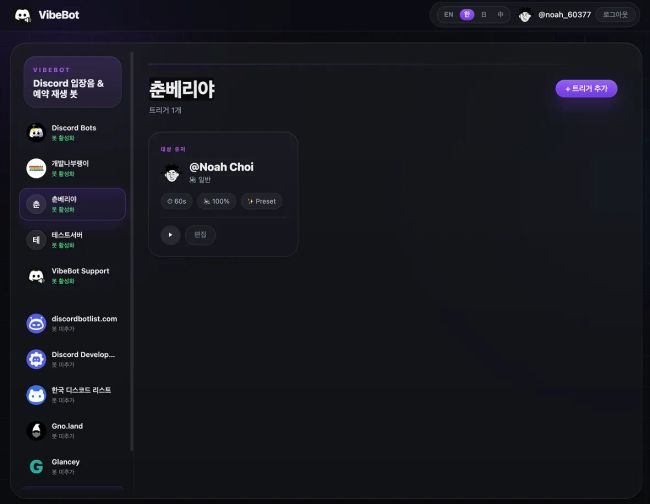
- Scheduled playback — trigger a sound at a set time and day of the week, independent of voice activity
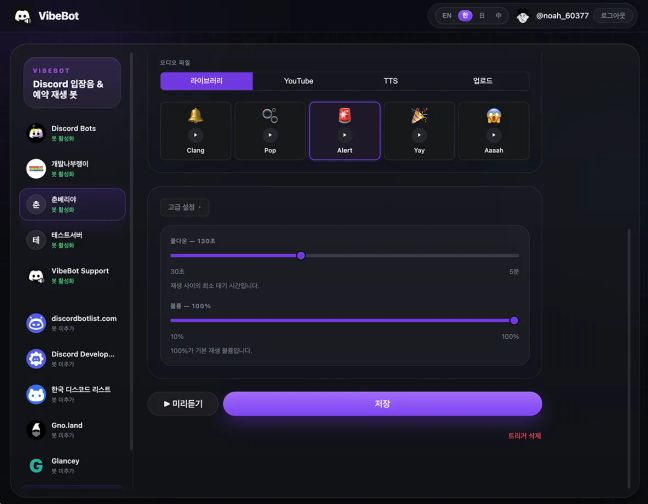
- Flexible audio sources — upload your own file, pull audio straight from a YouTube link, or generate text-to-speech
- Self-serve — any member can set up their own entrance sound; no admin needed
- Admin controls — members with Manage Server permission can configure sounds for other members and set up scheduled triggers
- Web dashboard — manage everything visually, including cooldowns and volume, without typing commands
Slash commands
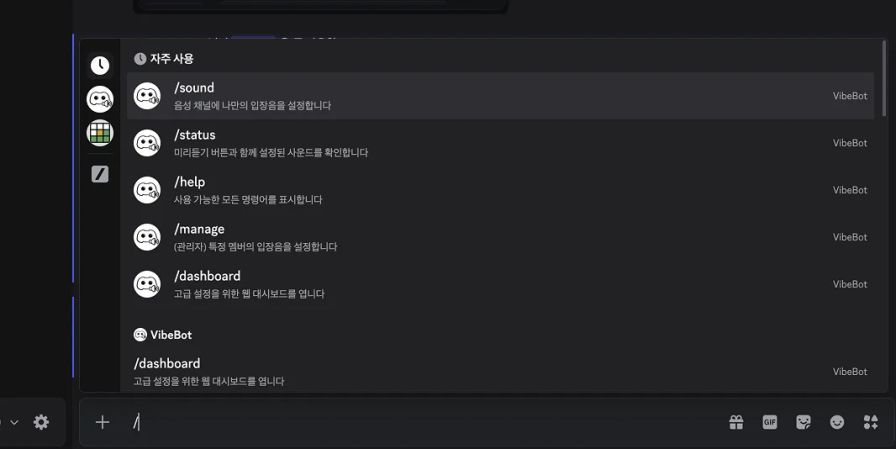
/sound— set your own entrance sound/status— check and preview your configured sound/manage— (admin) set an entrance sound for another member/dashboard— open the web dashboard for advanced settings/help— see all available commands
Get started
Invite VibeBot, run /sound in your server, and pick a voice channel + sound. That's it.
Popular Commands
| Command | Description |
|---|---|
/help | Show all available commands |
/upload | Upload audio to the server library youtubeExtract and upload audio from a YouTube URL fileUpload an audio file to the server library |
/dashboard | Open the web dashboard for advanced settings |
/manage | (Admin) Set an entrance sound for a specific member |
/sound | Set your own entrance sound for a voice channel |
Tags
audiofunmusicproductivityutilities
Monetization
Languages
JapaneseAmerican EnglishChinese (China)Korean
Links
Similar Bots
Other social bots you might like






Popular on UpBot
Trending bots in our directory