
Media Gallery
About dismind
** Turn your Discord server into a searchable team brain. **
In busy servers — especially where people mix Bangla and English mid-sentence — decisions, action items, and updates get lost in the scroll. DiscordMind captures them automatically, so your team always knows what was decided and what's next.
**🎙️ Voice meeting intelligence **
Run /meeting start and DiscordMind joins your voice channel, recording each participant on a separate track. Run /meeting stop and it automatically:
- Mixes every speaker into one clean playback recording
- Transcribes multilingual speech with Sarvam AI and ElevenLabs Scribe v2, capturing mixed Bangla and English accurately
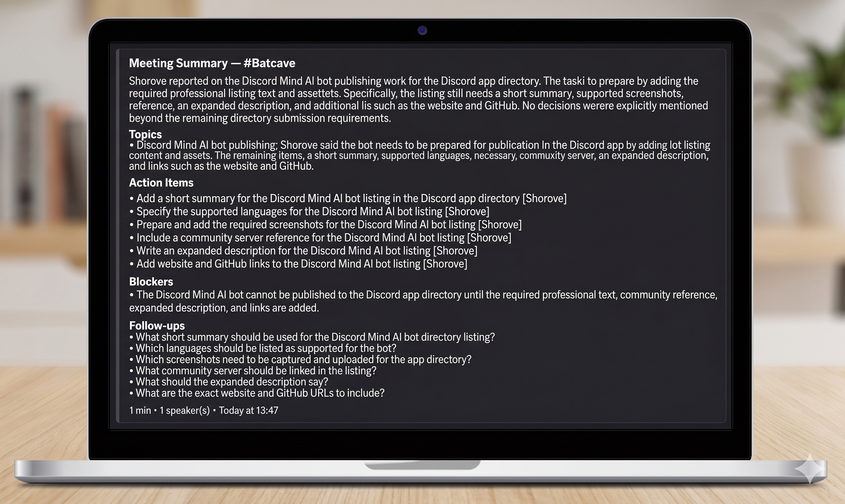
- Generates a structured AI summary: TL;DR, topics covered, decisions made, action items with owners, and blockers
** 📅 Daily channel digests **
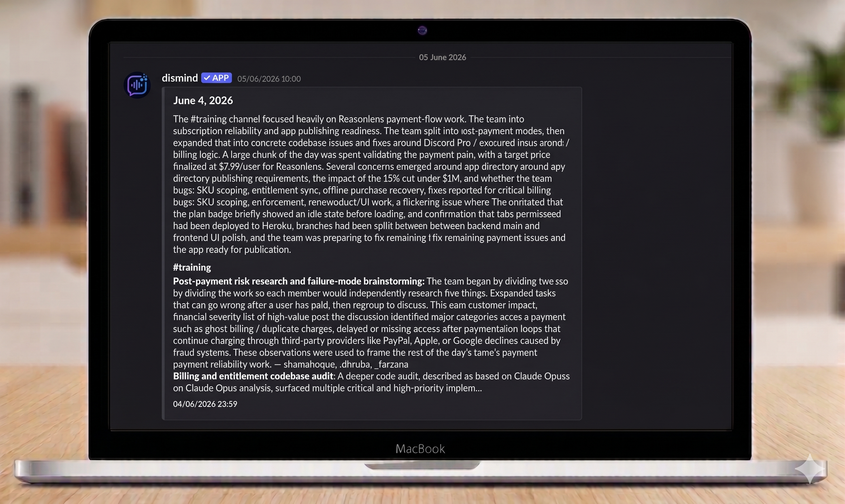
Stop scrolling through hundreds of missed messages. Set a time with /digest, and DiscordMind scans your text channels, groups discussions by topic, and posts a clean recap of the day's highlights.
** 🌐 Built for Bangla teams **
DiscordMind supports up to 99 languages through ElevenLabs, so it fits global workflows out of the box. For teams who switch between Bangla and English in a single sentence, transcription uses Sarvam AI's codemix mode (bn-IN) and ElevenLabs Scribe v2 — and summaries preserve the original multilingual phrasing instead of forcing awkward translations.
⚡ Getting started
- Add DiscordMind to your server.
- Jump into a voice channel, run
/meeting start, then/meeting stopwhen you're done. - Run
/digestto schedule daily recaps, and/meeting configto choose your transcription provider.
** 💻 Commands **
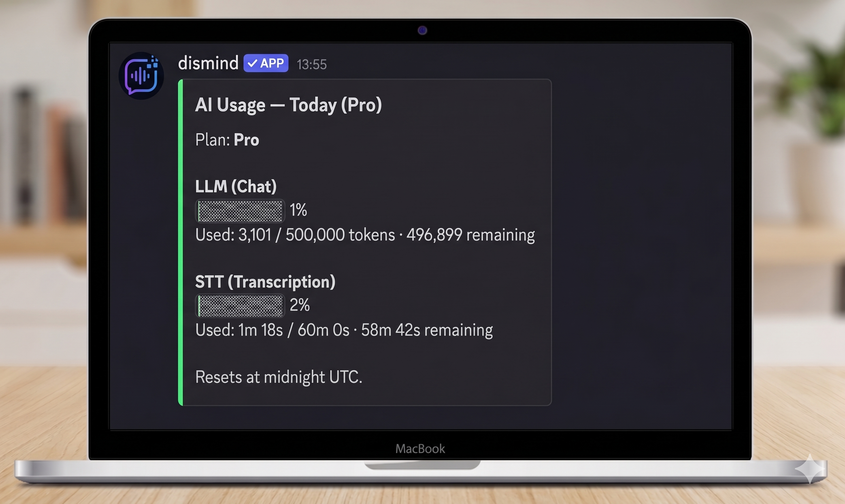
/meeting start— Joins your voice channel and starts recording/meeting stop— Stops recording, processes the audio, and posts the AI summary/meeting config— Set the transcription provider for this server (Sarvam, AssemblyAI, or ElevenLabs)/digest— Configure or instantly trigger a text-channel summary/digest config— Schedule a daily digest: reads from source channels and posts to a target channel at a set time/billing status— View your current plan and daily usage/billing upgrade— Upgrade your server to Pro/usage— See today's LLM and transcription quota at a glance/feedback— Share feedback through our form
Popular Commands
| Command | Description |
|---|---|
/digest | Configure and generate text-channel digests. configConfigure the daily digest. nowGenerate a digest immediately. |
/meeting | Record raw per-user audio from a voice channel. startStart recording your current voice channel. stopStop recording and leave the voice channel. configConfigure meeting transcription. |
/usage | Show this server's AI usage for today. |
/billing | Show or upgrade this server's DiscordMind plan. statusShow this server's current plan and usage. upgradeUpgrade this server to Pro. |
Categories
Tags
Monetization
Languages
Similar Bots
Other social bots you might like






Popular on UpBot
Trending bots in our directory