Media Gallery
About Jukebox Portal
Jukebox Portal turns your Discord voice channel into a shared community jukebox.
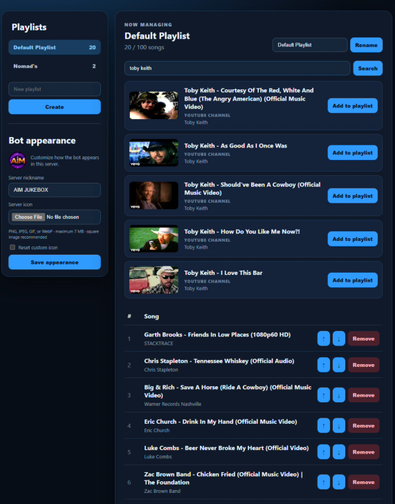
Build persistent server playlists, search for songs with helpful suggestions, accept priority song requests, and automatically return to the playlist after requests finish. The live music player displays album artwork, track information, volume, queue details, and convenient playback controls.
Server managers can configure the player channel, voice channel, DJ role, playlist name, and default volume. Permission-aware commands and controls make everyday music management simple for both staff and community members.
Premium servers receive larger music libraries, multiple named playlists, server-specific customization, and optional access to a secure web-based Playlist Portal for authorized members.
Popular Commands
| Command | Description |
|---|---|
/play | Request a song before the saved playlist continues. songSong title, artist, or supported link |
/start | Start this server's saved playlist. |
/setup | Configure Jukebox Portal for this server. player_channelChannel where the permanent music player will appear dj_roleOptional role allowed to manage music and the saved playlist default_volumeStarting playback volume from 0 to 100 percent |
/stop | Stop playback, disconnect, and clear requests. |
/playlist | View this server's saved playlist. |
Categories
Tags
Monetization
Languages
Similar Bots
Other similar bots you might like





Popular on UpBot
Trending bots in our directory