

- Servers
- 155
- Rank
- #6,448
- Last 7 days
- —
- Last 30 days
- —
About OmegaBot Music
🎧 OmegaBot
The music bot that just works.
/play a link or a song name and OmegaBot pulls it from Spotify, YouTube, Apple Music, Deezer, or SoundCloud — instantly. No setup, no paywall, no "premium tier." Add it, hop in a voice channel, and queue your first song.
▶️ Play anything, from anywhere
Search by name or paste a link — a single track or a whole playlist. Whatever's already playing keeps going, and the new music lines up neatly behind it.
| Command | What it does |
|---|---|
/play <query> [source] |
Play a track or playlist, or add it to the queue |
/playnext <query> [source] |
Put a track or playlist at the front of the queue |
/playnow <query> [source] |
Play a track or playlist right away, replacing the current song (DJs) |
/nowplaying |
Show what's playing right now |
/volume <level> |
Set the player volume |
/lyrics [song] |
Pull up the words to the current track — or any song by name |
Not sure where a song lives? Just type the name. Want to force a source?
/playtakes an optional YouTube, YouTube Music, SoundCloud, Spotify, or Apple Music pick.
🎛️ Control it right from the chat
Every "Now playing" message comes with buttons, so pausing or skipping is one tap away. Prefer commands? They're all here too.
| Command | What it does |
|---|---|
/pause · /resume |
Pause and pick back up |
/skip |
Skip the current track — DJs and the requester skip instantly; everyone else votes |
/previous |
Go back to the last song |
/seek <1:30> |
Jump to an exact moment |
/forward [sec] · /rewind [sec] |
Nudge ahead or back (10s by default) |
/stop |
Stop, clear the queue, and leave the channel |
📜 A queue you can actually rearrange
No more "sorry, wrong song" — move it, drop it, shuffle it, or loop it.
| Command | What it does |
|---|---|
/queue show [page] |
See what's coming up |
/queue move <from> <to> |
Reorder a track |
/queue jump <position> |
Skip straight to a track |
/queue remove <position> |
Pull one song out |
/queue remove-user <member> |
Pull out everything one person queued |
/queue dedupe |
Drop songs that are already in the queue |
/queue shuffle |
Shuffle everything up next |
/queue clear |
Wipe the queue |
/queue loop <off | track | queue> |
Repeat one song, the whole queue, or nothing |
/autoplay <off | random | history> [me | server] |
Keep the music going when the queue runs out — similar songs, or favourites from your play history |
💾 Playlists for your server — and for you
Save tonight's mix under a name and bring it back on any night with one command. Server playlists belong to the server, so anyone can play them. Pick scope: Personal on any /playlist command and the playlist is yours, ready in every server you share with OmegaBot.
| Command | What it does |
|---|---|
/playlist save <name> <query> |
Save a track or playlist under a name |
/playlist save-queue <name> |
Save what's playing plus everything queued |
/playlist add <name> [query] |
Add a song (or the one playing now) to a playlist |
/playlist remove <name> <position> |
Take a song out of a playlist |
/playlist rename <name> <new_name> |
Rename a playlist |
/playlist play <name> |
Queue up a saved playlist |
/playlist list |
See every saved playlist |
/playlist show <name> [page] |
Peek at a playlist's tracks |
/playlist delete <name> |
Remove one |
♥️ Favorites that follow you
Hear something you love? Hit ♥ Like under the player, or run /like. Your favorites are personal and work in every server.
| Command | What it does |
|---|---|
/like |
Add the song playing now to your favorites |
/favorites play |
Queue up everything you've liked |
/favorites show [page] |
See your liked songs |
/favorites remove <position> |
Unlike a song |
🎚️ Shape the sound
Dial in the room with a per-server equalizer and a shelf of ready-made filters.
Equalizer — /eq set, /eq show, /eq list, /eq reset
Flat · Bass Boost · Treble Boost · Pop · Rock · Jazz
Filters — /filter set, /filter show, /filter list, /filter clear
Nightcore · Vaporwave · 8D · Karaoke · Tremolo · Vibrato · Soft
Pick a filter and an EQ preset — they stack cleanly into one sound.
🎧 A DJ role for when you want order
Open by default: anyone in the voice channel can run the show. Want a little structure? Set a DJ role and only its holders (plus server managers) can control the player — everyone else can still queue tracks and vote to skip.
| Command | What it does |
|---|---|
/dj set <role> |
Only this role may control the player |
/dj clear |
Back to open — everyone's a DJ |
/dj show |
Check the current setting |
📈 See what's been playing
| Command | What it does |
|---|---|
/history recent [me | server] |
Look back at recently played songs |
/leaderboard [songs | commands] |
The server's most-played songs and most-used commands — for you or for everyone |
🔁 Picks up right where it left off
The queue is saved as it changes. If OmegaBot restarts, your songs — and your spot in them — are still there when it comes back. No re-queuing, no lost night.
Growth History
Server count trends over the last 6 months
Popular Commands
| Command | Description |
|---|---|
/queue | Manage the music queue showShow the upcoming tracks removeRemove a track from the queue remove-userRemove every track a member queued dedupeRemove repeated tracks from the queue moveMove a track to another position in the queue jumpSkip ahead to a track in the queue shuffleShuffle the upcoming tracks clearRemove every upcoming track loopRepeat the current track, the whole queue, or neither |
/volume | Set the player volume levelVolume in percent |
/stop | Stop playback and clear the queue (leaves unless 24/7 is on) |
/play | Play a track or playlist, or add it to the queue querySearch terms or a URL sourceWhere to search when the query is not a URL |
/playlist | Save, edit and play named playlists saveSave a track or playlist under a name save-queueSave the current track and queue addAdd tracks to a playlist, creating it if needed removeRemove a track from a playlist renameRename a saved playlist playPlay a saved playlist listList saved playlists showShow the tracks in a saved playlist deleteDelete a saved playlist |
Frequently Asked Questions
Widget for OmegaBot Music
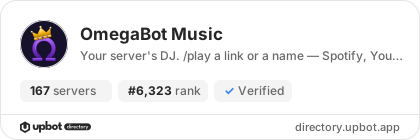
Do you develop OmegaBot Music? Show its server count, rank and growth on your website or README. Use the PNG where SVG images are not supported.
[](https://directory.upbot.app/bots/1565418512040591401)Categories
Tags
Monetization
Languages
Similar Bots
Other utilities bots you might like


