
Friend Time
64,600 serversMedia Gallery

Image
Image
About Friend Time
Introduction
If you have a discord server with users across multiple countries and time zones then this is the bot for you! With Friend Time you can easily coordinate times between users.
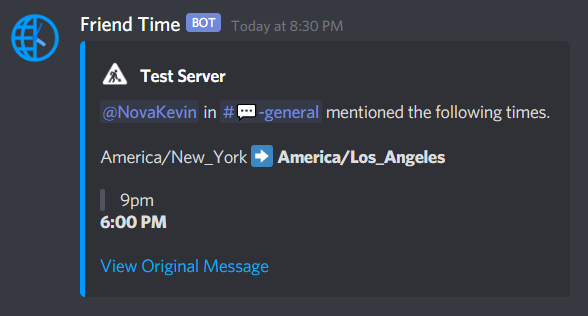
Friend Time will automatically react with a clock emoji (🕰️) to times mentioned in chat:

By also reacting, you will be private messaged with the time converted to your time zone:
Features
- Automatically reacts with a clock emoji (️️🕰️) to times mentioned in chat.
- Clicking the clock emoji converts the time to your time zone.
- Sent in a direct message.
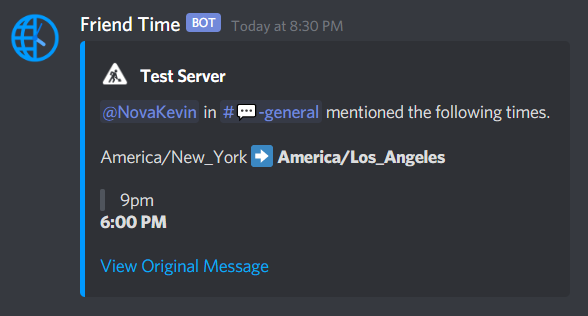
- A time zone list where you can set up to 10 time zones to always convert to.
- Sent in the server channel.
- Reminders for users to set their time zones.
- Servers and users can disable this reminder if desired.
- Set time zones for other users or even bots!
- A private mode for users who don't want to expose their location.
- Customize the appearance of times (12 or 24 hour).
- Support for multiple languages.
Documentation
Please see the documentation site for more detailed information on how to use Friend Time.
Popular Commands
| Command | Description |
|---|---|
/setup | Run the server setup. |
/set | Run the user setup (for yourself, a user, or bot). meRun the user setup for yourself. userRun the user setup for a user or bot. |
/time | View the time of the server, user, bot, or zone. serverView the time of the server. userView the time of a user or bot. zoneView the time of a zone. |
/me | Manage your user settings. viewView your user settings. editChange a user setting. removeRemove all your user data. |
/list | Manage the server time zone list. viewView the server time zone list. toggleAdd or remove to the server time zone list. |
Categories
Tags
conversiontimetime zonetimezoneutility
Monetization
Languages
DutchGermanRussianFrenchEuropean SpanishItalianPolishBrazilian Portuguese
Similar Bots
Other social bots you might like






Popular on UpBot
Trending bots in our directory