
Media Gallery
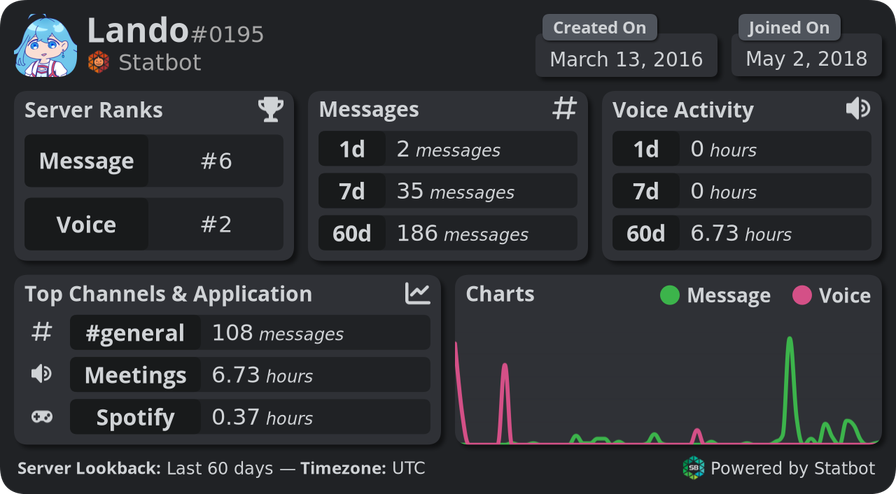
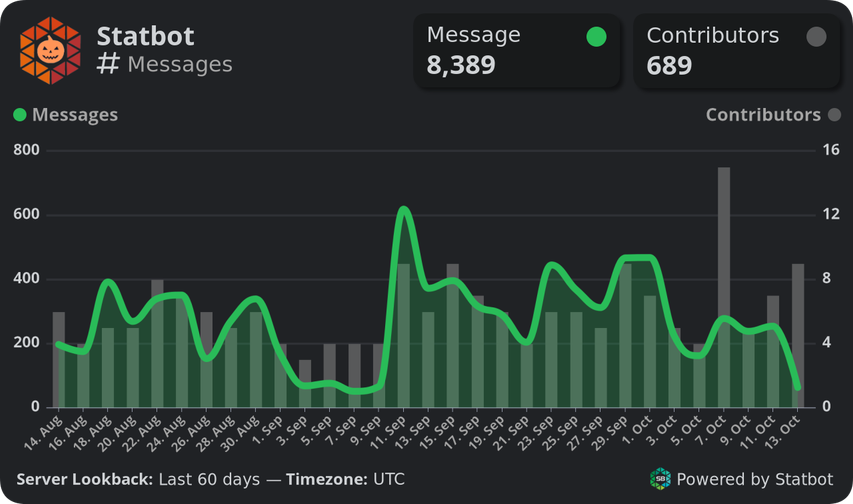
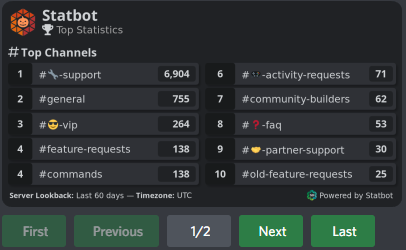
About Statbot
👨💼 The Next Level of Server Management
⭐ Charts & Graphs ⭐ Channel Counters & Clocks ⭐ Auto Roles & Inactivity Roles ⭐ Web Dashboard ⭐ And more! Statbot gives you tools and data no other bot can.
🔎 View Data You Can't Get Anywhere Else
Statbot's core concept is simple, and yet it's extremely rare on Discord. While there is no shortage of bots that will give you point-data—numbers that reflect something as it is right now—no other bot tracks as much of your server's data and gives you so many ways to use and see it to as Statbot does.
Though you might still wonder why have a Statbot when something like Discord Server Insights exist? The answer is simple.
📈 Statbot Tracks Precise Analytics Data
⭐ Stats by #channel
⭐ Stats by @member
⭐ Stats by hour, day, week, month
⭐ Voice stats by voice state (afk, mute, etc.)
⭐ Top stats within a period of time
⭐ And so much more...
🚀 Beyond Tracking
The benefits go far beyond just logging and storing your critical server stats, now giving you powerful tools to make full use of those stats.
🕓 Statdocks — Advanced Channel Counters
Like some other bots, Statbot can post your server's stats and social media info as a channel name. Unlike those bots, these Statdocks are built for maximum flexibility. Notable features are
• Support up to 4 custom counters per channel
• Support custom channel names for free
• Support time-related counters like clocks
• Support using Statbot's tracked data in counters
🏅 Statroles — Auto-Roles
This a one-of-a-kind role reward system exclusive only to Statbot. Statroles offer a robust, customizable rule system using Statbot's historical data. Notable features are
• Assign roles using a member's stats
• Remove roles using a member's stats
• Complex rules using multiple types stats with AND / OR rules
• Update Statroles at anytime and roles sync to the new settings
🤝 Statbot helps you unlock your full potential as a community builder. Let us help you build the best communities on Discord!
Popular Commands
| Command | Description |
|---|---|
/user | See a user's stats in this server. statsSee an overview of a user's stats. chartSee a detailed chart of a user's stats. |
/top | See a list of top members and channels. |
/me | See your stats in this server. |
/stats | See an overview of a type of stats. messageSee an overview of the server's message stats. voiceSee an overview of the server's voice stats. userSee an overview of a user's stats. channelSee an overview of a channel's stats. activitySee an overview of the server's and Application stats. (Data+ Premium Upgrade) inviteSee an overview of the server's invite stats. |
/chart | Generate a detailed chart. messageMessage stats. voiceVoice channel stats. memberMember count stats. statusOnline, DnD, Idle stats. activityGame and Application stats. (Premium) userA user's stats. channelA channel's stats. inviteInvite stats. |
Categories
Tags
Monetization
Languages
Similar Bots
Other moderation and tools bots you might like






Popular on UpBot
Trending bots in our directory