
Ticket Bot
52,200 serversMedia Gallery
About Ticket Bot
A thought-out solution for managing support tickets in your server.
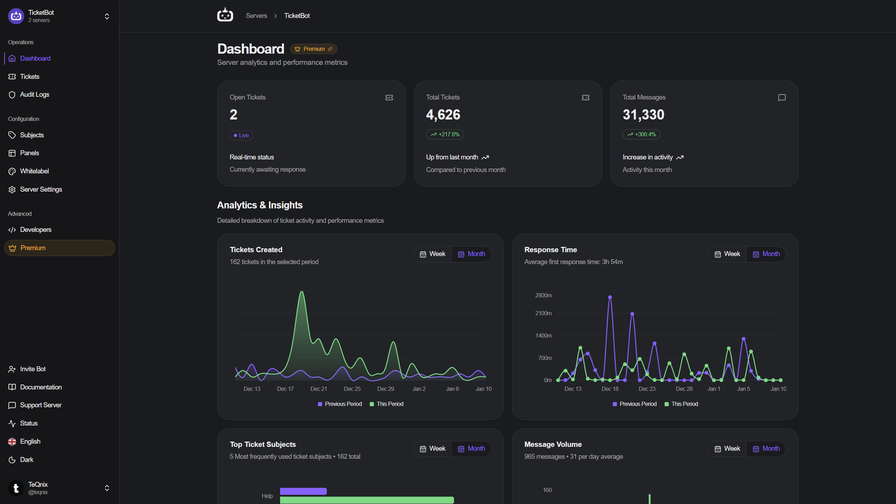
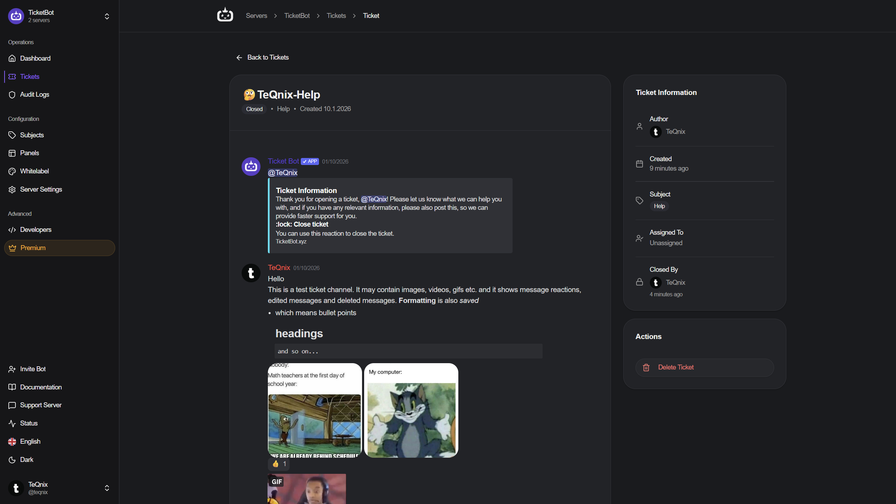
TicketBot is a premium ticket system with a website history for staff and users to access.
Users can get easy support from staff members with tickets on their favorite Discord servers.
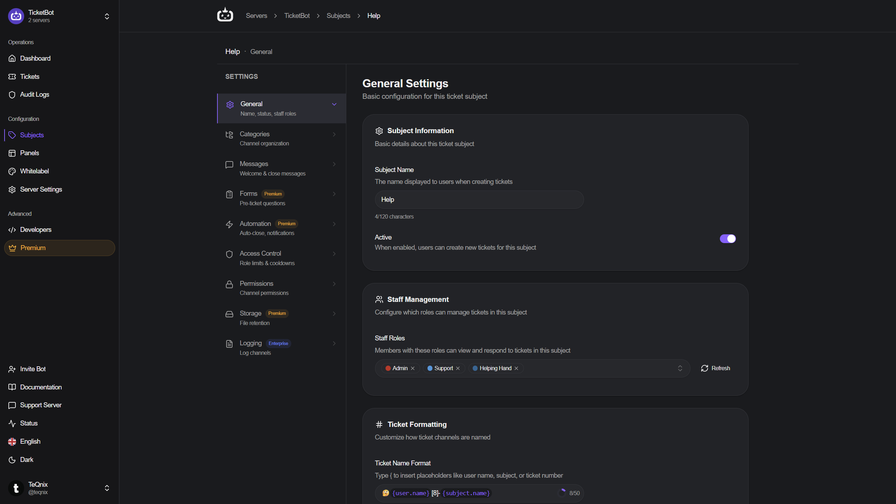
With a web panel to configure settings, admins can create a unique ticket setup.
Some of our features
Website history
Permanent access to all previous tickets, both for users and staff.
Tickets are automatically saved and can be viewed at any time on our web panel.
Users can view their own tickets.
Staff can search and view all tickets created at their server.
Organize in subjects
Tickets can be organized in groups called subjects.
Create tickets with buttons
Make it easy for users to get support. Simply click a button, and a new ticket is created.
Different buttons can be used for different subjects.
Fully customizable
Customize everything, from prefix to language. The settings made sure you can have a unique experience.
Unlimited Tickets
Have as many tickets as you need, with multiple subjects, to better organize the tickets.
Links
Website: https://ticketbot.xyz/
Invite: https://ticketbot.xyz/invite
Setup: https://ticketbot.xyz/setup
Commands: https://ticketbot.xyz/commands
Discord: https://discord.com/invite/YGzYj7
Popular Commands
| Command | Description |
|---|---|
/unclaim | Unclaim the ticket |
/ticket | Create a ticket subjectChoose a subject for the ticket ownerManually provide the ticket author (staff only) |
/add | Add user to the ticket. userThe user you wish to add to your ticket. |
/close | Close a ticket reasonProvide a description or reason for closing the ticket timeAmount of time before the ticket automatically closes forcePrevent users from cancelling the automatic ticket closing |
/rename | Rename the ticket nameProvide a new name for the ticket |
Categories
Tags
Monetization
Languages
Similar Bots
Other moderation and tools bots you might like






Popular on UpBot
Trending bots in our directory