

- Servers
- 55,100
- Rank
- #3224 in 30 days
- Last 7 days
- 0
- Last 30 days
- +300(+0.6%)
Media Gallery

Image

Image

Image
About Spotify
Start by creating a listening profile using /profile, then find other people with similar music tastes using /search! Find someone listening to a specific song using /listening, or go /random! And, if you want to find the lyrics to your favorite hit... try out /lyrics 🎧
Growth History
Server count trends over the last 6 months
Popular Commands
| Command | Description |
|---|---|
/profile | View your listening profile userSpecify a user to search for their profile |
/myspotify | Show what you're listening to! |
/createprofile | Shows the "Create Profile" button |
/listening | Find who's listening to what in your server! searchSearch term (ex. artist name, song title) |
/search | Search listening profiles to find friends who share similar music tastes! searchSearch terms (ex. artist, song, genre) |
Frequently Asked Questions
Spotify is a Discord bot in the Utilities category. Create a profile, share your music interests, and explore what others are listening to!
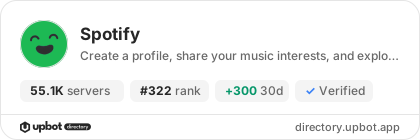
Spotify is installed on approximately 55,100 Discord servers, ranking #322 on the Upbot Directory leaderboard.
Click the "Add to Server" button on this page, choose the server you manage, review the requested permissions and confirm. You need the "Manage Server" permission on that server.
The most used Spotify commands include /profile, /myspotify, /createprofile, /listening, /search.
Yes, Spotify is verified by Discord.
Widget for Spotify
Do you develop Spotify? Show its server count, rank and growth on your website or README. Use the PNG where SVG images are not supported.
[](https://directory.upbot.app/bots/668500067572776972)Categories
Tags
listeningmusicspotify
Monetization
Languages
American English
Similar Bots
Other utilities bots you might like


