

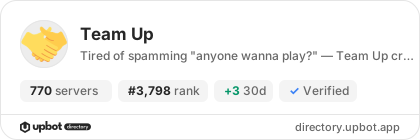
Team Up
770 servers+1 this week- Servers
- 770
- Rank
- #3,79588 in 30 days
- Last 7 days
- +1(+0.1%)
- Last 30 days
- +10(+1.3%)
About Team Up
Stop hunting for teammates. Start playing.
Team Up turns your Discord server into a full LFG hub. One command — /lfg — and your party post is live: game thumbnail, party size, join button, voice channel. No setup, no clutter.
What makes Team Up different
🎮 100+ games, always up to date
From Valorant to Deep Rock Galactic — the game list lives in the cloud. New games get added without bot restarts or updates. Use /list to browse everything.
⚡ Three ways to create a party
/lfg quick— pick game + gamemode, done in seconds/lfg advanced— full config: party size, description, team splits, competitive toggle/lfg template— save your favorite setup and reuse it with one tap
🎲 Can't agree on a game? Use /lfg preliminary or /gamble
Run a reaction vote across up to 5 game options — the winner becomes the party. Or let /gamble pick randomly.
🔊 Voice channel management included Team Up can auto-create a voice channel when a party starts and auto-delete it when it's done. Zero leftover channels.
🌍 4 languages supported
English, German, Spanish, French — set per server via /settings.
Admin controls
- Whitelist / Blacklist — restrict which games are allowed on your server or in specific channels
- Log channel — get notified about deleted parties, voice events, and errors
- Setup wizard —
/setupwalks you through the first-time configuration
Premium features
Unlock the full experience with Team Up Premium:
- Single Queue Per Game — prevent spam by limiting users to one active party per game
- Auto-Deletion — parties and voice channels clean themselves up after configurable hours
- Pre-Selected Players — add specific members to a party before it goes live
- Per-Channel Config — different game restrictions per channel, not just server-wide
- Game Role Gating — require in-game ranks or roles to join specific parties
Getting started
- Invite Team Up to your server
- Run
/setupfor guided configuration, or skip straight to/lfg quick - Join the support server for help, feedback, and updates
Growth History
Server count trends over the last 6 months
Popular Commands
| Command | Description |
|---|---|
/onboarding | Simple Team Up setup |
/settings | Change the settings of your guild |
/lfg | Create a party alongside other people quickCreate a party alongside other people advancedCreate a party alongside other people with advanced options templateDefine templates for an LFG in this channel overviewGet an overview of all running LFGs in this channel preliminaryStart a reaction poll to vote on which game to play |
/blacklist | Whitelist games for the /lfg and /gamble command clearClear the whitelist addAdd a game to the blacklist (Whitelist gets cleared if it contains a game) removeRemove a game from the blacklist |
Frequently Asked Questions
Widget for Team Up
Do you develop Team Up? Show its server count, rank and growth on your website or README. Use the PNG where SVG images are not supported.
[](https://directory.upbot.app/bots/700132773553504287)Categories
Tags
Monetization
Languages
Similar Bots
Other entertainment bots you might like


