

Server Status
2,570 servers- Servers
- 2,570
- Rank
- #2,15152 in 30 days
- Last 7 days
- 0
- Last 30 days
- 0
Media Gallery
About Server Status
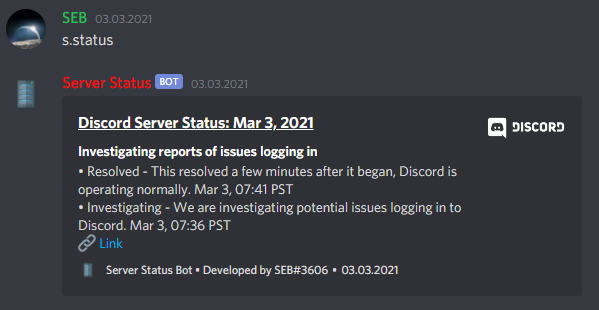
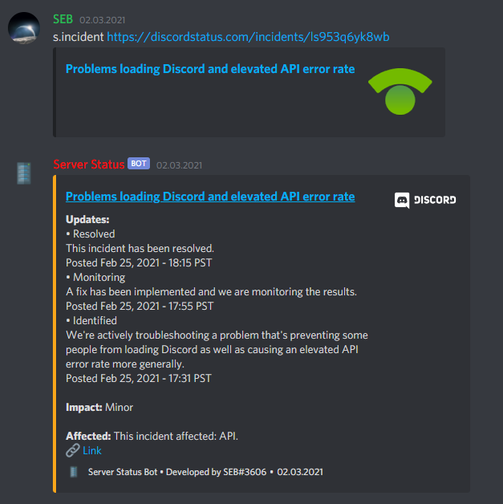
Why choosing? The bot is always up-to-date displays the current server incident status in it's bot presence so it's simple to check the status. It has an easy use of the commands made possible by Discord's slash commands. They are easy and understandable to use and enable a much more pleasant way of using bots. (The bot can also be operated with text messages on your server) However, not only can the current incidents be called up, but all previous incidents and their information can be sent directly to your channel (incident link or id required).
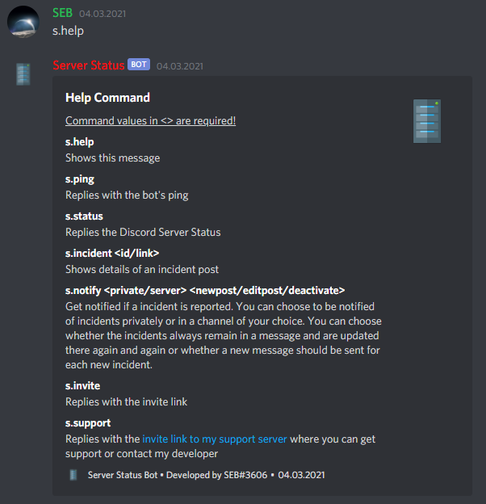
Wich commands are available? s.help - Gives you some help ;) s.status - Replies the Discord Server Status s.incident - Shows details of an incident post s.notify - Toggles notifications for you and your server
Growth History
Server count trends over the last 6 months
Popular Commands
| Command | Description |
|---|---|
/status | Returns the Discord Server Status |
/hello | Replies with Hello World! |
/botinfo | Retrieves information about this bot |
/stats | Replies with statistics about incidents of Discord |
/ping | Shows the bot's ping! |
Frequently Asked Questions
Widget for Server Status
Do you develop Server Status? Show its server count, rank and growth on your website or README. Use the PNG where SVG images are not supported.

[](https://directory.upbot.app/bots/813142601565601793)Categories
Tags
Monetization
Languages
Similar Bots
Other moderation and tools bots you might like


