
PteroControl
337 servers−1 this week- Servers
- 337
- Rank
- #5,146180 in 30 days
- Last 7 days
- −1(-0.3%)
- Last 30 days
- −14(-4%)
Media Gallery
About PteroControl
Control your Pterodactyl and Pelican panels directly from Discord. PteroControl turns the everyday panel tasks into slash commands, so you can manage your servers from your phone, a DM or your community server without opening the panel in a browser.
What you can do
Manage your servers (/client)
List your servers and select the one you want to work on
Start, stop, restart and monitor a server, and send console commands
Browse, view, create, rename, copy, compress, decompress, upload and delete files and folders
Create, inspect and delete backups
Manage databases, schedules and schedule tasks
Manage subusers and their permissions
Edit startup variables and the Docker image, view SFTP details, rename or reinstall a server
Manage network allocations and view activity logs
Manage your account
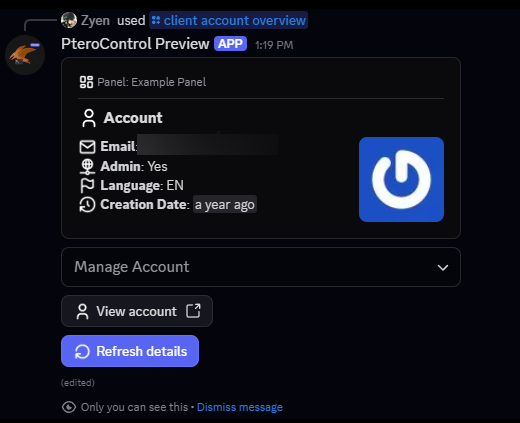
View your account, activity logs, API keys and SSH keys
Enable or disable two-factor authentication
Change your email and password
Manage your data
- Delete everything PteroControl stores about you at any time with
/deletedata
Administer your panel (/admin)
For API keys owned by panel administrators:
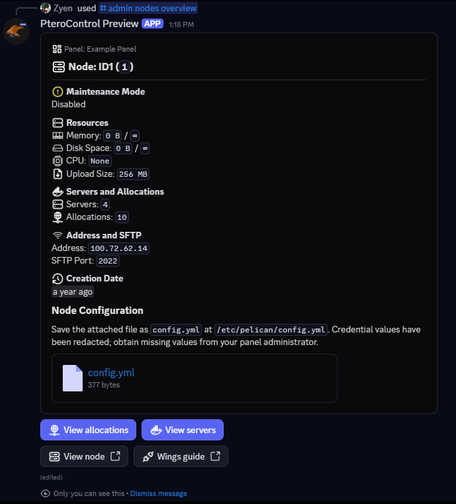
Nodes, allocations, eggs, nests, mounts, database hosts
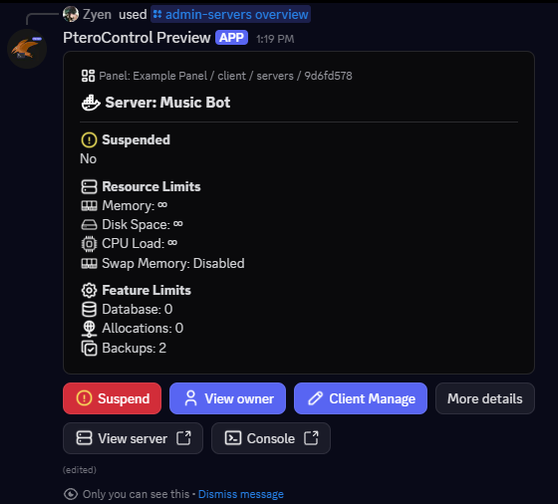
Users, roles and servers, including creating and editing them
Multiple panels
Add as many panels as you need with /panel add and switch between them with /panel select. Pterodactyl and Pelican are detected automatically.
Built with security in mind
Your panel API keys are encrypted at rest (AES-256-GCM)
Responses are private (ephemeral), so only you can see them
Panel connections require HTTPS and public addresses by default, with protection against requests to internal networks
Error reports are sanitized so keys, tokens and passwords are not logged
You stay in control: remove one panel with
/panel delete, or erase everything we store about you with/deletedata
Getting started
Run
/guide apikeyto learn how to create a Client API key in your panelRun
/panel addto add your panelRun
/client servers manageto select a serverUse
/client serverto manage it
Need the full command list? Run /help. Found a problem? Use /bug.
Good to know
PteroControl acts with the permissions of the API key you provide. It can only do what that key's owner can do on the panel.
PteroControl is an independent project and is not affiliated with or endorsed by Pterodactyl or Pelican.
Created by ZN Project Development.
Growth History
Server count trends over the last 6 months
Popular Commands
| Command | Description |
|---|---|
/client | Client Panel Management. serversManage specific server on your client account. accountSee your client account details. serverManage selected server. |
/panel | Panels Management. selectSelect specific panel. addAdd a new panel to the account. deleteDelete a panel from the account. editEdit a panel from the account. listAll panels avaliable on your account. |
/guide | Guide to use PteroControl. apikeyGet instructions on how to obtain a panel API key. |
/help | View all registered slash commands. |
/admin | Admin: nodes, eggs, nests, mounts and database hosts. nodesManage nodes. eggsManage eggs. nestsManage nests. mountsManage mounts. database-hostsManage database hosts. |
Frequently Asked Questions
Widget for PteroControl
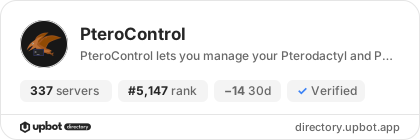
Do you develop PteroControl? Show its server count, rank and growth on your website or README. Use the PNG where SVG images are not supported.
[](https://directory.upbot.app/bots/816219634390663230)


