
Manage Bot
1,510 serversMedia Gallery

About Manage Bot
With this bot, you can manage your Pterodactyl (https://pterodactyl.io) panel servers from Discord. Screenshots can be found in the Gallery tab.
Setup (/add):
An "alias" refers to a single panel. With aliases you can use multiple ptero panels at the same time.
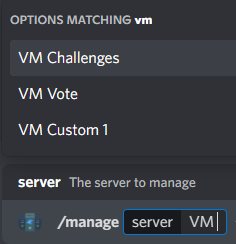
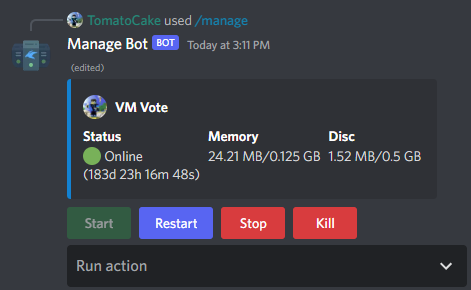
Main managing command: /manage
The bot can also run quick actions on the server, like creating a backup or restarting it after a set time.
How to use Customcommands (/ccmc):
You can see a list of all possible arguments at /help. After creation, the commands can be used as regular slash commands.
Suggestions and feedback can be given using /suggest.
Popular Commands
| Command | Description |
|---|---|
/setup | Adds a new pterodactyl panel urlThe panel main URL like https://panel.chaoshosting.eu/ apikeyYour api key for the panel from "Account Settings" -> "API Credentials" aliasA name for the panel which is used by you for commands |
/console | Displays the console of a server serverThe server to execute the command on aliasThe panel alias |
/command | Executes a command on a server serverThe server to execute the command on commandThe command to execute aliasThe panel alias |
/help | Displays help and stats about the bot |
/manage | Lists your servers and allows you to manage them serverThe server to manage aliasThe panel alias |
Support Server

Categories
Tags
Monetization
Languages
Similar Bots
Other utilities bots you might like






Popular on UpBot
Trending bots in our directory