
Media Gallery
About Boogie


Boogie
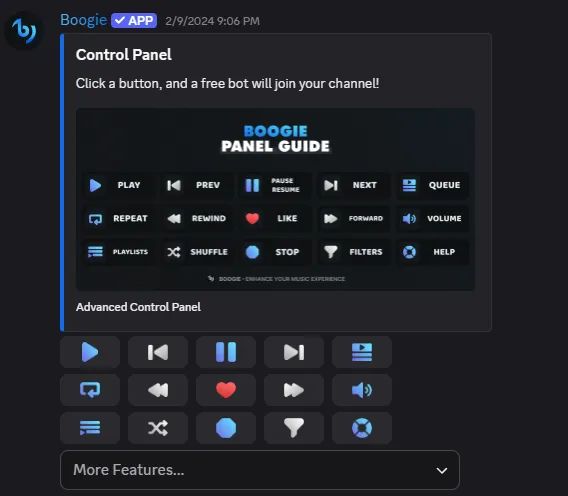
Boogie is a free Discord music bot that controls up to 10 different music bots via its unique control panel with amazing features. No slash-commands; all features are accessible through our panel.
Getting Started (Recommended)1. Invite the bot to your server!2. Run /setup in any text channel!3. Then you're good to go! Send the master-panel using /master-panel command!4. Click any button, and a free bot will join your channel!5. Enjoy the music ;)
✨ | Boogie Features
• Supports: Youtube, Spotify, Soundcloud, Deezer (Links or search!)
• Two Playing Modes: Search and Play.
• Advanced Queue System: Navigate with pagination, Play next & Play previous.
• Repeating Modes: Choose from Repeat Current, Repeat Queue, Auto Play.
• Personal Playlist Management: Create, modify, and import playlists.
• Seek Menu and Custom Controls: Access seek, rewind, forward, and custom controls.
• Audio Filters: Customize your listening experience.
• Volume Modifier: Precise volume control for a tailored experience.
• Queue Shuffling: Shuffle the playlist for variety.
• Vote to Skip Feature: Engage the community in song selection.
• DJ Locked Features: Exclusive features for designated DJs.
• Temporary DJ: First requester becomes a temporary DJ in their channel.
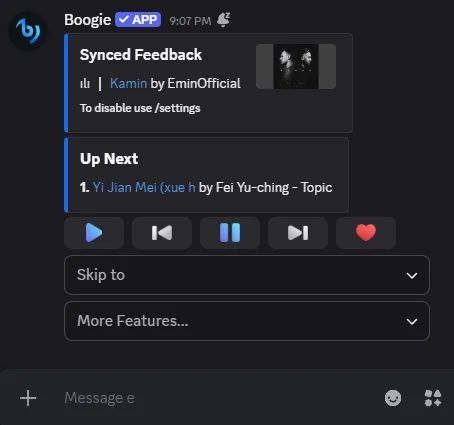
• Live-Lyrics: Enjoy a synced line by line lyrics.
• 24/7
⚡ | Boogie Commands
/ping
/help
/setup
/master-panel
/personal-panel
/settings
/premium
/activate-premium
/deactivate-premium
You don't like the panel? then use this:
/play [track name] [source: spotify, youtube, soundcloud, deezer]
/search [search] [source]
/playfile [File from your device]
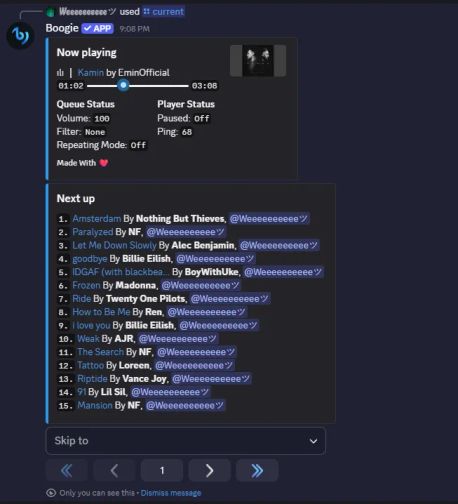
/view-queue or /current
/filters
/skip or /next-track
/playlists or /personal-playlists
/like-current
/shuffle
/pause or /resume (works as a toggle)
/autoplay
/volume [new volume]
/repeating-mode [repeat queue, repeat current, autoplay]
/lyrics (sends lyrics panel: lyrics search, synced lyrics)
/seek-panel or /rewind , /forward
/skip-to
/247
/radio
/listbots
Visit our website: https://boogie.gg/
Popular Commands
| Command | Description |
|---|---|
/stop | Clears the queue and stops the player |
/repeating-mode | Change the repeating mode modeSelect the repeating mode |
/search | Play links or search for tracks! inputPut links or type to search platformSelect A Platform (It will be the default next time you search) queue-nextQueue the track/tracks next |
/skip | Skip the current track |
/play | Play links or search for tracks! inputPut links or type to search platformSelect A Platform (It will be the default next time you search) queue-nextQueue the track/tracks next |
Tags
Monetization
Languages
Similar Bots
Other social bots you might like






Popular on UpBot
Trending bots in our directory