
Media Gallery
About Forms
I am a verified, slash-commands only bot. I make forms and notes through Discord Modals, a new feature (released February 8th, 2022).
Forms:
/forms: create a form (add a title, description, channel or thread - where you want the form results to go to, with up to 5 questions (limited by Discord :/), and example responses to each of those questions (optional)!
Anybody with access to the channel where a form is created can fill out the form.
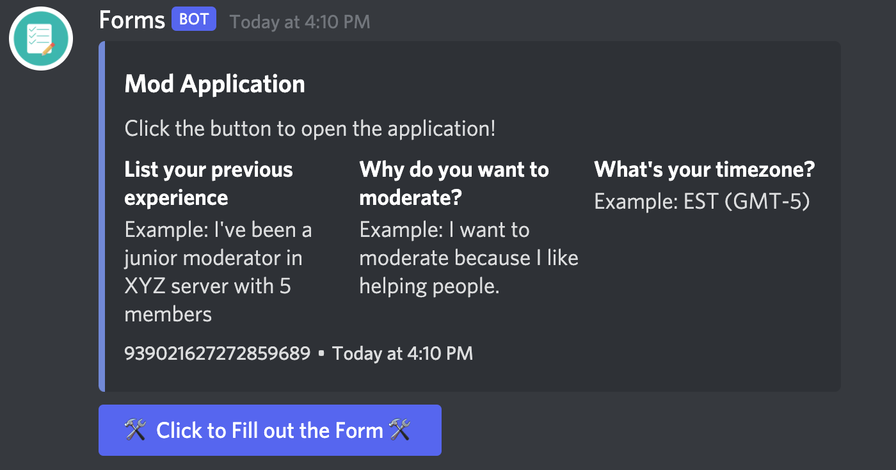
Fill out a form by clicking on the 'Click to Fill out this Form' button.
Notes:
/notes: create a note (add a title and choose who can edit your note, by selecting a role (optional, if no role is selected, only you can edit/download the note)
Edit and download notes by clicking the 'Edit' or 'Download' buttons.
Polls:
/poll: create a secure poll (using buttons) with up to 5 options! You can choose what color each option is (blurple, gray, green, or red - set by Discord). You can also choose to create a public thread with the poll for comments!
Each user can only vote once, and votes are unable to be tampered with by moderators/administrators.
Each poll expires after 28 days.
Ticketing with Forms (BETA):
Create tickets with forms! Users can respond to questions of your choosing, prior to opening the ticket, expediting the support process!
/ticket: launches the ticketing system and is similar to /forms
/close: closes a ticket
Other Commands:
/help: get the latest commands and how to use them
/count: count the number of characters in an input (a tool since Discord limits the length of modal labels, titles, and placeholders)
/support: report a bug or give a suggestion
FAQ:
How many forms can I make?
Hmm... how about unlimited?
How many notes can I make?
Seriously? Obviously, unlimited.
What're modals?
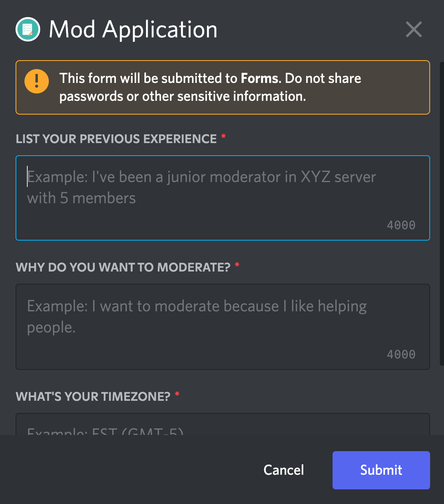
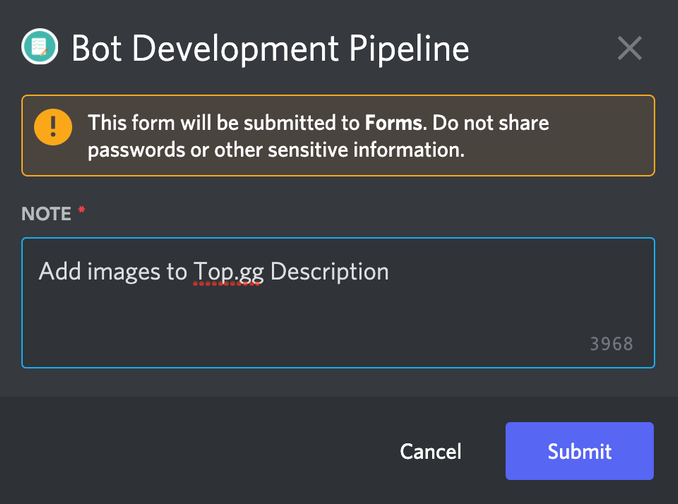
Modals are sort of like pop-ups that allow you to input information. For this bot, modals are triggered at the click of a button. (See some examples above!)
How can I use this bot?
You can make forms for just about everything! Applications, event registration, complaints/suggestions, questionnaires, the list goes on! You can also create notes inside of Discord!
Do you store data from notes or forms?
No. We don't store any data from notes or forms. However, to download a note, we temporarily create a txt file with your note's content, and then we delete it after sending it to you (meaning that we only hold your note's content for less than a few seconds).
Popular Commands
| Command | Description |
|---|---|
/note | Create an editable note! Edit anytime from anywhere and collaborate! nameThe name of the note. roleIf a role is selected, users with this role will be able to edit your note! |
/help | Learn more about me |
/count | Counts the number of characters in your input inputThe input that you want to get the character limit of. |
/ticket | Launches the form-based ticketing system first_questionthe first question in the ticket (max length: 45 characters) first_placeholderan example of a response to the first question. second_questionthe second question in the ticket (max length: 45 characters) second_placeholderan example of a response to the second question. third_questionthe third question in the ticket (max length: 45 characters) third_placeholderan example of a response to the third question. fourth_questionthe fourth question in the ticket (max length: 45 characters) fourth_placeholderan example of a response to the fourth question. fifth_questionthe fifth question in the ticket (max length: 45 characters) fifth_placeholderan example of a response to the fifth question. nameticketing system name descriptiona description for the ticketing system button_labelchange the button label! ticket_moderatormembers with this role will be able to see tickets imageadds an image to the embed! (use an image link!) colorselect your embed's color! |
/forms | Create a form titleWhat do you want your form to be called? first_questionWhat do you want the first question of your form to be? (Max length: 45 characters) channel_or_threadWhere do you want the modal results to send to? first_placeholderGive an example of a response to the first question. second_questionWhat do you want the second question of your form to be? (Max length: 45 characters) second_placeholderGive an example of a response to the second question. third_questionWhat do you want the third question of your form to be? (Max length: 45 characters) third_placeholderGive an example of a response to the third question. fourth_questionWhat do you want the fourth question of your form to be? (Max length: 45 characters) fourth_placeholderGive an example of a response to the fourth question. fifth_questionWhat do you want the fifth question of your form to be? (Max length: 45 characters) fifth_placeholderGive an example of a response to the fifth question button_labelChange the button label! button_colorWhat color should the button be? Default: Blurple roleGive the member a role after they complete the form! descriptionWhat's the form for - appears in the embed? imageAdds an image to the embed! (Use an image link!) colorSelect your embed's color! |
Categories
Tags
Monetization
Languages
Links
Similar Bots
Other moderation and tools bots you might like






Popular on UpBot
Trending bots in our directory