
Media Gallery
About FormBot
This bot allows you to create forms for your discord server.
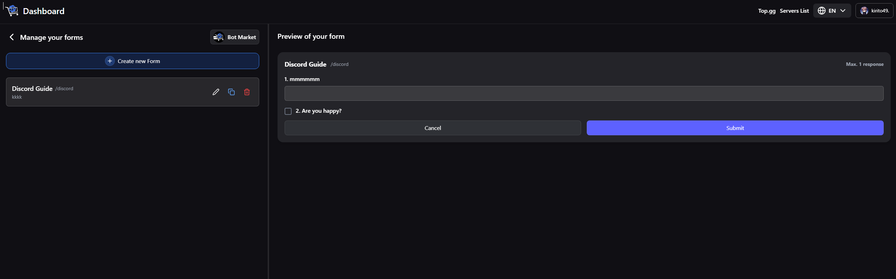
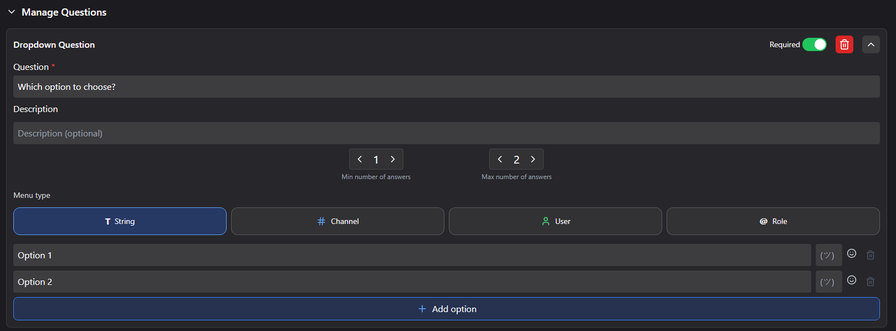
➥ Create a form with up to 5 questions (text, channels, roles, users, files, multiple choice, checkboxes, single checkbox).
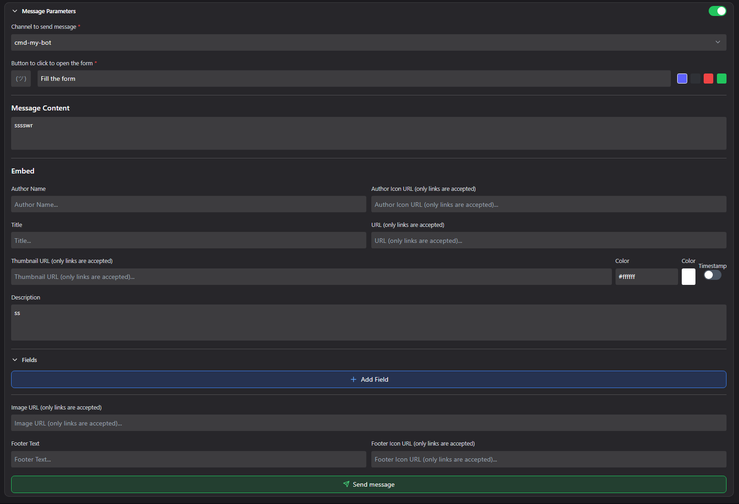
A slash command will be created at the end of the configuration to fill the form or you can customize a message with a button.
➥ You can view, edit, delete your forms to manage them.
➥ You can accept / refuse a response.
➥ You can edit the response sent through the form.
➥ Export all your forms on Google Sheet, Excel, CSV, Json, PDF
➥ View all statistics about your forms
➥ Use the /help command to have more information.
Many options on the forms are possible: number of responses, opening time of the form etc.
This bot is very easy to use and very intuitive thanks to Discord's buttons and forms, but you can also use its Dashboard.
Moreover, you can change the language of the bot.
Popular Commands
| Command | Description |
|---|---|
/form-view | View yours forms |
/help | Display the list of available commands |
/form-create | Create a new form |
/form-message | Send the form as a message colorThe color of the button labelThe label of the button emojiThe emoji of the button channelThe channel to send the message to |
/dashboard | Get the link of the Dashboard to create forms |
Support Server

Categories
Tags
Monetization
Languages
Similar Bots
Other moderation and tools bots you might like






Popular on UpBot
Trending bots in our directory