
Media Gallery
About ModMail
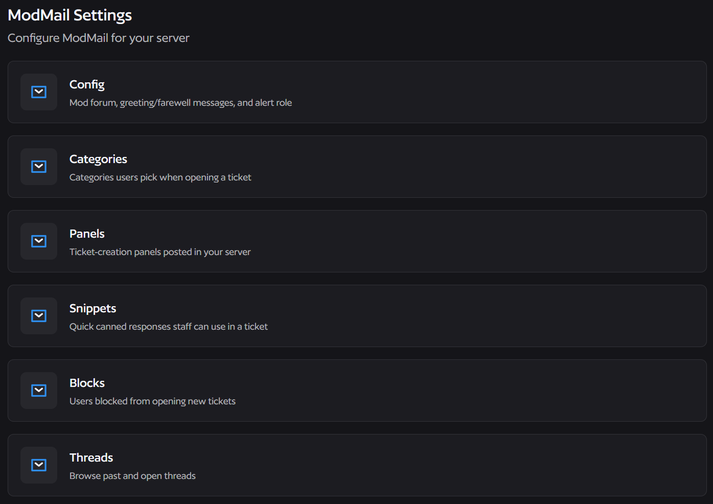
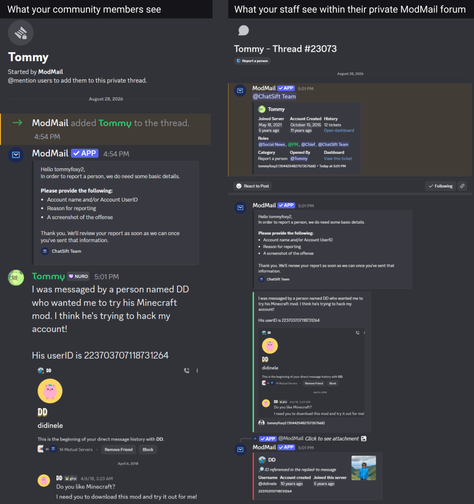
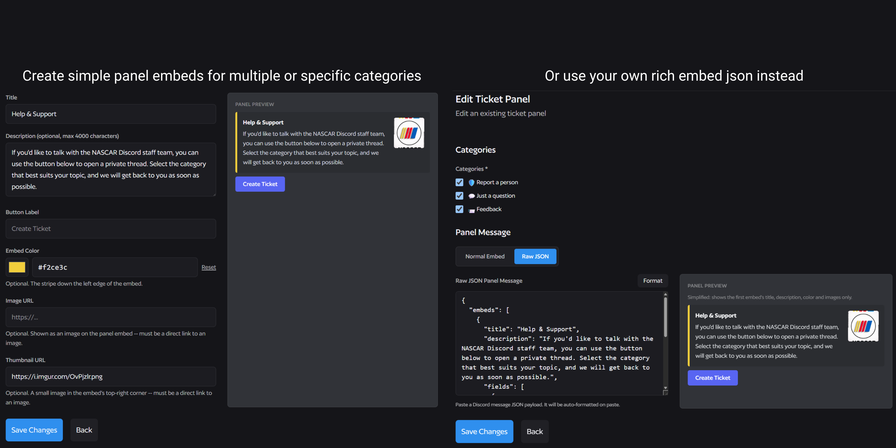
A slash-command Discord bot to help your server members contact server staff easily. A new thread is created whenever a user messages the bot allowing for staff responses and private discussion.
Reliable, swift communication
When your community members DM the bot their inquiry will be instantly forwarded to your server staff. All messages from the user will be forwarded to staff, while staff replies will only be sent when done so via /reply or the context menu button.
Internal Discussions
Until you send a message with /reply or the context menu button none of your staff messages in a ModMail thread will be sent. Keep internal discussions internal.
Snippets
Utilize snippets to swiftly reply with pre-determined text responses. Once a snippet is saved you can utilize them via slash commands instantly to save even more time. For example, you could set up a snippet called /how which responds with "Hello! How can we help you today?" when users don't submit understandable content.
Alerts
Toggle ping alerts for all ModMails or just the specific one you're viewing at that time.
Moderation Tools
/Logs - View all ModMail threads from a given user instantly.
/Block & /Unblock - Prevent specific users from creating new ModMails.
/Close - Once finished with a ModMail, close it instantly or with a timed delay.
/Open - Initiate a ModMail with a specific user without having them DM the bot first.
/Edit & /Delete - Make changes to existing responses from staff or outright remove them easily.
Simple Mode
Prefer to see ModMails in plaintext only and not rich embeds? We got you covered with "Simple Mode" which you can toggle in /config for the bot.
Greetings and Farewells
When community members message the bot, automatically send a greeting message to them after their initial message. And once a thread closes, optionally send a farewell messa
Popular Commands
| Command | Description |
|---|---|
/reply | Reply to this ModMail ticket (opens a box for the message content) |
/alert | Toggle a ping for yourself whenever the user sends a new message in this ticket |
/close | Close this ModMail ticket nowClose this ticket immediately scheduleSchedule this ticket to close after a delay cancelCancel a pending scheduled close for this ticket |
/dashboard | Get a temporary link to manage this server from the dashboard openGet a one-time link to open the dashboard for this server revokeImmediately end any active dashboard sessions opened via a /dashboard link |
/open | Open a ModMail ticket with a member, as if they had opened it themselves userThe member to open a ticket with categoryThe ticket's category - required if your staff forum enforces tags |
Categories
Tags
Monetization
Languages
Links
Similar Bots
Other moderation and tools bots you might like






Popular on UpBot
Trending bots in our directory