

- Servers
- 161
- Rank
- #6,38155 in 30 days
- Last 7 days
- 0
- Last 30 days
- +2(+1.3%)
Media Gallery
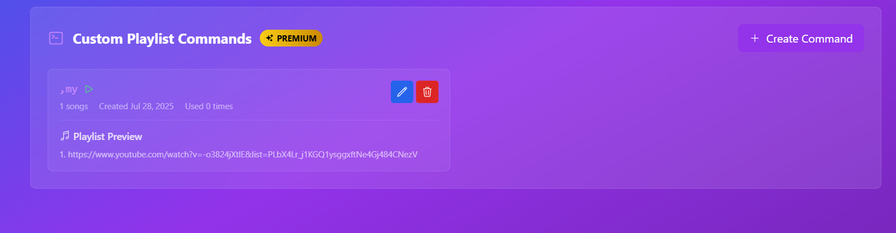
About CMusics™
# CMusics™ - Your Ultimate Discord Music Companion 🎵

## Features
• **High-Quality Playback** - Crystal clear audio streaming
• **Multi-Platform Support** - YouTube, Spotify, and SoundCloud integration
• **Smart Queue Management** - Easy to manage your music queue
• **User-Friendly Commands** - Simple and intuitive command system
• **24/7 Reliability** - Stable performance with minimal downtime

## Commands
Here are some of the most commonly used commands:

,play <song>     # Play a song or add it to queue
,queue           # View the current music queue
,nowplaying      # See what's currently playing
,skip            # Skip to the next song
,help            # View all available commands
Why Choose CMusics™?
• 🎯 Simple to Use - Just type ,play and start listening
• 🚀 Fast Response - Minimal delay between commands
• 🎨 Beautiful Interface - Clean and modern embed designs
• 🔧 Regular Updates - Constantly improving with new features
• 💪 Reliable - Built with stability in mind
Getting Started
- Invite the Bot
- Join a voice channel
- Type ,play followed by your song name
- Enjoy your music!
CMusics™ - あなたの究極のDiscord音楽ボット 🎵 [Japanese]
特徴
• 高品質な再生 - クリアな音質 • マルチプラットフォーム対応 - YouTube、Spotify、SoundCloudに対応 • スマートなキュー管理 - 簡単な音楽キュー管理 • 使いやすいコマンド - シンプルで直感的なコマンドシステム • 24時間稼働 - 安定したパフォーマンス
主なコマンド
,play <曲名>     # 曲を再生
,queue           # 現在のキューを表示
,nowplaying      # 現在再生中の曲を表示
,skip            # 次の曲にスキップ
,help            # 全コマンドを表示
CMusics™ is constantly evolving and improving. Join our community to suggest features and help us grow!
Growth History
Server count trends over the last 6 months
Popular Commands
| Command | Description |
|---|---|
/autoplay | Toggle autoplay — automatically adds related tracks when the queue ends. stateEnable or disable autoplay |
/settings | View or change guild settings. viewView current guild settings. prefixChange the bot prefix for this server. dj-roleSet (or clear) the DJ role for music commands. announce-tracksToggle track announcement messages. music-channelLock the bot to a specific music text channel. |
/play | Play a song, playlist, or URL. querySong name, YouTube URL, or Spotify URL |
/247 | Toggle 24/7 mode — bot stays in voice even when no one is listening. stateEnable or disable 24/7 mode |
/playlist | Manage and play your personal playlists. createCreate a new playlist. deleteDelete one of your playlists. listList all your playlists. infoView tracks in a playlist. addAdd the currently playing track (or a search query) to a playlist. removeRemove a track from a playlist by its number. renameRename one of your playlists. playLoad and play a playlist. |
Frequently Asked Questions
Widget for CMusics™
Do you develop CMusics™? Show its server count, rank and growth on your website or README. Use the PNG where SVG images are not supported.
[](https://directory.upbot.app/bots/993613471470063746)Tags
Monetization
Languages
Similar Bots
Other social bots you might like


