

Kick Alerts 🔔
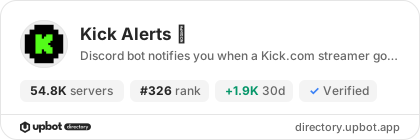
54,800 servers+300 this week- Servers
- 54,800
- Rank
- #3264 in 30 days
- Last 7 days
- +300(+0.6%)
- Last 30 days
- +1,900(+3.6%)
Media Gallery


About Kick Alerts 🔔
Kick Alerts 🔔 announces in your Discord channels every stream of the Kick streamers you choose and every new Kick Drops campaign, a few seconds after it starts.
💡 [kick_username] = Kick channel name or Kick.com link
💡 [game_name] = Kick category name
💡 [discord_channel] = Discord channel
Live alerts
○ Add, remove or list the live alerts of the server.
/live add [kick_username] [discord_channel] [message]
/live remove
/live list
○ Change the announcement message or the channel of a live alert.
/live message [kick_username] [message]
/live channel [kick_username] [discord_channel]
○ Announce a streamer only on some categories, or on every category but a few, and skip the streams whose title contains given words.
/live filter [kick_username] [mode]
○ Pause a live alert without removing it, then turn it back on.
/live disable [kick_username]
/live enable [kick_username]
Variables of the stream message: %name% (display name of the streamer), %game%, %title%, %link%, %newline% (new line).
Drops alerts
○ Announce the Drops campaigns of a category, or all Drops campaigns.
/drop add [game_name] [discord_channel] [message]
○ The same commands as for streams: /drop remove, /drop list, /drop message, /drop channel, /drop disable, /drop enable.
○ Leave out the campaigns whose name or rewards contain given words (and some categories on the alert for all campaigns).
/drop filter [game_name]
Variables of the drop message: %game%, %startAt% (campaign start date), %endAt% (campaign end date), %link%, %newline%.
Settings /menu
- When the stream ends: the announcement switches to [OFFLINE] (with the VOD, its picture, its category and a Watch the VOD button; without it, the channel's offline picture), is deleted or stays as it is
- Restart delay: a stream that starts again less than 0 to 60 min (your choice) after the previous one is not announced again
- Delete the previous announcement when the streamer goes live again
- Show the category above the Drops announcements
- Delete Drops announcements when their campaigns end
- Language of the bot: 30 languages
Good to know
- An alert whose channel keeps refusing the bot is paused, never deleted: fix the channel, then turn the alert back on
- Live and Drops alerts are free and unlimited
- Premium: announcements through a webhook whose name and picture you choose, or by your own bot (beta, from the dashboard); 1 free month per server, then a Discord subscription or a subscription to kick.com/sunkwi
- Everything can also be set up on the dashboard: https://kick.sunkwi.com
○ Help with every command.
/help
Growth History
Server count trends over the last 6 months
Popular Commands
| Command | Description |
|---|---|
/drop | Manage the Drops alerts of this server. addAdd a Drops alert. removeRemove a Drops alert. listView the Drops alerts of this server. channelChange the channel of a Drops alert. messageChange the announcement message of a Drops alert. filterLeave out Drops campaigns by words or categories. disablePause a Drops alert without removing it. enableTurn a paused Drops alert back on. |
/menu | Show the menu of features and settings of the bot. |
/help | Show the help menu. |
/live | Manage the live alerts of this server. addAdd a live alert. removeRemove a live alert. listView the live alerts of this server. channelChange the channel of a live alert. messageChange the announcement message of a live alert. filterChoose the categories and title words of a live alert. disablePause a live alert without removing it. enableTurn a paused live alert back on. |
Frequently Asked Questions
Widget for Kick Alerts 🔔
Do you develop Kick Alerts 🔔? Show its server count, rank and growth on your website or README. Use the PNG where SVG images are not supported.
[](https://directory.upbot.app/bots/1074725940325793902)Categories
Tags
Monetization
Languages
Similar Bots
Other social bots you might like


