
Media Gallery
About Upscale Bot
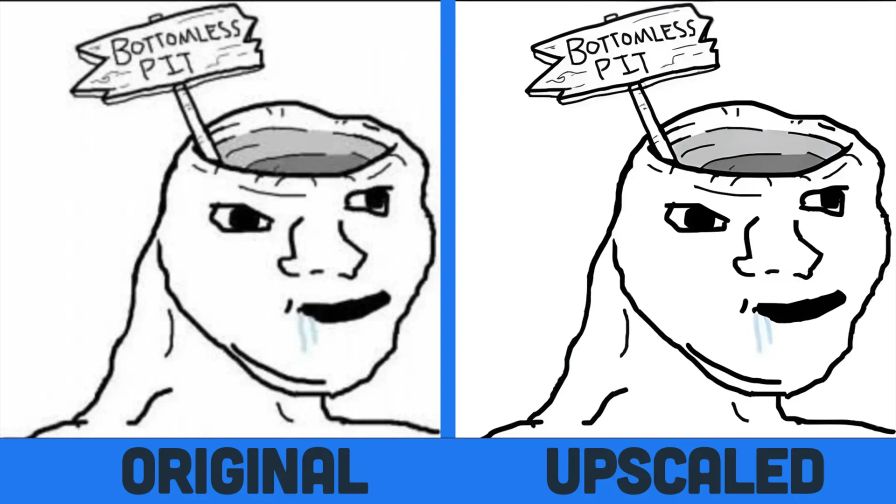
Upscale Bot lets you easily double any image resolution (2x) right inside Discord. It uses machine learning (AI) to intelligently fill in missing details, providing a much sharper and clearer image.
🛠️ How to use
To use the bot, simply run the /upscale command and provide the URL of the image you want to enhance.
Grab an image URL (for example, by right-clicking an image in Discord and selecting "Copy Image Link").
Run /upscale and paste the link.
Note: The /upscale command also works in Direct Messages (DMs) with the bot!
🪙 Credits System
The bot uses a credit system to process upscale jobs.
Every user starts with an initial balance sufficient for four upscale jobs.
Check your balance: /credits balance
Gift credits to others: /credits gift
Top up your balance: /credits topup
Popular Commands
| Command | Description |
|---|---|
/upscale | Automatically upscale your photo or screenshot to twice its resolution. uploadJPEG, PNG, or WebP image (max 10 MiB; no sensitive personal data) imageImage URL instead of an upload (do not submit sensitive personal data) |
/credits | Manage your Credits(Credits) balanceAmount of credits you have. infoInfo about spent, earned and gifted credit amounts. topupGet more credits. giftGift credits to someone. |
Categories
Tags
Monetization
Languages
Similar Bots
Other moderation and tools bots you might like






Popular on UpBot
Trending bots in our directory