
Daily Escalation Target Loot
1,540 serversMedia Gallery

About Daily Escalation Target Loot
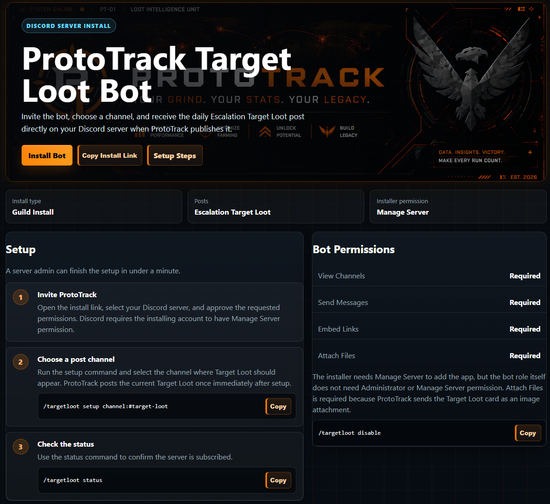
Daily Escalation Target Loot Bot for The Division 2
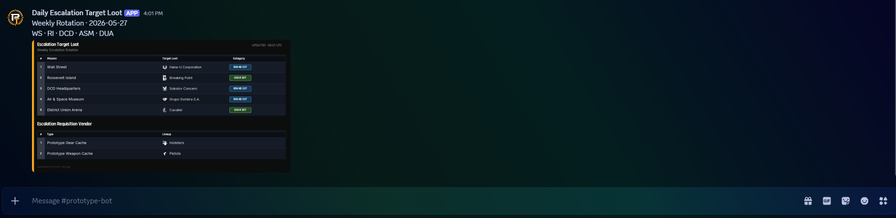
ProtoTrack’s Target Loot Bot helps The Division 2 players keep track of the Daily Escalation Target Loot rotation directly inside Discord.
The bot can post the current Daily Escalation Target Loot to a server channel, send private DM updates, show detailed loot information, display loot history, and notify users when watched Target Loot appears in the daily mission rotation.
Main Features
🎯 Daily Escalation Target Loot: Get the current mission rotation with all available Target Loot, including mission names, abbreviations, loot categories, and Escalation Vendor Requisition caches.
🔔 Private Target Loot Watchlist: Players can manage their own private watchlist in DMs. When watched loot appears in the daily mission rotation, the bot can notify them directly.
The watchlist supports Brand Sets, Gear Sets, Weapons, Gear slots, and Mods.
Examples: Body Armor, Rifle, Gear Mods, Striker’s Battlegear, Česká Výroba s.r.o., and more.
📩 Daily DM Subscription: Players can subscribe to receive the Daily Escalation Target Loot privately by DM, even if they are not using the bot on a server.
📊 Target Loot History: Look up how often a specific Target Loot item has appeared, including recent appearances and mission history.
🧠 Loot Info: Get detailed information for Brand Sets and Gear Sets, including bonuses, talents, named items, and descriptions.
🧭 Clean Server and DM Commands: Server setup commands and private player commands are separated for a cleaner experience.
🖥️ Server commands: targetloot setup | targetloot status | targetloot disable
📨 DM commands: targetlootdm current | targetlootdm lootinfo | targetlootdm history | targetlootdm subscribe | targetlootdm unsubscribe | targetlootdm watch add | targetlootdm watch remove | targetlootdm watch list | targetlootdm watch clear | targetlootdm help
Permissions
For server posts, the bot needs View Channel, Send Messages, Embed Links, and Attach Files if attachment delivery is used.
The bot does not need Administrator permissions.
Troubleshooting
If the bot cannot post, check that the selected channel still exists and that the bot role can view and send messages in that channel.
Common Discord errors:
Missing Permissions: The bot role cannot send everything required.
Missing Access: The bot cannot access the selected channel.
Unknown Channel: The configured channel no longer exists.
Cannot Send Messages to This User: The user has DMs disabled or blocked the bot.
Support
If something does not work or you have feature requests, feel free to contact laurojillian on Discord.
More Target Loot analytics: https://prototrack.gg/target-loot/target-loot-analytics.php
Popular Commands
| Command | Description |
|---|---|
/targetlootdm | Use ProtoTrack Target Loot in DMs helpShow detailed help for DM Target Loot commands currentShow the current Daily Escalation Target Loot lootinfoShow Brand Set or Gear Set bonuses historyShow how often a Target Loot item appeared subscribeReceive the Daily Escalation Target Loot by DM every day unsubscribeStop Daily Escalation Target Loot DMs watchManage your private Target Loot watchlist |
/targetloot | Configure ProtoTrack Escalation Target Loot posts setupChoose the channel for Escalation Target Loot posts statusShow the current Target Loot channel disableDisable ProtoTrack Target Loot posts for this server menuCreate a permanent Loot menu with private results in this channel |
Categories
Tags
Monetization
Languages
Links
Similar Bots
Other games bots you might like






Popular on UpBot
Trending bots in our directory