
Media Gallery
About Sprite Catch
Track your Chapter 7 Sprites without leaving Discord.
Mark what you own, find who in your server has the one you are missing, and do the swap in a private room. It works with no Sprite Catch account and nothing installed — your marks are saved against your Discord account and follow you into every server that has the bot.
Commands
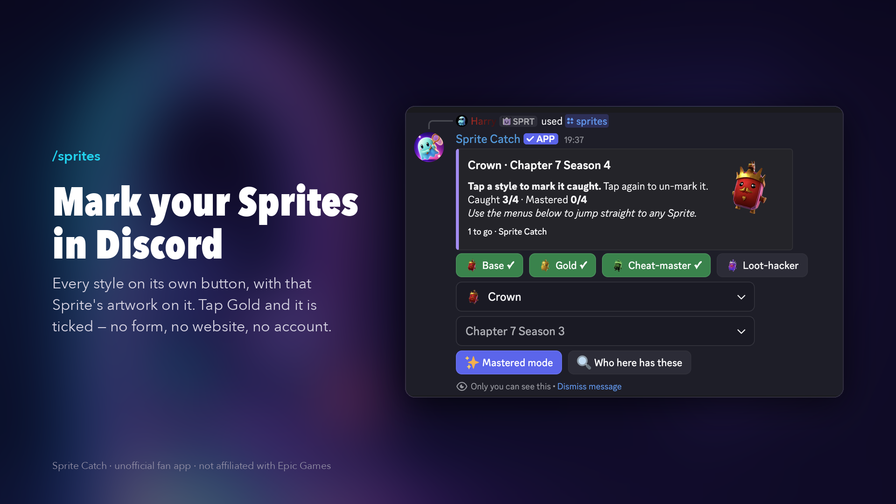
/sprites — one panel per Sprite, every style on its own button with that Sprite's own artwork on it. Tap Gold and it is ticked. Switch to Mastered mode for the second layer. Only you can see the panel.
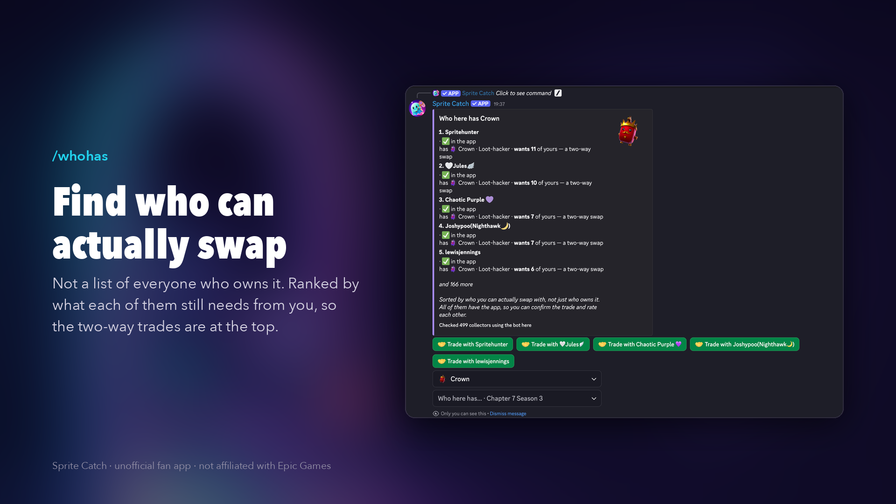
/whohas — who here has the Sprite you need, ranked by what each of them still needs from you, so the two-way swaps sit at the top.
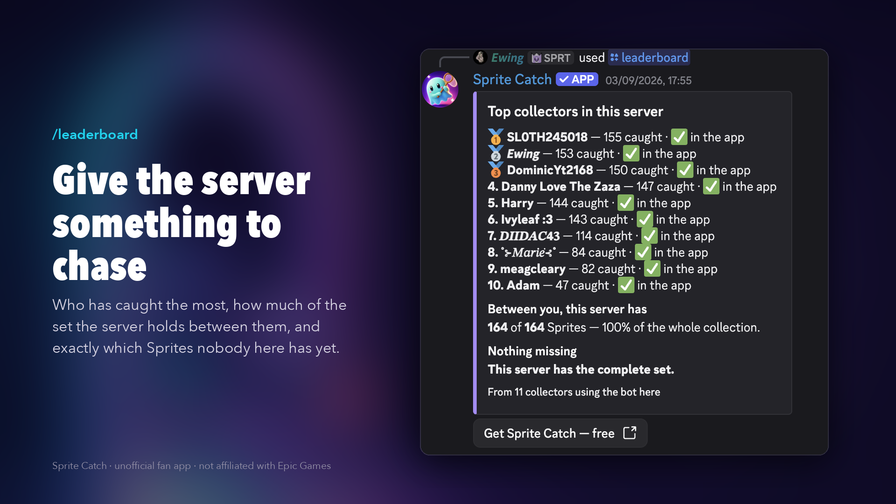
/leaderboard — the server's top collectors, how much of the set you hold between you, and exactly which Sprites nobody here has yet.
/collection, /missing, /rating — your collection, the Sprites you are still hunting, or your trade record, drawn as a card and posted into the channel.
/trade — a private room for the two of you, with what each side needs from the other already listed.
/link — optional. Join the Sprite Catch app and Discord into one collection that syncs both ways. Everything you already ticked comes with you.
/spritecatch setup — pick the channel the bot lives in. That is the whole setup.
Free, and it stays free. No ads, no subscription and no premium tier — and nothing in Sprite Catch can be bought with money.
Never pay for a Sprite. No money, no gift cards, no V-Bucks: a Sprite is only ever swapped for another Sprite. Never share an Epic account login with anybody, for any reason. Use /trade report if someone asks you to.
Sprite Catch is an unofficial fan project. It is not affiliated with, endorsed or sponsored by Epic Games. Fortnite is a trademark of Epic Games, Inc.
Popular Commands
| Command | Description |
|---|---|
/link | Link your Sprite Catch account to Discord |
/missing | Post a picture of the Sprites you're still hunting userA collector who has linked their account (leave empty for yourself) codeTheir Sprite Catch Account ID, e.g. ABCD1234 themeWhich background to draw it on |
/login | Link your Sprite Catch account to Discord |
/collection | Post a picture of the Sprites you have caught userA collector who has linked their account (leave empty for yourself) codeTheir Sprite Catch Account ID, e.g. ABCD1234 themeWhich background to draw it on |
/rating | Post a collector's trade reputation card userA collector who has linked their account (leave empty for yourself) codeTheir Sprite Catch Account ID, e.g. ABCD1234 themeWhich background to draw it on |
Tags
Monetization
Languages
Similar Bots
Other games bots you might like






Popular on UpBot
Trending bots in our directory