Minecraft Pixel Art Generator
0 serversMedia Gallery
About Minecraft Pixel Art Generator
Minecraft Pixel Art Generator Discord Bot
Turn your ideas and images into Minecraft pixel art directly inside Discord with the Minecraft Pixel Art Generator bot. Designed for Minecraft players, builders, artists, creators, and Discord communities, this bot makes it easy to generate block-based pixel art without leaving your server.
Use simple Discord commands to create Minecraft pixel art from images, characters, logos, symbols, and custom ideas. Whether you want to recreate a favorite game character, build a server logo, make a giant Minecraft portrait, or design a custom wall decoration, the bot provides a fast way to get started.
The Minecraft Pixel Art Generator Discord bot is built for users who want more than a basic pixel image. Depending on the available options, you can choose dimensions, styles, backgrounds, and Minecraft-friendly color palettes to create artwork that works well as an in-game build. You can also explore materials and block requirements to better understand what your finished Minecraft pixel art project may need.
Create Minecraft Pixel Art with Discord Commands
Generate artwork quickly using commands such as /pixelart and /convert. Upload an image or provide an idea, choose the desired size and style, and let the generator transform it into Minecraft-inspired block art.
The bot is useful for:
- Minecraft pixel art builds
- Character and anime pixel art
- Minecraft server logos and banners
- Game icons and symbols
- Portraits and custom designs
- Community projects and creative challenges
- Large wall art and decorative builds
From Pixel Art to Minecraft Builds
Creating the artwork is only the beginning. The Minecraft Pixel Art Generator ecosystem is designed to help turn digital pixel art into practical Minecraft building projects. Generated designs can be refined through the full web-based generator, where users can work with editing tools, Minecraft block palettes, image imports, and build-oriented export options.
For users who want to plan a project before placing thousands of blocks, material information can also help identify the Minecraft blocks and quantities required for a design.
Whether you are creating a small 16×16 icon or a large 64×64 Minecraft pixel art design, this Discord bot gives your community a convenient way to experiment with pixel art and Minecraft building ideas.
Create, convert, explore, and build Minecraft pixel art directly from Discord with Minecraft Pixel Art Generator.
Popular Commands
| Command | Description |
|---|---|
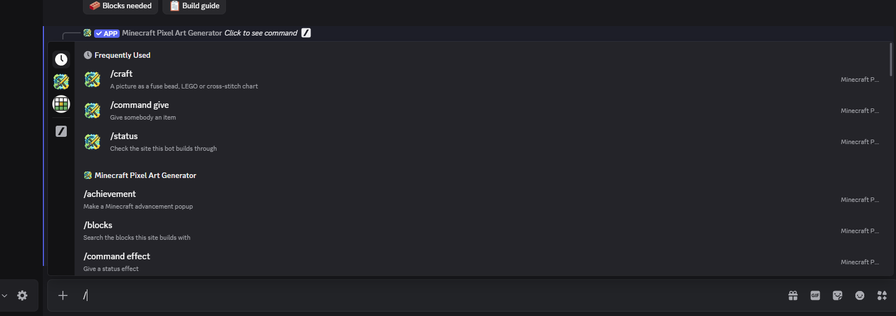
/library | What this site has: shapes, stencils, fonts, versions, tools and craft palettes shapesThe shapes /shape and /voxel can build stencilsThe stencil library fontsThe fonts /text can spell in versionsThe Minecraft versions the files can be written for toolsThe tools this site has switched on palettesThe bead, brick and floss colours refreshForget what the bot has cached and read the site again |
/command | Build a Minecraft command, with an explanation of what it does giveGive somebody an item summonSummon a mob fillFill a box with a block setblockPlace one block tpTeleport effectGive a status effect timeSet the time of day weatherSet the weather |
/text | Spell something out in blocks textWhat to spell. Use \n for a second line. fontHow tall the letters are blockThe letters. Default black concrete. backgroundFill behind the letters. Left out, it stays empty. spacingBlank columns between letters, 0 to 6. Default 1. padA border of background around it, 0 to 8. orientationHow the build stands in the world originCorner to build from, like "100 64 -20". Default is where you stand. zoomPixels per block in the preview, 1 to 64 privateShow the result only to you |
/achievement | Make a Minecraft advancement popup titleThe line under the heading frameWhich kind blockThe block in the icon. Default grass block. scaleHow big, 2 to 12. Default 4. privateShow the result only to you |
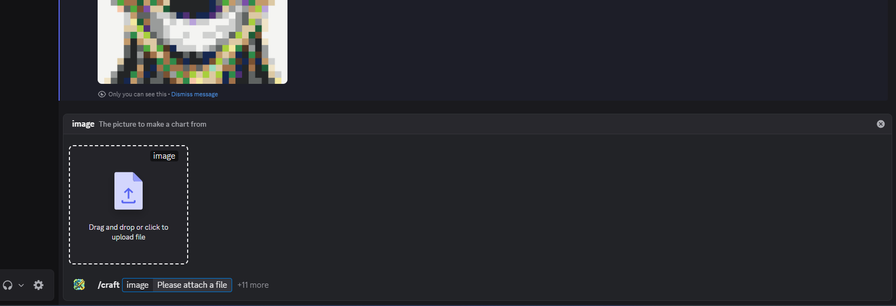
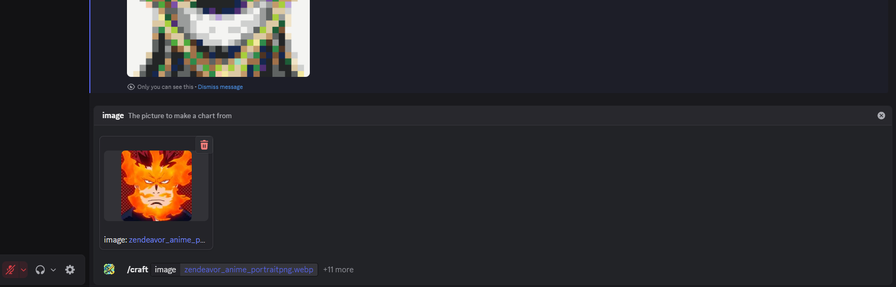
/craft | A picture as a fuse bead, LEGO or cross-stitch chart imageThe picture to make a chart from paletteWhat you are making it out of sizeCells across. Defaults to what suits the craft. fabricAida count, cross stitch only — stitches to the inch. Default 14. matchingHow a colour is matched to a block ditherHow colours are mixed between blocks brightness-100 to 100 contrast-100 to 100 saturation-100 to 100 zoomPixels per block in the preview, 1 to 64. Left out, it is picked from the size. grid_linesDraw a line between every block in the preview privateShow the result only to you |
Categories
Tags
Monetization
Languages
Similar Bots
Other similar bots you might like


Popular on UpBot
Trending bots in our directory