

- Servers
- 608,000
- Rank
- #761 in 30 days
- Last 7 days
- +3,000(+0.5%)
- Last 30 days
- +9,000(+1.5%)
Media Gallery


About Craig
Craig is the voice channel recording bot for Discord with multi-track recording! That means that when Craig records your Discord voice channel, you get a separate audio file for each speaker. You can independently level, cut or otherwise edit each speaker, an invaluable ability for podcasts, let's plays and the like.
To start recording, simply use the /join command and Craig will start recording your channel. To finish your recording, use the /stop command and Craig will leave your channel.
Some features include:
- Your recordings can be exported in a variety of modern audio formats like FLAC, MPEG-4 AAC, and more. You can even export your recording into an Audacity project.
- You can download your audio even while Craig is still recording, so if you have any concerns, you can always check them out on the fly. Plus, you can set up Craig to automatically upload to Google Drive after the recording's done.
- No matter how long your recording is, no matter how many speakers are recorded, and even if speakers join late, every audio file delivered will be in perfect sync with each other. You can also use the webapp to record in higher quality than Discord.
- Craig will record up to 6 hours, keeps your audio for you to download for 7 days, and has no limit on the number of speakers or voice channel bitrate. These limits can be raised if you are a patron to Craig.
Growth History
Server count trends over the last 6 months
Popular Commands
| Command | Description |
|---|---|
/voice-test | Easily test your audio quality in a voice channel. |
/recordings | Access your previous recordings. |
/autorecord | Manage auto-record settings. viewView auto-recorded channels. onActivate auto-recording on a channel. offDeactivate auto-recording on a channel. pruneRemove auto-record rules for channels that no longer exist. |
/stop | Stop your current recording. |
/join | Start recording in a voice channel. channelThe voice channel to record in. |
Frequently Asked Questions
Compare Craig with
Side-by-side comparisons with similar popular bots.


Widget for Craig
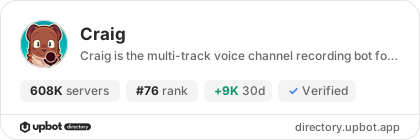
Do you develop Craig? Show its server count, rank and growth on your website or README. Use the PNG where SVG images are not supported.
[](https://directory.upbot.app/bots/272937604339466240)Categories
Tags
Monetization
Languages
Similar Bots
Other moderation and tools bots you might like


