MC Linker
10,800 serversMedia Gallery
Image
Image
Image
About MC Linker
MC Linker is the easiest way to connect your Minecraft server with Discord. NO custom bot creation or configuration files needed! Add chat bridges, view player stats, advancements, and inventories, run commands and moderate your server all within Discord.
Setup
To use most of the commands you’ll have to connect your Minecraft Java Edition server with the bot. This can be done by following these steps:
- Install the "Discord-Linker" plugin to your Minecraft server from SpigotMC or Modrinth
- Execute
/connect pluginin Discord - Follow the instructions in the embed
Important Commands
/help: Detailed description and usage of every command/inventory: Look in the inventory of any member/chatchannel: Set a channel in which the bot will send the minecraft chat/statchannel: Set a channel that will display the current online status or member count/command: Execute any Minecraft command on your server/stats: Look up Minecraft stats of any member/advancements: Look up Minecraft advancements of any member/account connect: Connect your Discord Account with your Minecraft Account/connect: Connect your Minecraft server with the bot/ban: Ban a player directly from the Minecraft server/serverinfoor/userinfo: DIsplay information about your server or a connected user
Popular Commands
| Command | Description |
|---|---|
/command | Execute any command on the Minecraft-server. commandSet the full command input. |
/account | Connect your Minecraft account with the bot. connectConnect your Minecraft-account. disconnectDisconnect your account on this server, or your global account if no per-server link exists. manageView and manage all your linked accounts (global + per-server). dmsManage DMs from Minecraft. |
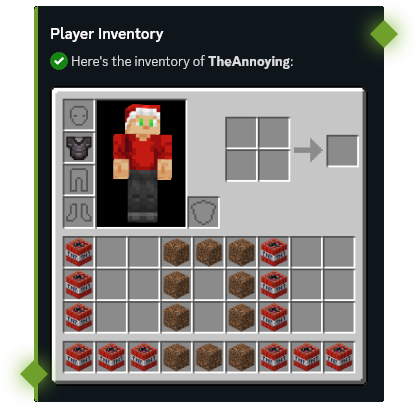
/inventory | Get an image of the current player's inventory. userSet the user you want to get the inventory from. show_detailsSet whether to display buttons that show more details about items. |
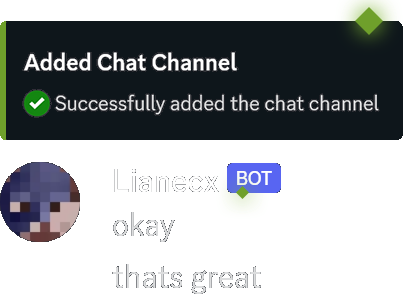
/chatchannel | Manage channels in which the bot will send Minecraft chat messages and logs. addAdd a chatchannel. removeRemove an existing chatchannel. listList all chatchannels. filter-commandsManage command filters for messages sent from Minecraft to Discord. |
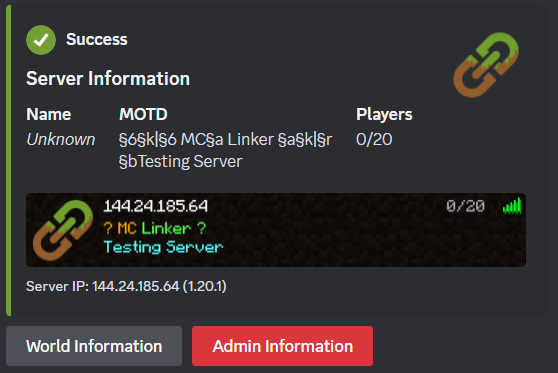
/connect | Connect your Minecraft server with the bot. join-requirementSet which requirements a user needs to join the server. display-ipSet the public IP address that will be displayed in some of the bot's commands. onlineManually set the configured online-mode of the server. For BungeeCord servers, set this to "True" |
Categories
Tags
connectminecraftmoderationstatsutility
Monetization
Languages
American English
Similar Bots
Other social bots you might like






Popular on UpBot
Trending bots in our directory