
AnnounceCast
1,150 serversMedia Gallery
About AnnounceCast
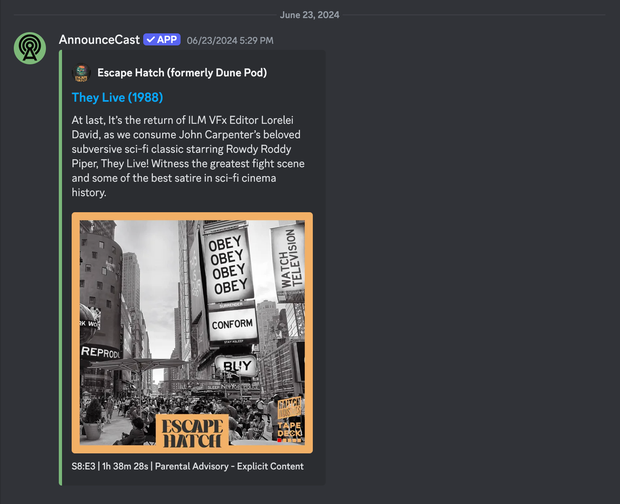
New podcast releases are announced on your Discord server nearly instantly after they are published. A great way to build your community around the most recent episodes. Stop using an RSS bot and use something purpose-built.
The primary command you'll be using is the /follow command. If you want to see new releases of the Escape Hatch podcast you'll use the slash, then find the follow command for AnnounceCast then type Escape Hatch in the text input. It'll look something like:
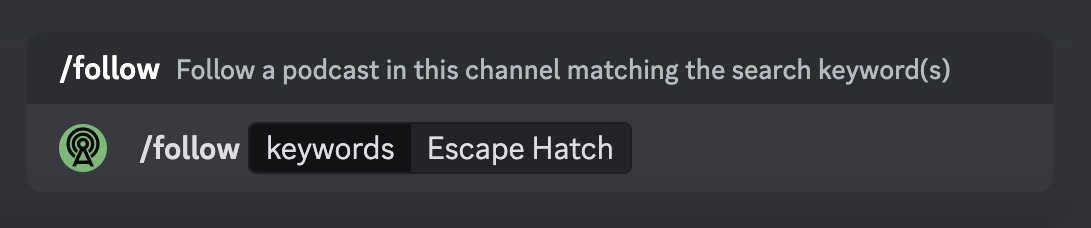
The most common problem people have is setting up permissions correctly so use /help True to check that permissions are appropriately set.
If you have other problems check out the AnnounceCast Documentation or join the AnnounceCast Support Server.
Popular Commands
| Command | Description |
|---|---|
/follow-rss | Follow a podcast in this channel using an RSS feed feedRSS feed used to identified podcast to follow channel(Optional) Specify channel to use instead of current. |
/unfollow | Unfollow a podcast in this channel using the Podcast Id idPodcast Id used to identified podcast to unfollow channel(Optional) Specify channel to use instead of current. |
/follow | Follow a podcast in this channel matching the search keyword(s) keywordsKeyword(s) used to find podcast to follow channel(Optional) Specify channel to use instead of current. |
/following | Replies with the list of all podcasts (Ids & Names) followed in this channel channel(Optional) Specify channel to use instead of current. |
/help | Replies with a some helpful information and links testSends a series of test messages to validate permissions |
Categories
Tags
Monetization
Languages
Similar Bots
Other utilities bots you might like





Popular on UpBot
Trending bots in our directory